Chapter 4: Using the Terminal Control Unit
Configuration 43
44444
Using the Terminal
To set navigational input mode
To display the currently selected navigational input mode, type:
can0:/$ cfg -pm
External nav input mode: 1 (Preferred input
only)
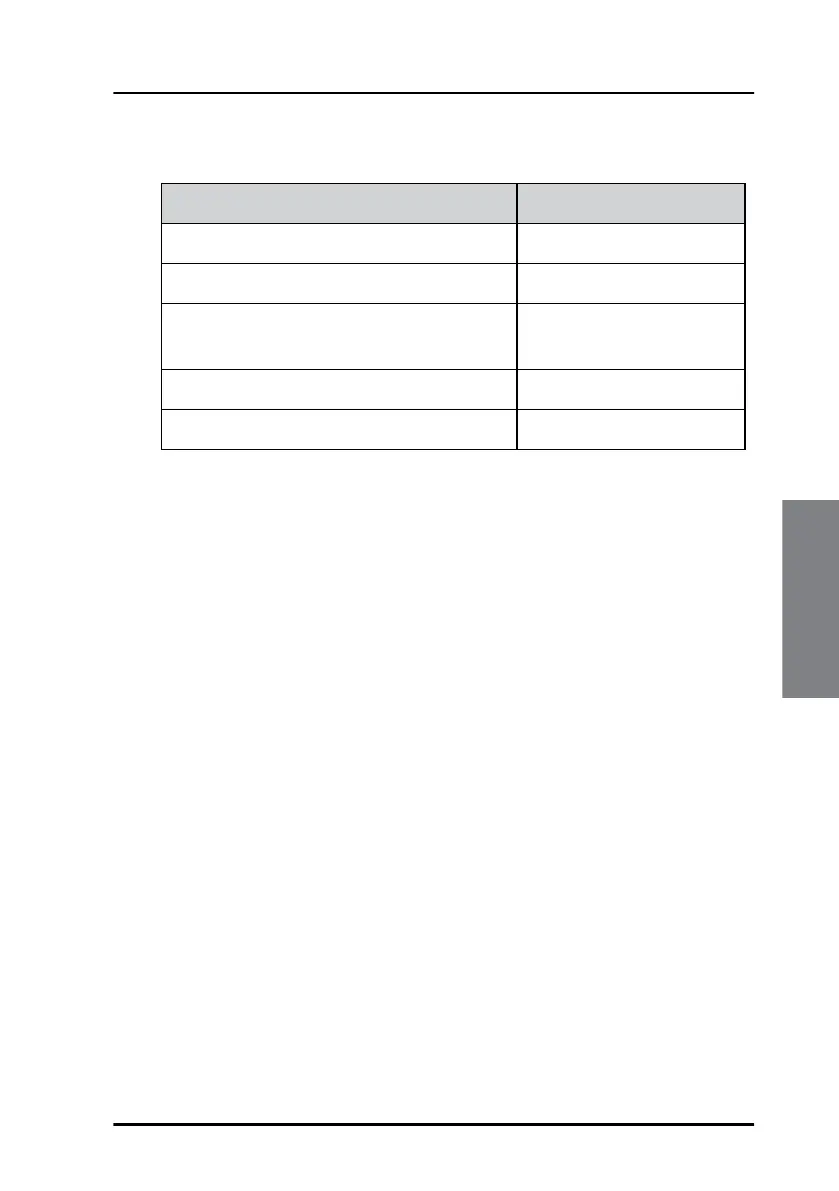
Navigational input mode Command
To use preferred input only
can0:/$ cfg -pm 1
To use 3D fix over preferred input can0:/$ cfg -pm 2
To use preferred input in 2D fix, even if 3D
fix is available
can0:/$ cfg -pm 3
To use input with best Pdop value can0:/$ cfg -pm 4
To use input with best Hdop value can0:/$ cfg -pm 5


 To Next Page