Coby Electronics Corp. [6] www.cobyusa.com
Please observe the following when using this item:
Do not disassemble, modify, crush, or puncture the
unit in any way. Any excessive impact may cause the
unit to malfunction.
Do not expose to high temperatures above 140°F (60°C).
Do not incinerate; dispose of properly.
Store between -4°F and 122°F (-20°C and 50°C).
Keep away from children.
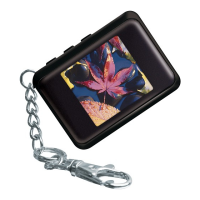
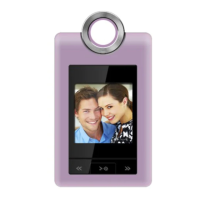
To turn on the DP-152, press and hold until the
screen displays “COBY”.
To turn off the DP-152:
Press to enter the Main Menu. “OFF” will be
selected.
Press again to nish turning off the unit.
●
●
Getting Started
To get started using the DP-152:
Transfer your photos onto the DP-152
Install the Photo Viewer Software onto your computer
from the Installation CD.
Connect the DP-152 to your computer using the sup-
plied USB cable. Start the Photo Viewer Software and
transfer photos to the DP-152 .
Disconnect the DP-152 from your computer.
View your photos on the DP-152
After you have loaded photos onto the unit:
Press and hold to turn the unit on.
Press or to view the previous or next photo,
respectively.
1.
2.
3.
1.
2.


 To Next Page