Page 10 Coby Electronics Corporation www.cobyusa.com Page 11
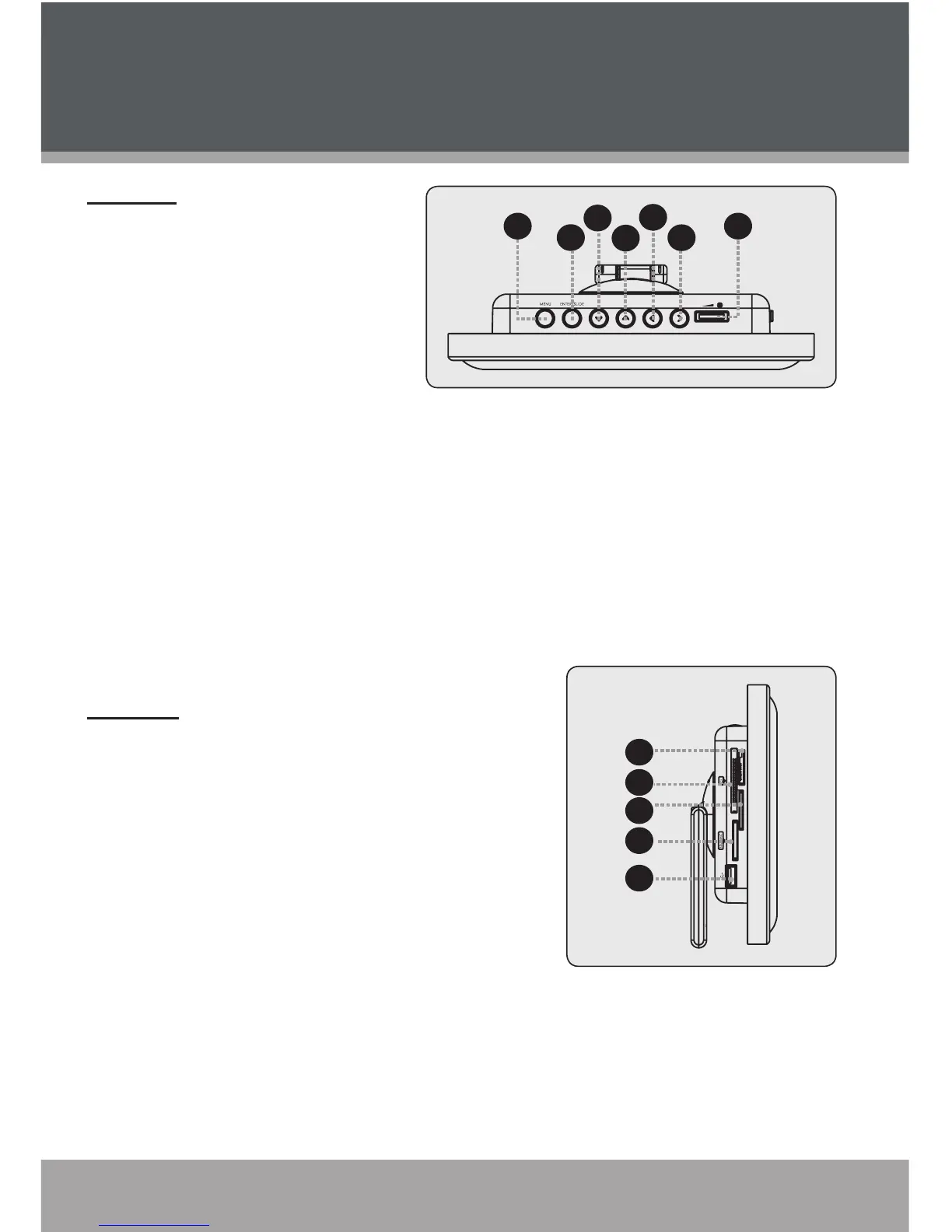
Top View
Menu/Setup
Press once for Menu;
Press and hold for Setup
Enter/Slideshow
Press for Enter
Down
Up
Left / Fast Reverse
Press for Left during selecting.
Press for Fast Reverse during
Audio/Video playback
Right/ Fast Forward
Press for Right during selecting.
Press for Fast Forward during
Audio/Video playback
Volume Level Dial
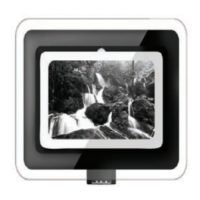
Left View
Memory Stick (MS)
Compact Flash (CF)
xD-Picture (xD)
Secure Digital (SD) / Multi Media
Card (MMC)
USB Port
(for use with USB ash drives)
1.
2.
3.
4.
5.
6.
7.
8.
9.
10.
11.
12.
Location of Controls


 To Next Page