Page 16 Coby Electronics Corporation www.cobyusa.com Page 17
Main Menu Screen
Insert a card to the corresponding slot and turn on the player. Your photo frame will
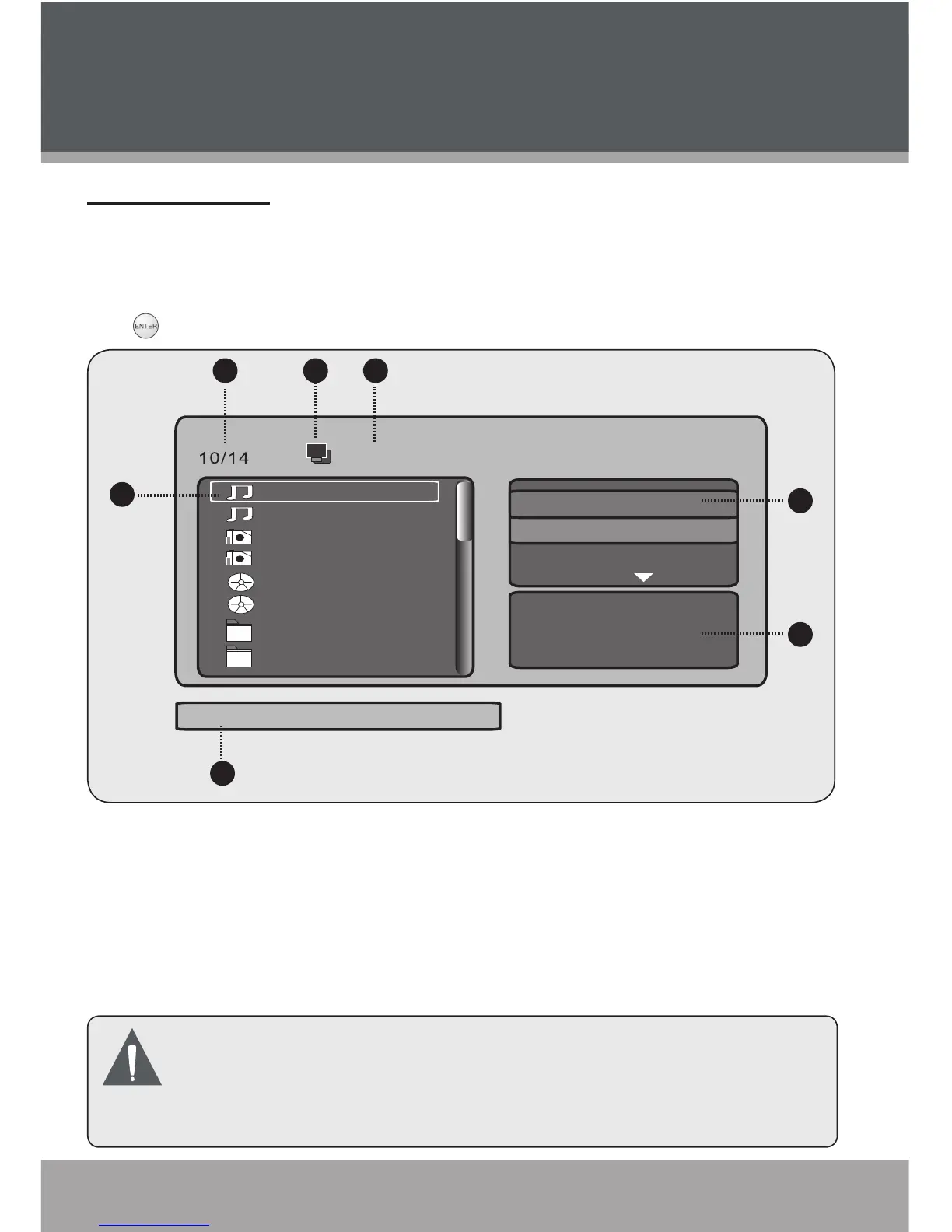
display the “Main Menu“ screen shown below.
Use the navigation keys to select a desired photo/audio/video le and press
to play.
Filename of Current playback le
Current Disk Icon
Current File Number/Total
Number of Files
Current Playback File
1.
2.
3.
4.
Name/Artist/Album/Year/Track/
Comment of current playback le
JPEG Preview (Photos)/Music
Playing (Audio Files)
Advanced Settings
5.
6.
7.
The digital photo frame is equipped with a demo slideshow that will
automatically start after 10 seconds if there is no card inserted.
The demo slideshow will stop when a card is inserted or any button is
pressed.
•
Getting Started


 To Next Page