Need help?
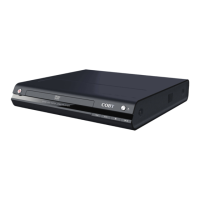
Do you have a question about the Coby DVD-937 and is the answer not in the manual?
Steps for loading a disc and starting playback.
Controls for managing disc playback (play, pause, stop).
How to skip tracks or chapters during playback.
Functions for fast-forwarding or rewinding through content.
How to enable slow-motion and frame-by-frame playback.
How to view on-screen information and toggle TV system modes.
Buttons to navigate DVD menus and return to previous screens.
 General
| Remote Control | Yes |
|---|---|
| Progressive Scan | No |
| Parental Control | Yes |
| Power Supply | AC 120V, 60Hz |
| Video Output | Composite Video |
| Audio Output | Stereo |
| Supported Disc Formats | DVD, CD, CD-R, CD-RW |
| Playback Formats | DVD Video, Audio CD, MP3 |
| Aspect Ratio | 4:3, 16:9 |

 To Next Page