AM/FM TUNER
Your player comes with a built-in AM/FM tuner. To use the AM/FM tuner:
Make sure that the AM loop antenna and the FM antenna have been connected properly on
the rear panel of the player.
Press MODE to enter AM/FM mode.
Press the AM or FM button to listen to the AM of FM band, respectively.
Press STOP to toggle between the two tuning modes: CH (preset) and Tune (manual).
CH Mode: Listen to Preset Channels.
This is the default tuning mode. Press the TUNING + / - buttons to tune to higher or
lower preset channels, or press the CHANNEL + / - keys on the remote.
Tune Mode: Listen to Manually-Tuned Channels.
The front-panel display will read “Set Tune” when the radio is in Tune Mode. Press
the TUNING + / - buttons to tune to higher or lower station frequencies, or press the
CHANNEL + / - keys on the remote. Press and hold TUNING + / - to auto-seek to the
next station in reception range.
Note: If a button or key has not been pressed for longer than approximately 3 seconds in Tune
Mode, the player will automatically switch back to the default CH Mode.
To store preset channels automatically:
Press AUTO. The player will automatically scan the entire band and memorize any
stations in reception range. This will overwrite any previously store channels. To stop
Auto-Search, press STOP again.
To store preset channels manually:
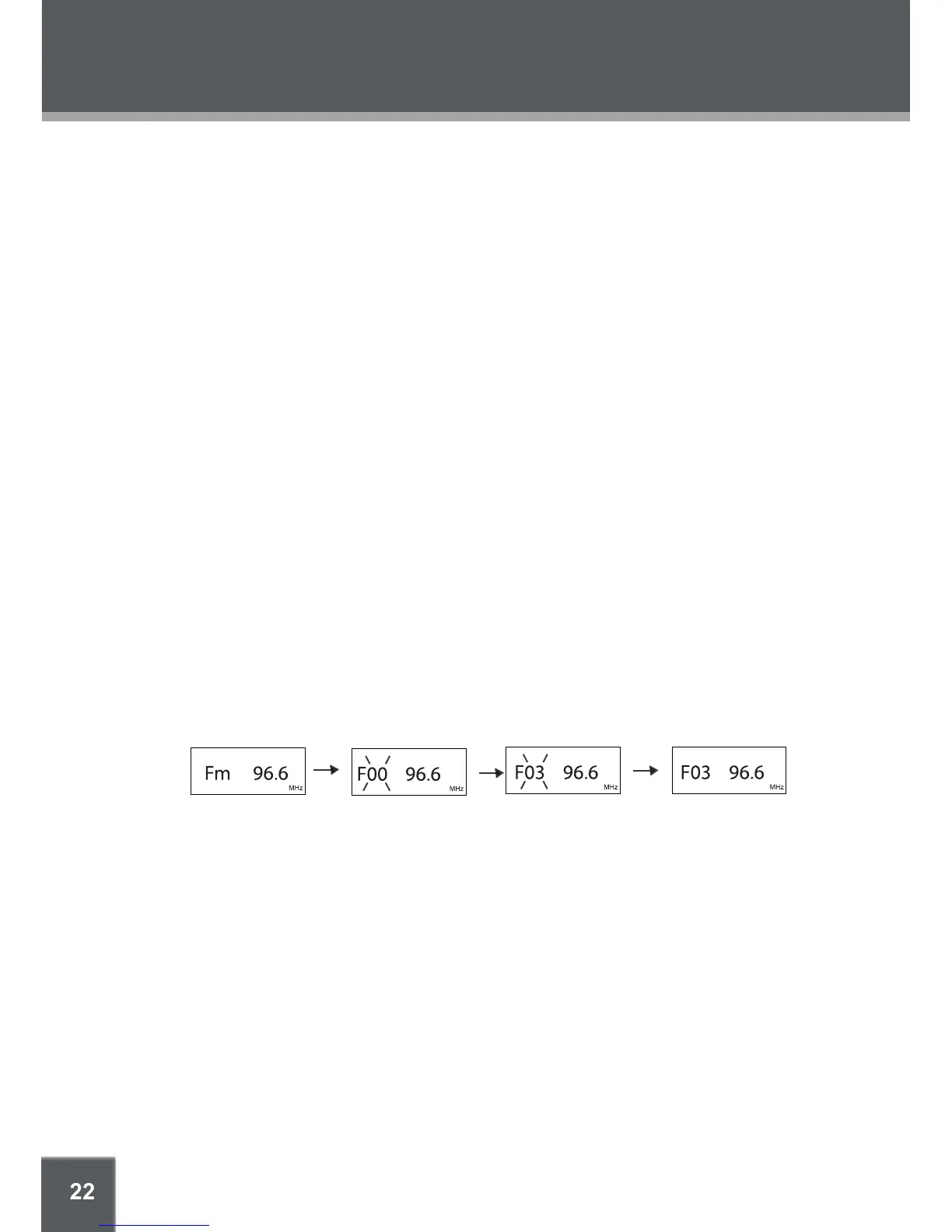
Press MEMO to manually store the current station as a preset channel. The front-
panel display will ash “F 00”
Use the numeric keypad to enter the desired preset channel number.
Press MEMO again to store the preset channel.
To delete a preset channel:
Tune to the preset channel you want to delete, and then press CLEAR to delete it.
1.
2.
3.
4.
•
•
•
•
•
1.
2.
3.
•
•


 To Next Page