www.cobyusa.com Page 13
Connecting Headphones
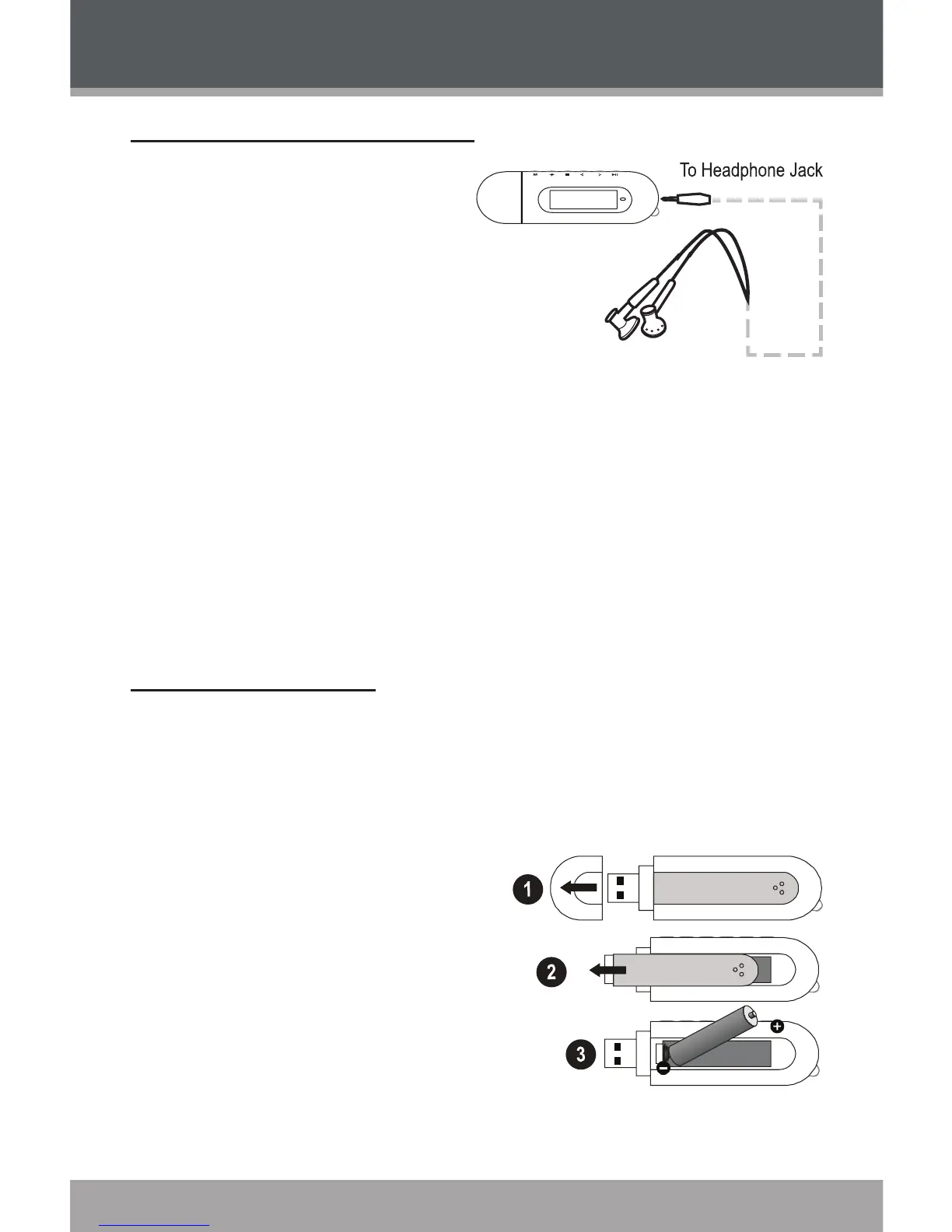
Connect headphones/ear-
phones to the Headphone
Out jack for private
listening.
Lower the volume
level before connect-
ing headphones, then gradually increase the volume
for comfortable listening.
Hearing experts advise against the constant use of
personal stereos played at high volume.
Constant high-volume use can lead to hearing loss.
If you experience ringing in your ears or hearing loss,
discontinue use immediately and seek medical advice.
Connecting Power
The MP-300 operates on 1 x “AAA” battery for music
playback.
Loading a Battery
Remove the USB Cap.
Remove the Battery
Cover.
Insert 1 x “AAA” battery,
taking care to match the
“+” and “–” polarities of the
battery with the markings
inside the battery compartment.
1.
2.
3.
Getting Started


 To Next Page