Connect the MP-300 to a computer to:
Transfer les to and from your player.
Perform basic le management functions.
If you are using Windows 98 SE, you must install a USB
driver. Download the driver from the Coby website at:
www.cobyusa.com.
Connecting to a Computer
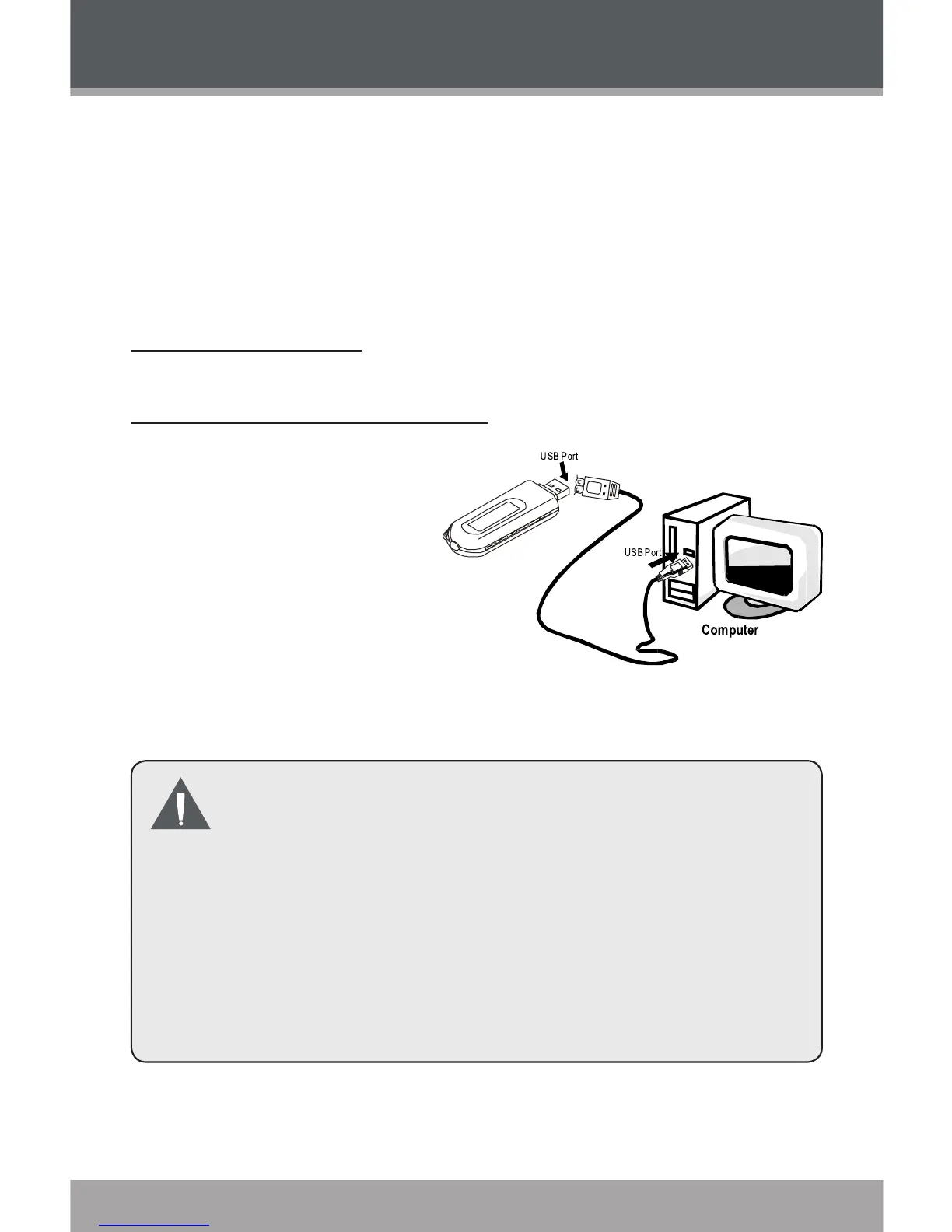
Make sure the
player is turned off.
Remove the USB
Cap and plug the
MP-300 directly into
your computer’s
USB port. You may
choose to use a USB extension cable to connect to a
computer.
Your computer will automatically recognize the
player as an MSC Device. An icon represent-
ing your player will appear as a “Removable
Disk” when you open “My Computer”.
It may take Windows several minutes to rec
-
ognize and set up the device the rst time it is
connected depending on your hardware con-
guration.
1.
2.
USB Connection


 To Next Page