www.cobyusa.com Page 17
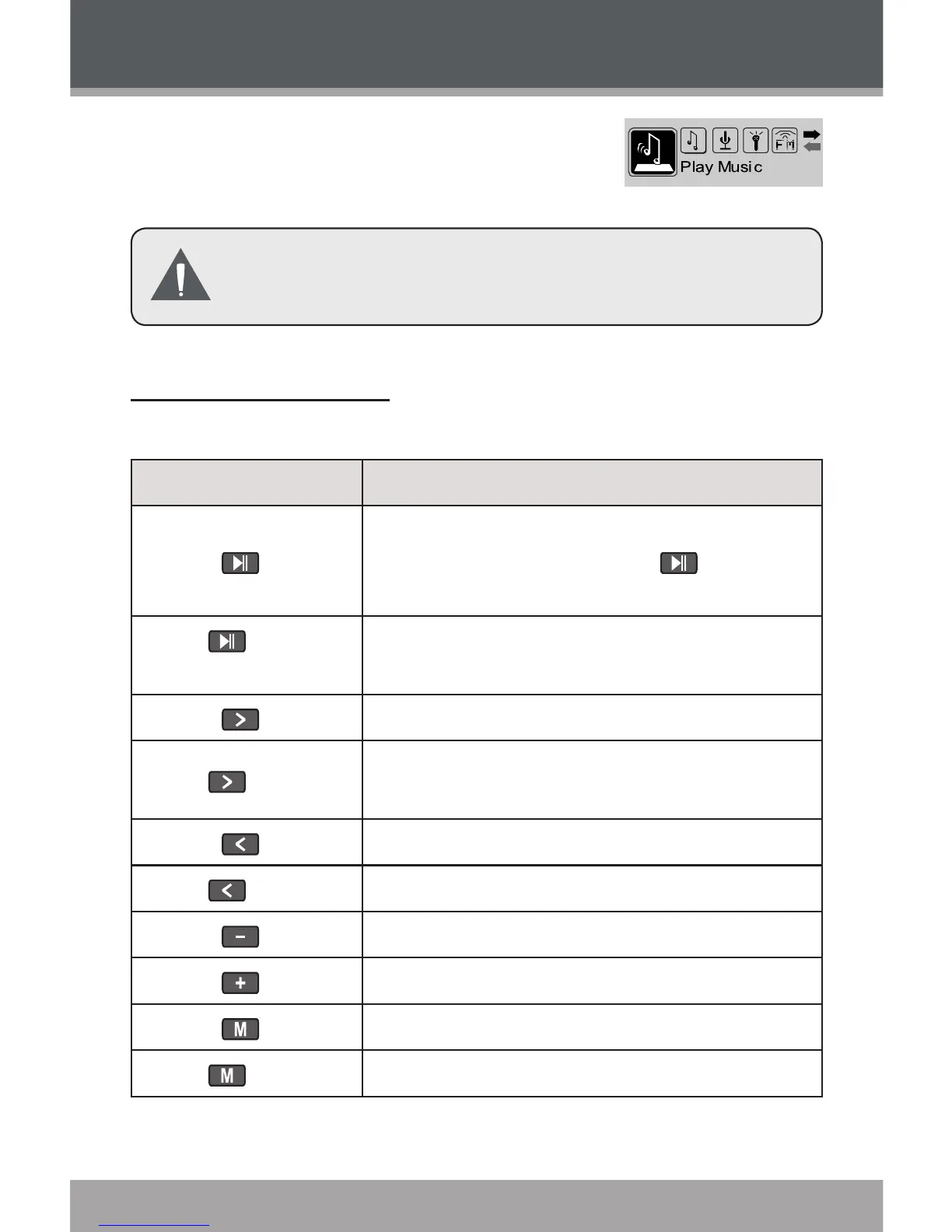
Enter PLAY MUSIC mode from the
Main Menu to play digital MP3 or
WMA music les.
PLAY MUSIC mode will play all compatible au-
dio les on your player, regardless of directory.
Play Music Controls
Use the following controls during music playback.
Key Function
Press
Start/Resume track playback.
During playback, press to pause
playback.
Hold (2
seconds)
Stop track playback completely.
Press Play the next track.
Hold
Fast-forward through the current
track.
Press Play the previous track.
Hold Reverse through the current track.
Press Decrease the volume level.
Press Increase the volume level.
Press Start Repeat A-B Mode.
Hold Return to Main Menu.
Play Music


 To Next Page