CONNECTION S
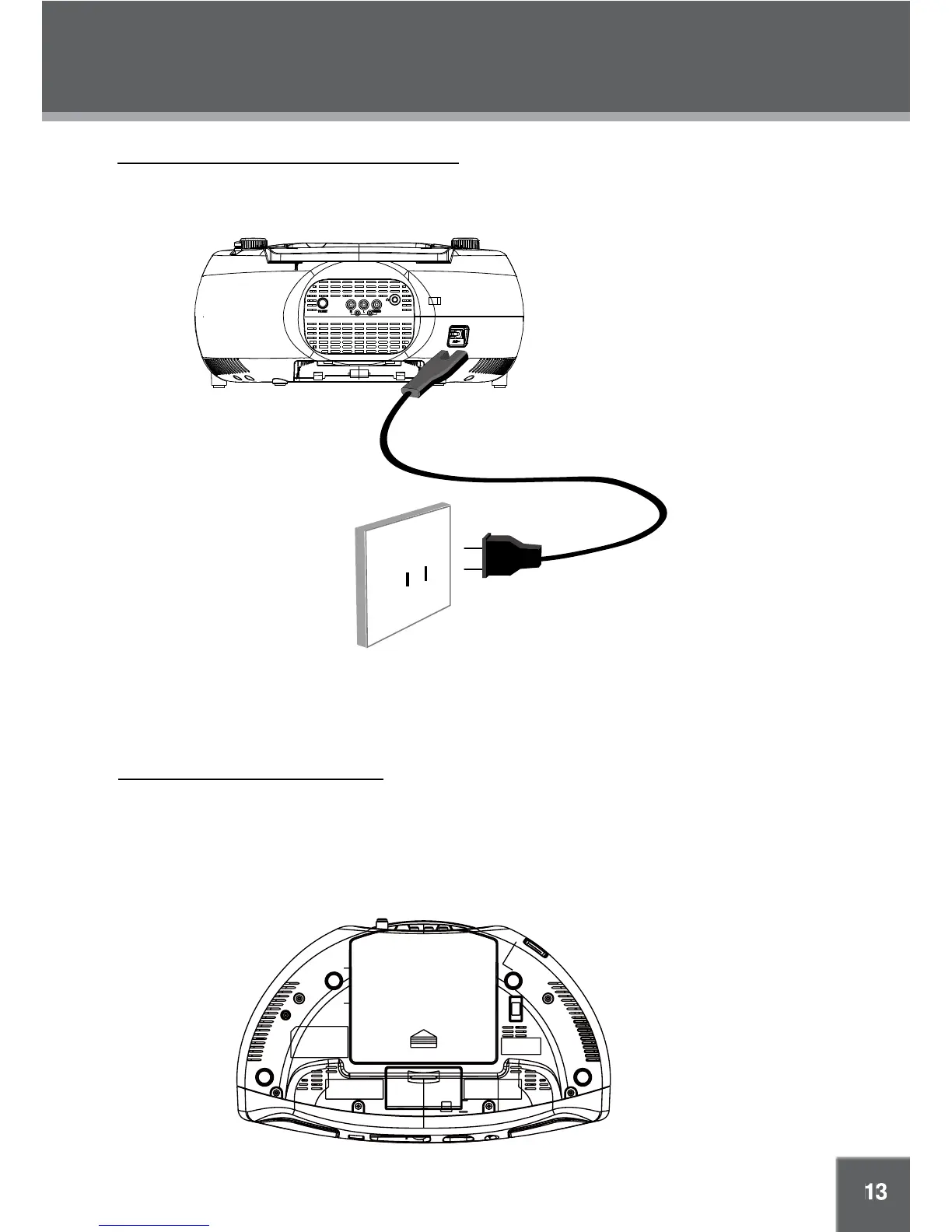
Power Connections - Using an AC Power Source
Power Connections - Using Batteries
Caution:
Do not connect the power plug to a power outlet other than that specified here.•
Do not handle the power plug with wet hands. Doing so may cause electric shock.•
If you have diffculty inserting the plug, turn it over and re-insert it.•
Disconnect the power source if you are not going to use the unit for a long period of time. •
Battery
Compartment
AC 120 V, 60 Hz Outlet
Make all other connections first before connecting power.
After all other connections have been made, use the supplied AC power cord to connect the Power In jack on
the rear of the unit to a wall outlet that supplices AC 120 V, 60 Hz power.
• This device can operate on 8 x "D" size batteries. The battery compartment can be found on the
bottom of the device.
• When installing batteries, push down and in the direction of the arrow to remove the cover of the
compartment. Load the batteries into the compartment, taking care to match the orientation of the
batteries with the positive (+) and negative (-) markings inside the compartment.
• Use only batteries of the specified type. Remove the batteries from the unit if it will not be used for an
extended period of time. Keep batteries away from children.



 To Next Page