DVD SETUP
General Setup
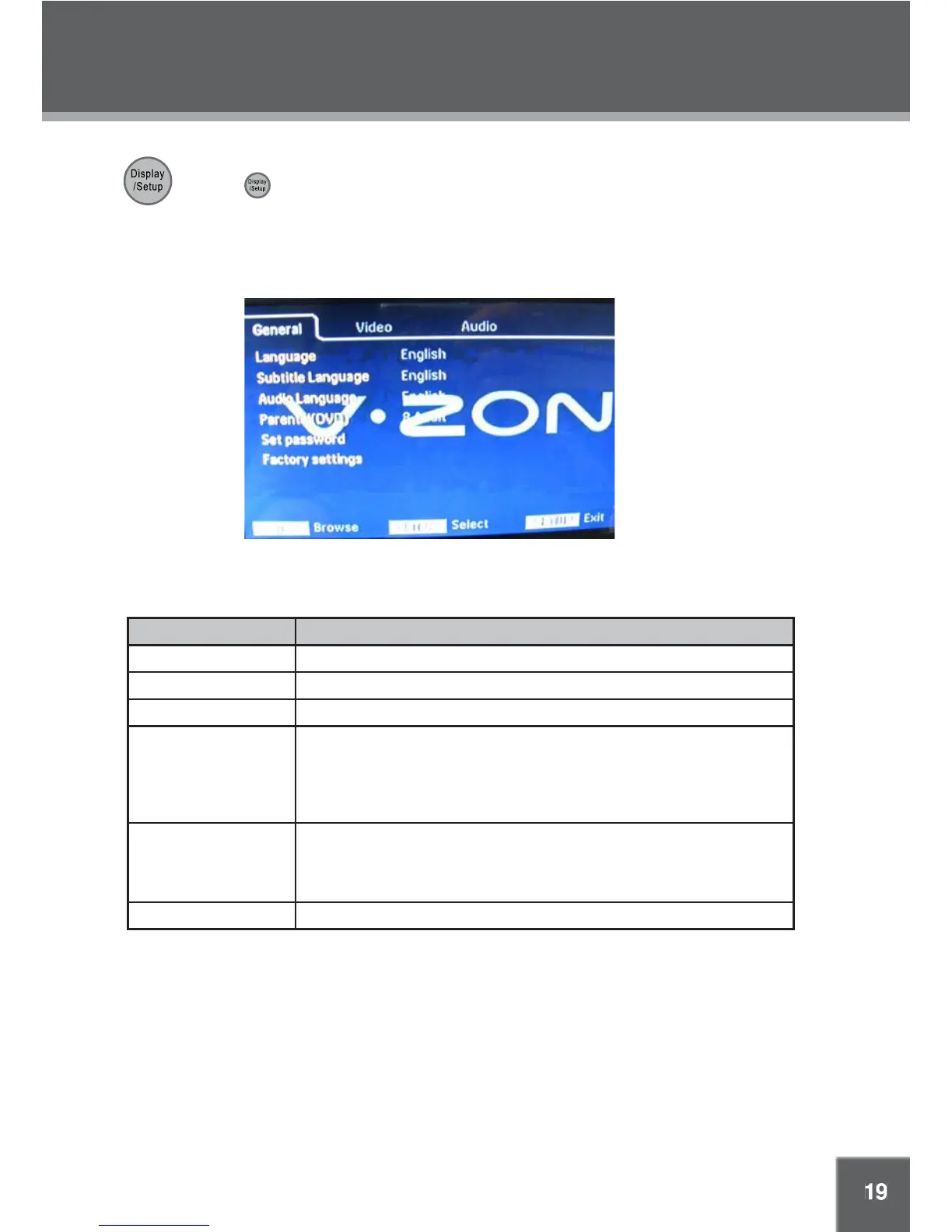
Use the DVD setup menu to adjust DVD-specific options. While the player is in DVD mode:
1. Press
on the remote twice to enter the DVD setup menu.
2. Use the direction buttons to highlight an option; press ENTER to select it.
3. Press SETUP again to exit the DVD setup menu.
NOTE: Please stop playback before entering the DVD menu otherwise some options may not be
available.
Item Description
Language Set the OSD language
Subtitle Language Set the subtitle language
Audio Language Set the audio language
Parental (DVD) There are eight levels of Parental Control. Level one opens discs to people
of all ages. Level eight is suitable only for adults. Use the up/down direc-
tion button to select a desired level, press OK/Play/Pause to display the
password box, you are required to input the password to enable the new
settings. (The default code is 8888.)
Set Password To change the password, input the old password - - > Input the new pass-
word - - > Verify again.
Please record the password and store it somewhere safe as it cannot be
reset. The player’s reset function will not reset this password.)
Factory Settings Restore all options to their factory-default settings.



 To Next Page