Basic Operation
BASIC OPERATIONS
DVD Basic Operation
Disc Error Messages
• To place the unit in DVD mode, set the FUNCTION switch to the VIDEO position; the unit will be in DTV
mode. Press SOURCE once to switch to DVD mode.
• Raise the lid of the disc compartment by hand. Load a disc with its label facing up. Close the lid.
• Wait for the unit to read the DVD. Once the disc has been recognized, the DVD root menu will be displayed.
Use the direction buttons to highlight an option and then press OK to select it. (Some discs do not include a
root menu and will start playing immediately after it is recognized by the unit.)
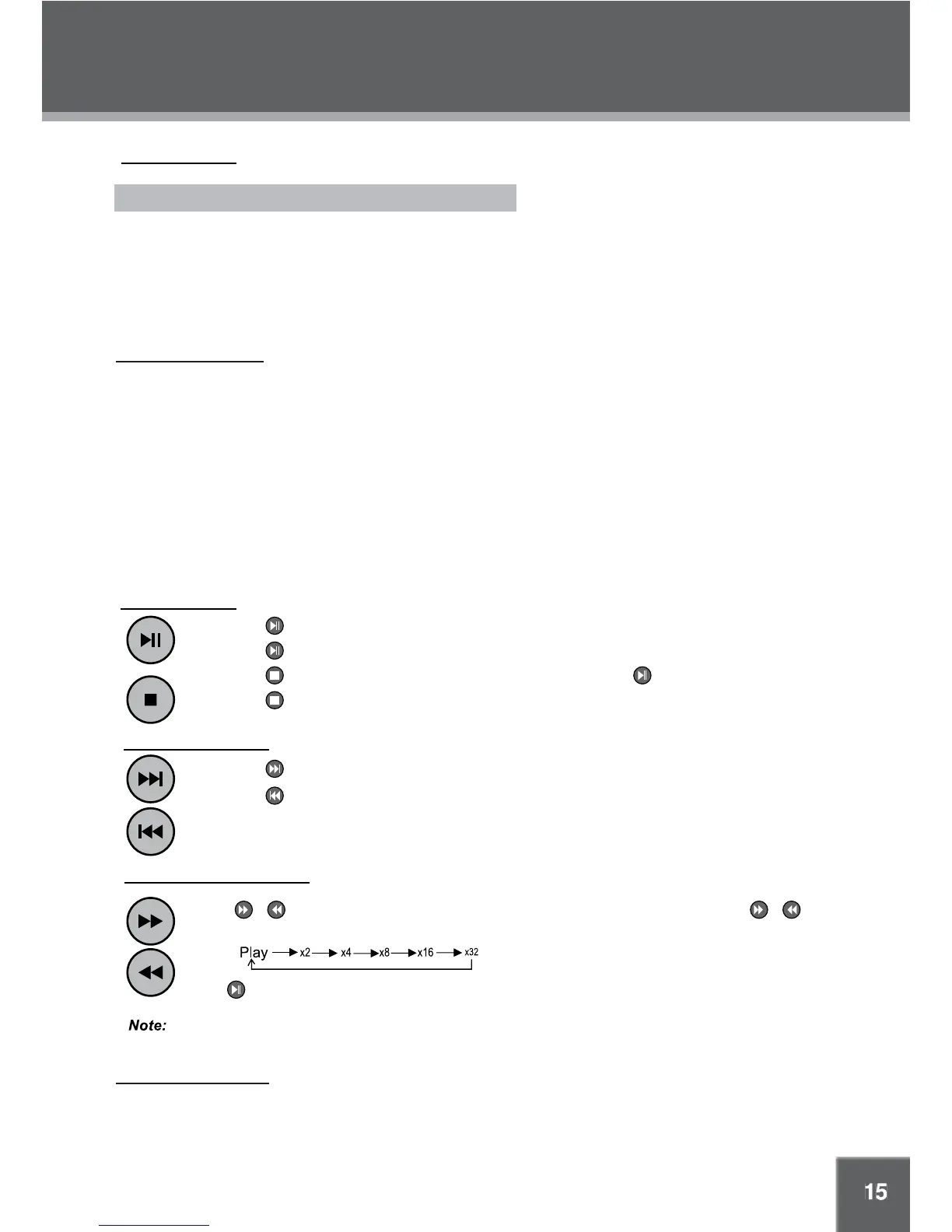
Play/Pause/Stop
Press •
to play the disc for the first time.
Press •
during playback to pause. Press again to resume playback.
Press •
during playback to stop the disc (“Pre-Stop”). Press to resume playback.
Press •
when the disc is “Pre-Stopped” to stop playback completely.
Next/Previous (Skip)
Press •
to skip forward one track (DVD, CD, MP3, etc).
Press •
to skip back one track (DVD, CD, MP3, etc).
Forward/Reverse (Search)
Press / to fast-forward / reverse through the disc. Each successive press of / will
change the rate of fast-forward / reverse playback as below.
Press to resume normal playback.
Adjusting the Volume
• Turn the Volume Dial to adjust the volume level up or down.
Audio will be muted during fast-forward, fast-reverse, and slow-motion playback.
The following messages will be displayed on-screen if there is a problem with the format of the loaded disc.
• WRONG REGIONAL DISC. The region code of the disc does not match the player’s region code (Region 1).
• WRONG PASSWORD. The input password is wrong.
• BAD DISC. The player is equipped with automatic disc quality detection software. If the player detects a disc
that is damaged or has a format problem, it may play the disc at a lower quality or stop play completely,
depending on how damaged the disc is.
Note:
DVD disc production quality may vary; some discs may deviate from the industry standard. Some incorrectly-
formatted discs may still play, however, the playback and operational quality of the disc may be substandard.



 To Next Page