28
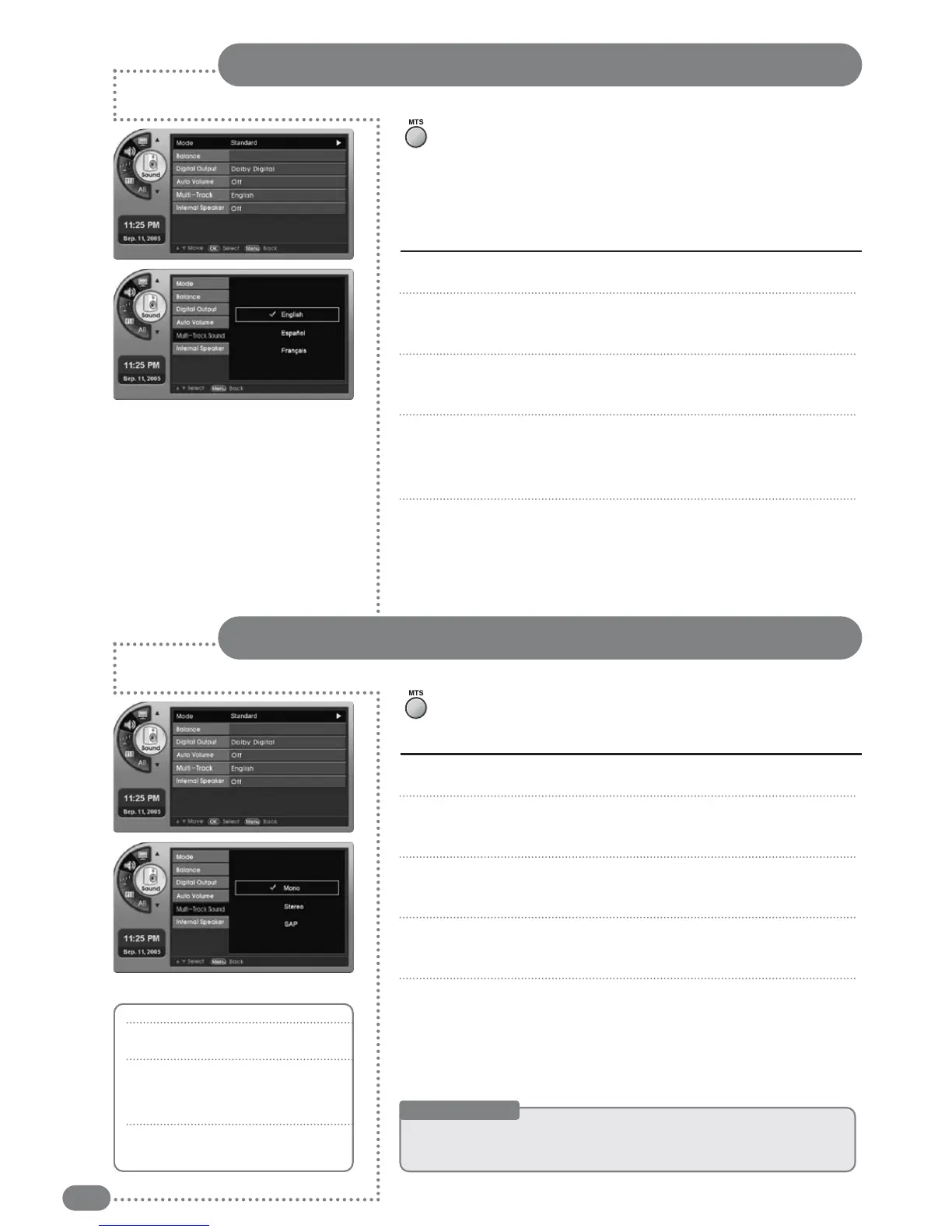
Press [MENU]. -The menu will appear.
Press [
] to move to <Sound>, then press [OK].
-The <Sound> Menu will appear.
Press [
] to move to <Multi-Track>, then press [OK].
-The <Multi-Track> Menu will appear.
Press
[
]
to select <English>, <Spanish>, or <French>, then press [OK].
-The sound settings primarily set up the language. But in the menu, you can
select your favorite language settings no matter what the broadcasting status.
Press [EXIT] to exit the menu.
1
2
3
4
5
Press [MENU]. -The menu will appear.
Press [
] to move to <Sound>, then press [OK].
-The <Sound> Menu will appear.
Press [
] to move to <Multi-Track>, then press [OK].
-The <Multi-Track> Menu will appear.
Press
[
]
to move to <Mono>, <Stereo> or <SAP>, then press [OK].
-
The selected sound will be set.
Press [EXIT] to exit the menu.
1
2
3
4
5
Sound (Digital Broadcasting) Settings
Press [MTS] to listen to other languages.
■
When English is set as the primary language, pressing [MTS] will
change between <English>, <Spanish>, and <French> in this order.
(Languages are only available when provided by a broadcasting station.)
■
When changing the channel, the set language will be selected.
Sound (Analog Broadcasting) Settings
Press [MTS].
■
You can select your favorite settings <Mono>, <Stereo> or <SAP>.
Useful Tips
☛
TThhee
ssoouunndd
sseettttiinnggss
aarree
oonnllyy
ssuuppppoorrtteedd
iinn
TTVV
((aannaalloogg
bbrrooaaddccaasstt))
mmooddee..
☛
<<SStteerreeoo>>,,
<<SSAAPP>>
wwiillll
oonnllyy
ooppeerraattee
wwhheenn
aa
nneettwwoorrkk
ssiiggnnaall
iiss
aavvaaiillaabbllee..
While Mono is on air
■
All modes will have mono sound.
While Stereo is on air
■
Mono : Mono sound is selected.
■
Stereo : Stereo sound is selected.
■
SAP : Mono sound is selected.
While SAP is on air
■
Mono : Mono sound is selected.
■
Stereo : Mono sound is selected.
■
SAP : SAP sound is selected.



 To Next Page