4
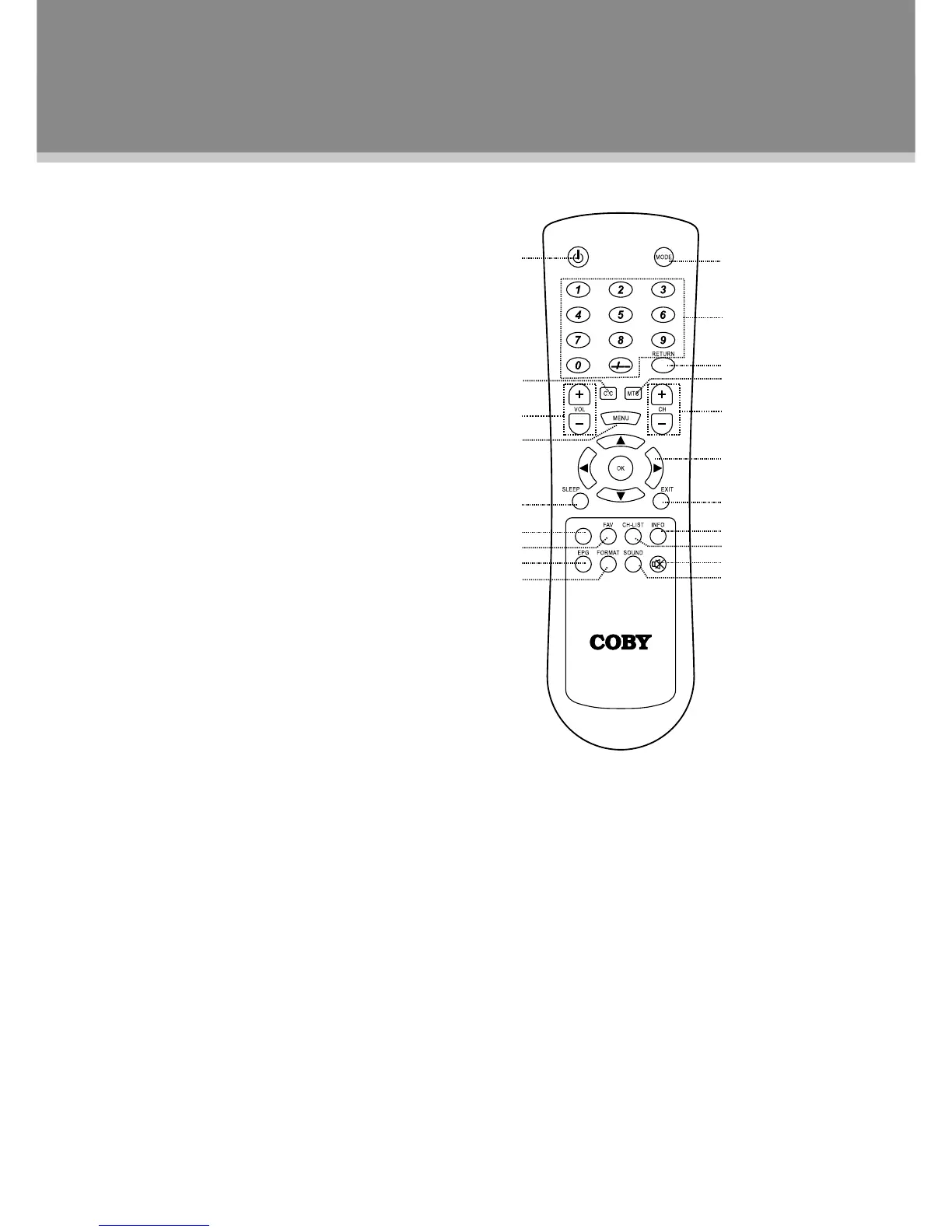
Remote Control Drawing
1.POWER
Presstoturnthepoweron/off.
2.CC
SettheCCmode.(CConMute/Off/On).
3.VOLUME+/-
Presstoadjustthevolume.
4.MENU
Presstoshowthesetupmenu.
5.SLEEP
Presstosetthesleeptimer.
6.P.MODE
Setupthepicturemode(Personal,Standard,Soft,
Dynamic).
7.FAV
PresstoshowtheFavoriteChannelList.Ifnochannel
issetonthelist,thisbuttondoesnotfunction.
8.EPG
PresstoshowtheElectronicProgramGuide.
9.FORMAT
Presstochangethedisplayformatas4:3,Cinema,
Normal,16:9.
10.MODE
Presstoselecttheworkingmode.(TV,AV,S-VIDEO,
COMPONENT,HDMI,VGA).
11.Numerickeypad
Presstoinputdata.
12.RETURN
Presstolocatethepreviouslyviewedchannel.
13.MTS
PresstoselecttheTVaudiomode.
14.CHANNEL+/-
Presstoskipchannels.
15.Direction&OK
Pressthedirectionbuttonstoselecttheoptioninthesetupmenu,pressOKtoconrmsettings.
16.EXIT
Presstoexitthemenusetup.
17.INFO
Presstoshowthecurrentworkingstatus.
18.CH-LIST
Presstoshowthechannellist.
19.MUTE
Presstomufe/releasesound.
20.SOUND
Presstochangethesoundmode.


 To Next Page