10
Setup Menu
Lock Menu
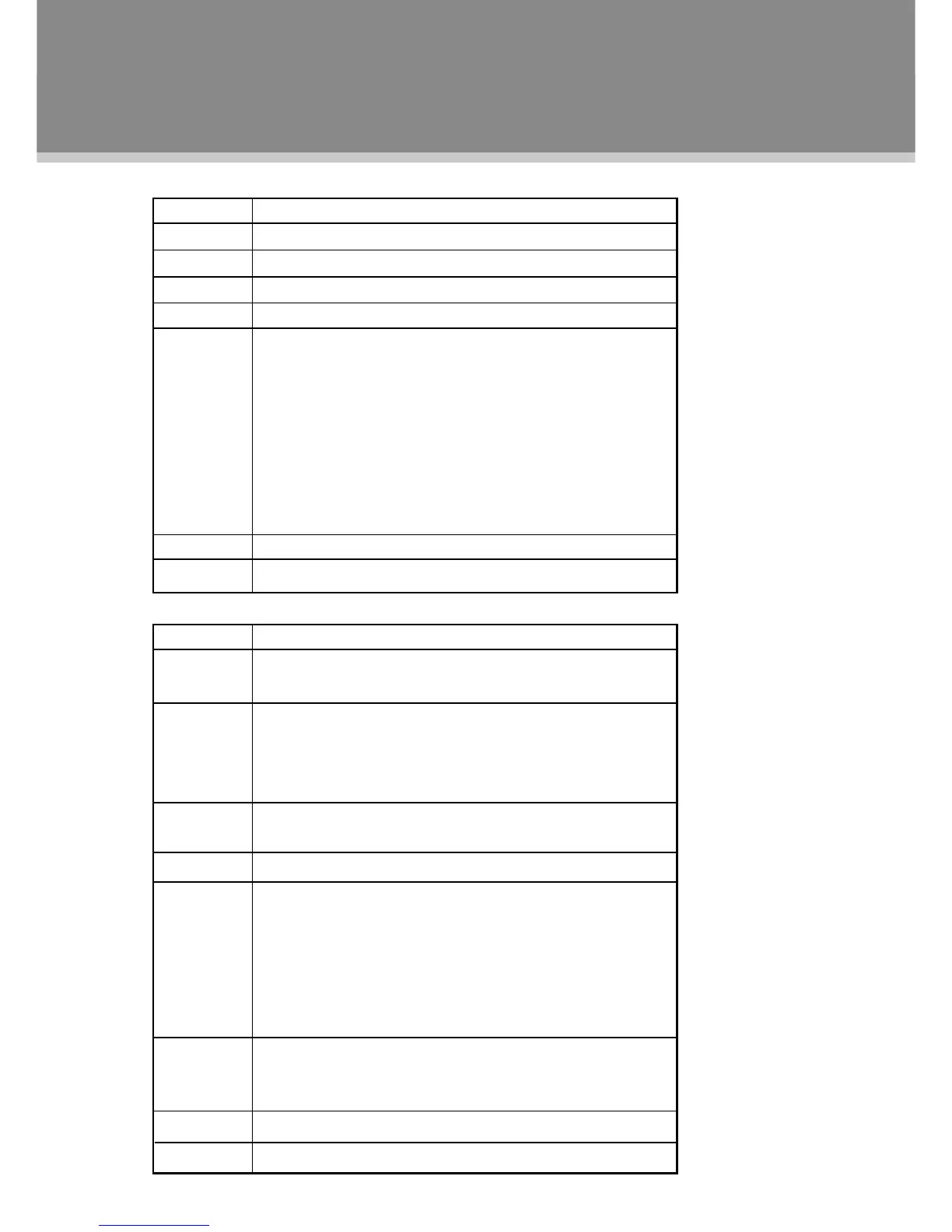
ITEM DESCRIPTION
MenuLanguage
Setthemenulanguage.
Transparency
Setthetransparencyon/off.
ZoomMode
Setthescreeneffect.(4:3,Cinema,Normal,16:9)
NoiseReduction
Adjustthescreennoiseappearance.(Weak,Middle,Strong,Off)
Closed
PresstherightdirectionbuttontoaccesstheClosedCaptionmenu.
TherearefouroptionslisedundertheClosedCaptionmenu.
Caption
CCMode-SettheCCmode.(Off,On,CCOnMute)
BasicSelection-SetthebasicCCtype.(CC1~4,Text1~4)
AdvancedSelection-SettheadvancedCCtypeforDTV.(Service1~6)
Option-PresstherightdirectionbuttontoenterOption.
Undertheoptionmenu,setModeasCustomtoedittheDTV
CCtypetoyourownliking.
DLC SetDLCon/off
RestoreDefault
Settheplayertothefactorydefault.
ITEM DESCRIPTION
Enter Youarerequiredtoenterthe4-digitpasswordtoaccessthe
Lockmenu.Theinitialpasswordis0000.
Change Tochangethepassword,inputtheoldpassword-->inputthe
Password newpassword-->verifyagain.
Pleaserememberthepasswordsincetheplayers’sreset
functionwouldnotrevertthepassword.
SystemLock Setthesystemlockfuntionon/off.
SetthelockfunctionOntoaccesstheparentalcontrolsetup.
UnratedLock SetUnratedLockon/off.
US SetuptheUSparentalcontrol.
TV(TVRating)-Y,Y7,G,PG,14,MA.
Pressthedirectionbuttonstomovebetweenoptions,pressOK
tosetblock.Torelease,pressOKagain.
MPAA(MovieRating)-PG-13,R,NC-17,X,N/A,G,PG)
Presstheleft/rightdirectionbuttontosetthemovierating.
Canada SetuptheCanadaparentalcontrol
CanadaEnglish-G,PG,14+,18+,E,C,C8+.
CanadaFrench-E,G,8ans+,13ans+,16ans+,18ans+.
RRTSetting Settheratingregiontable.
ResetRRT RestoreRRTtothedefault.
TV Function


 To Next Page