Installation
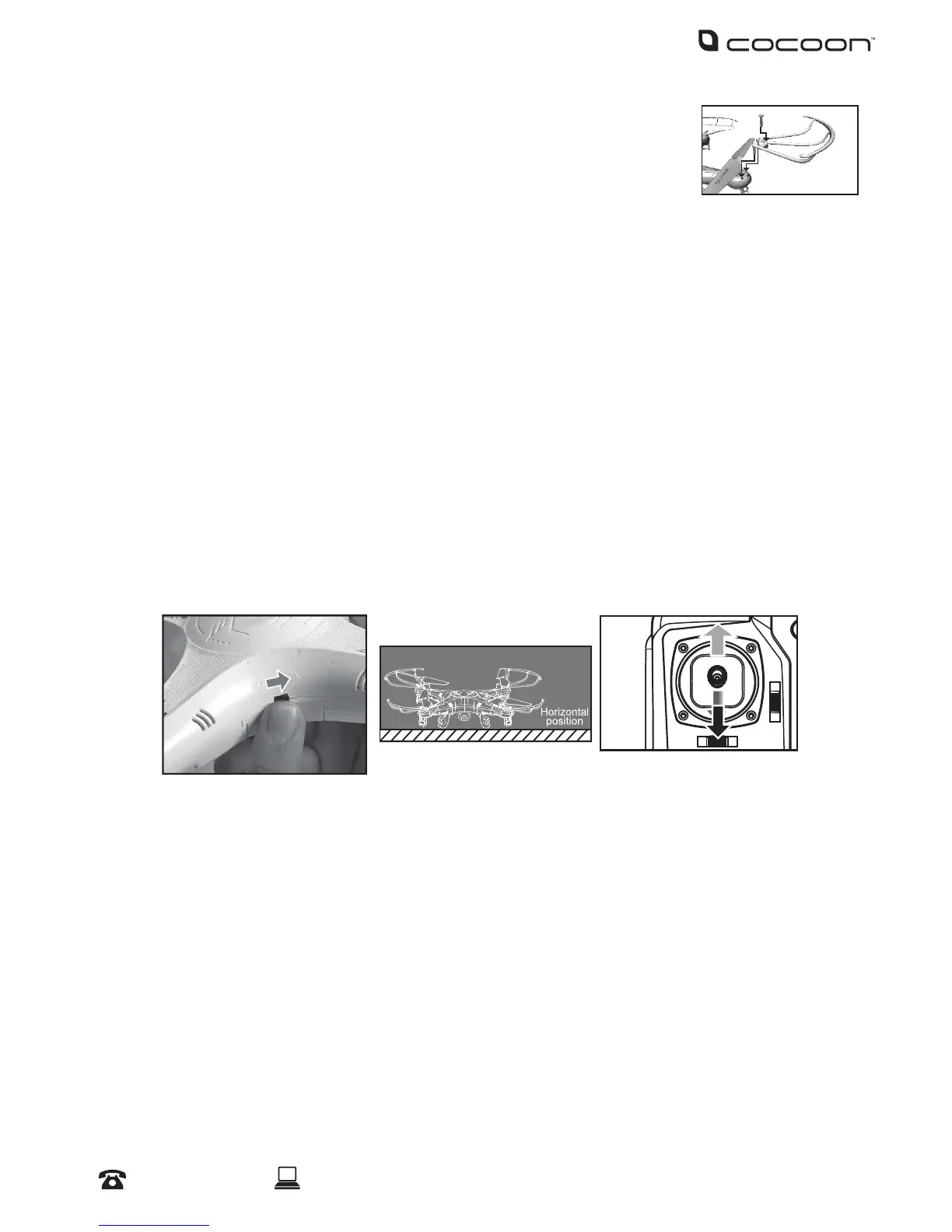
2.3 Installing Landing Skids and Blade Guards
1. Insert the blade guards onto each of the wings as shown (g 2.3.1).
2. Secure the blade guards with screws.
2.4 Safe Flight Environment
Always check that you are following the rules and regulations for your location.
2.5 Pairing the Voyager Quadcopter with the Remote
1. Push the ON/OFF switch on the remote control to ON.
2. Open the Voyager Quadcopter battery cover and insert the battery connector to the power port.
3. Close the battery cover and turn on the Voyager Quadcopter. The Voyager Quadcopter LED’s will
commence ashing to indicate that it is attempting to pair to the control.
4. Ensure the Voyager Quadcopter is placed on a level surface.
5. Push the left control stick to the highest position until you hear the remote control beep, then pull
down to the lowest position until you hear another beep. When successfully paired, the lights on
the quadcopter will stop ashing and change to solid colours.
g 2.3.1


 To Next Page