3.10 Resetting the Voyager Quadcopter
In the event of the Voyager Quadcopter ying in a strange manner, rst check that there is no issue
with ne tuning on the remote control.
If ne tuning did not solve the issue, you can reset the Voyager Quadcopter to factory settings
with this method:
1. Perform the steps in “Pairing the Quadcopter with the
Remote Control” to pair with the Voyager Quadcopter.
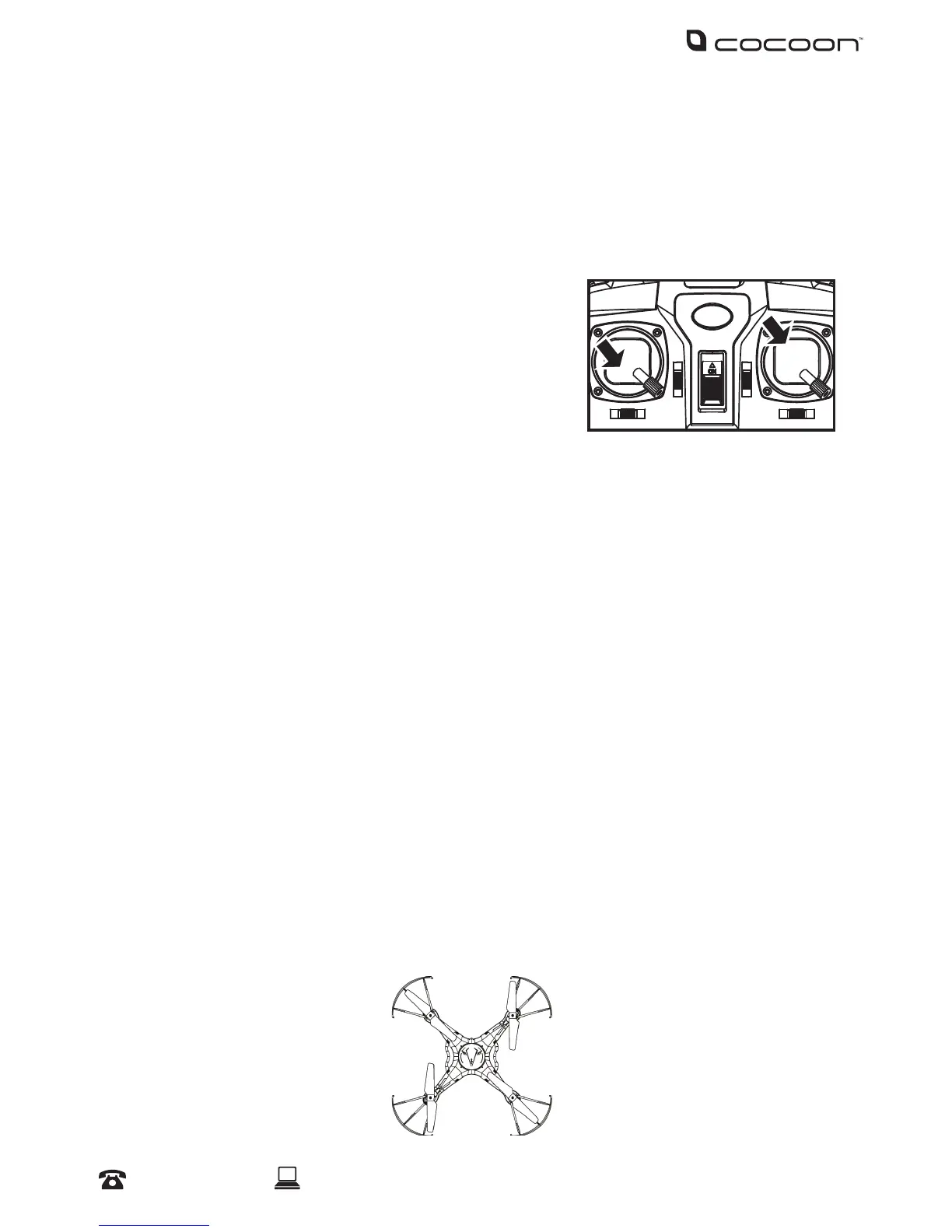
2. Hold both control levers at their bottom right position. The
Voyager Quadcopter LED’s will ash rapidly.
3. After 2-3 seconds, the LEDs will stop ashing and
change to a solid colour. This indicates that the Voyager Quadcopter has restarted and reset
successfully.
3.11 Replacing Propellor Blades
Eventually your propeller blades may need to be replaced. Do not operate the Voyager
Quadcopter with damaged propeller blades as you may suddenly lose control of the Quadcopter
during ight. Follow the steps below to replace your Voyager Quadcopter’s propeller blades.
1. Position the Voyager Quadcopter on a level, horizontal surface with the front end facing
forward, as shown below.
2. Determine which blades need replacing and note the blade type (A or B) by checking the
underside of the blade.
3. Using the screwdriver provided, unscrew the damaged blade.
4. Replace the blade with the same type (A or B), also checking the diagram below to conrm the
correct blade type.
5. Screw in the replacement blade rmly using the screw that was removed in step 3.
6. When ying your Voyager Quadcopter again, gently increase the throttle to check that the
Voyager Quadcopter will remain stable when ying. If the incorrect blade type is used, the
Voyager Quadcopter will be unable to remain level.
Operation
Front BA
AB


 To Next Page