
EasyManua.ls Logo

CodaOctopus F175 MOTION - User Manual

CodaOctopus F175 MOTION
27 pages
Print Icon
To Next Page IconTo Next Page
Loading...
Copyright © 2013 Coda Octopus Products Ltd
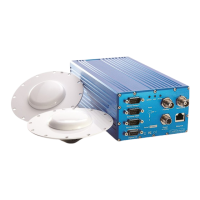
F175 MOTION Sensor
Trimble SPS361/SPS461 Integration
Version: 1.0.0
/F175
Compact, lightweight, robust and accurate
postion and motion data

Questions and Answers

  • K
    Kevin StanleyAug 2, 2025
    What to do if CodaOctopus Accessories status is permanently displayed as Nav Locking in MOTION Control?
    • K
      Kimberly MoranAug 2, 2025
      If the status is permanently displayed as Nav Locking in MOTION Control, it indicates a problem with the External GNSS input. Verify the Connection Properties dialog to ensure data is being received without skips and that satellites are visible.
  • A
    andersonnancyAug 17, 2025
    What to do if “External GNSS Data Skipped” field is increasing for CodaOctopus F175 MOTION Accessories?
    • C
      cassandraphillipsAug 17, 2025
      If the “External GNSS Data Skipped” field is increasing, verify that the baud rate is correct. Also, ensure that GSOF messages, and not NMEA messages, are being output by the Trimble SPS361/SPS461.

Summary

Introduction

How To Get Support

Details on obtaining technical support, including contact methods, enquiries, and RMA procedures.

Connection Details

Configuration

Setup MOTION Control

Checking External GNSS Input

Use of Antenna Splitters

Accuracy Specification

Troubleshooting

CodaOctopus F175 MOTION Specifications

General IconGeneral
CategoryAccessories
ManufacturerCodaOctopus
ModelF175 MOTION
Storage Temperature-40°C to +85°C
Humidity95% non-condensing
Update Rate200 Hz
Angular Resolution0.01°
InterfaceEthernet