3. CONNECT THE CORD
1. REMOVE THE PACKAGING
2. INSTALL THE LIGHT FIXTURE
Dome Top
CB 1 Series
Administrator Guide
GU-157-FF
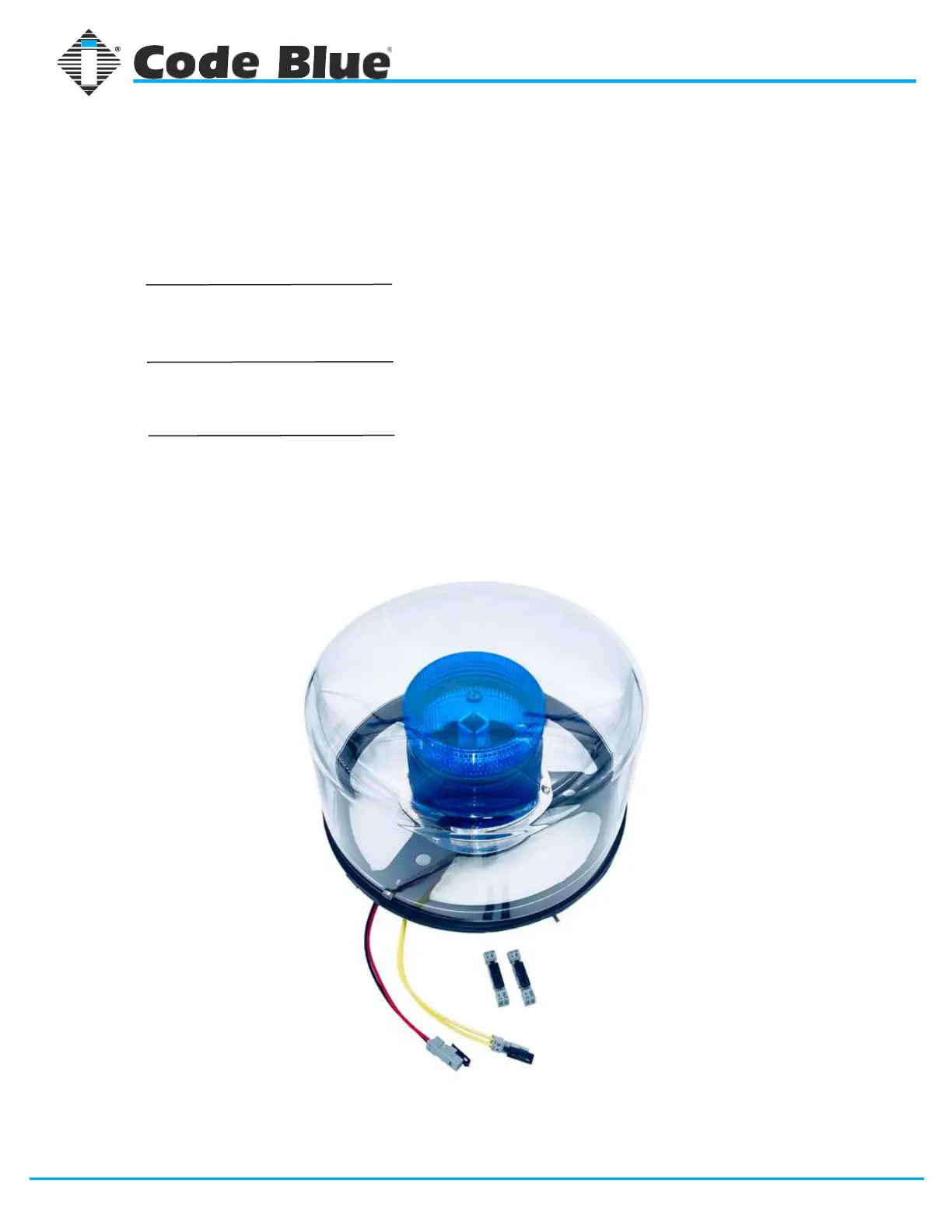
Remove the clear Lexan dome from the black metal casting.
The casting complete with strobe should be brought to the top
of the unit (pedestal) where the wiring will be connected.
Match black and red wire connectors (match yellow to yellow
connectors).
After the wiring is complete, set the white disc on top of the
lens located inside the unit (CB1-s only). Set the casting on top
of the pedestal and fasten the casting to the bollard by
reaching through the openings and tightening the three 10-24
x 1-inch stainless steel thumbscrews against the inner wall.
page 14 of 31
Code Blue
• 259 Hedcor Street • Holland, MI 49423 USA • 800.205.7186 • www.codeblue.com



 To Next Page