Code Blue
•
259 Hedcor Street
•
Holland, MI 49423 USA
•
800.205.7186
•
www.codeblue.com
GU-157-AApage 48 of 76
CB 1 Series
Administrator Guide
25 AED Access Instructions
The following four methods can be used to access the Automated External Debrillator (AED)
device:
1. When the red button is depressed, the unit will make a call. After the call has been an-
swered, the answering party can then depress the appropriate incall command on their tele-
phone keypad. This will release the door latch, giving the caller access to the AED device.
2. The units have a key fob supplied at the time of purchase. This key fob can be used within
approximately a 20-foot radius to release the door latch, giving the caller access to the AED
device.
3. The unit can be called and placed into two-way monitor mode. At this time, the person call
ing the unit can depress the 6 key on their telephone keypad which, will provide access to
the AED device.
4. The access panel on the back of the Code Blue unit is removed and the manual latch re
lease is pulled, granting access to the AED device.
Typically, AED manufacturers recommend that the device be checked once per week for proper op-
eration. Some units will give an audible “chirp” if the self diagnostics have failed and the unit needs
service; others may use another indicator to verity its status. Refer to manufacturers’ maintenance
instructions for correct diagnostic testing to ascertain whether the device requires service or not.
In addition, review the manufacturer’s replacement policy for pad and battery replacement. Pay
close attention to the AED temperature specications and note that the life of the AED battery can
be greatly affected by extreme heat or cold environments, reducing the capacity by up to 50 percent.
Additional AED Housing key fobs are available under Part #41107.
Each Code Blue unit can sync up to 40 different fobs. If a new user key fob is added, then the rule
is “rst in, rst out”. For example, No. 41 will push out the rst user of the system.
PROGRAMMING:
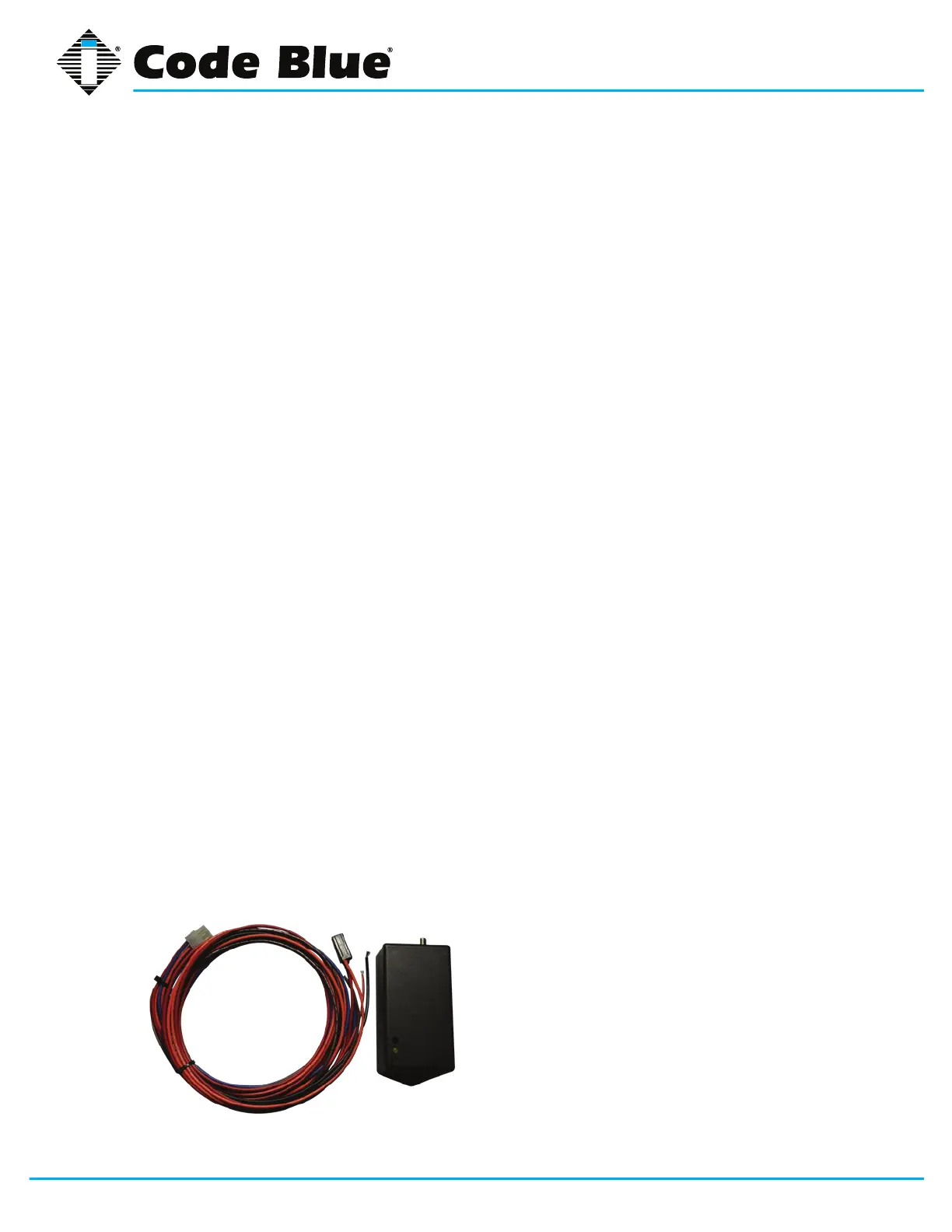
Open the Code Blue unit (our special security bit will be required). Once inside, you will see the
door controller (pictured below).
To program, insert a small screw driver into
the hole next to the green light and hold down
the button inside. When the green light starts
ashing, hold down the button on the FOB until
the green light is solid. The fob and controller will
be synced.



 To Next Page