Code Blue
•
259 Hedcor Street
•
Holland, MI 49423 USA
•
800.205.7186
•
www.codeblue.com
GU-137-Bpage 26 of 40
IP1500/2500
User Guide
SCRIPTING BASIC CALL (continued)
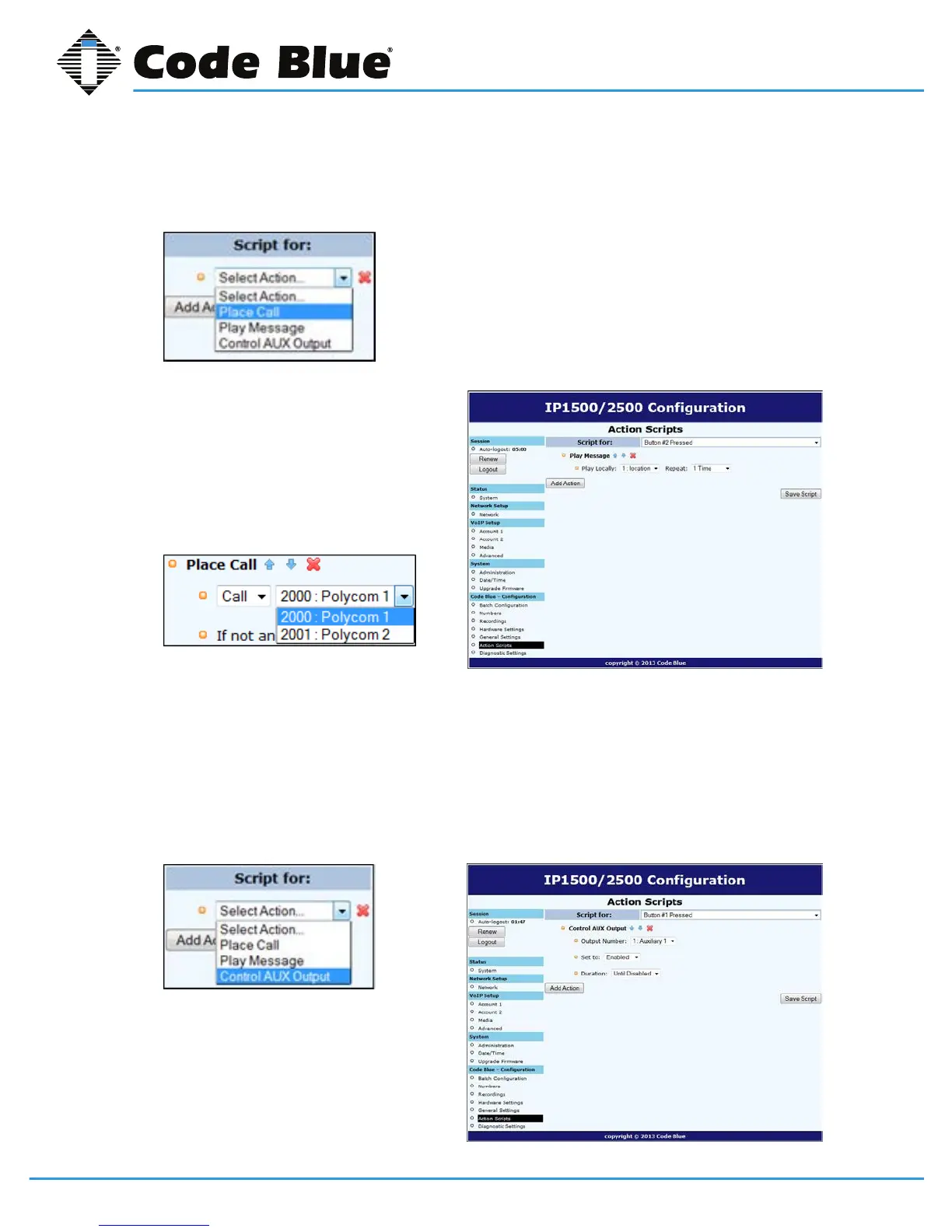
• Fromthe Select Actiondropdown,choosePlace Call.
• Bydefault,therstnumberplacedinmem-
orywillbepresenthere.Ifanothernumber
isdesired,usethedrop-downarrowto
locateandselectanotherphonenumber.
• ClickontheSave Scriptbutton.This
completesthebasicprogrammingneeded
toplaceacall.
Other Basic Script Choices
ScriptingintheIP1500/2500allowsfornon-phonecallscriptingtobeprogrammedtomeetunique
needsofthecustomer.
1. Forexample,use“Button #1 Pressed”asseenintheexample“Basic Call”.
2. Insteadofchoosing“Place Call,”select“Control Aux Output”.
3. Bydefault,theAuxiliary1ispresented
(butnoteonlythoseAuxOutputs
selectedinHardwareSettingswillbe
availableinthislist).
(Continued on next page)



 To Next Page