Code Blue
•
259 Hedcor Street
•
Holland, MI 49423 USA
•
800.205.7186
•
www.codeblue.com
GU-137-Bpage 6 of 40
IP1500/2500
User Guide
5 Provisioning the Phone
5.1 Determine the IP Address
TheIP1500/2500speakerphoneisDHCPbydefault.
TheIP1500/2500speakerphonemayalsobeconguredviaTFTPserver,whichcanbesetupin
yourDHCPconguration.
1. ConnecttheIP1500/2500speakerphonetoyournetwork.TheLEDwillashmomentarily
andanaudiblebeepwillbeheardoutofthespeakertoindicatetheOSisloading.TheIP1500/2500
speakerphonewillacquireIPNetworksettingsfromyourDHCPserver.
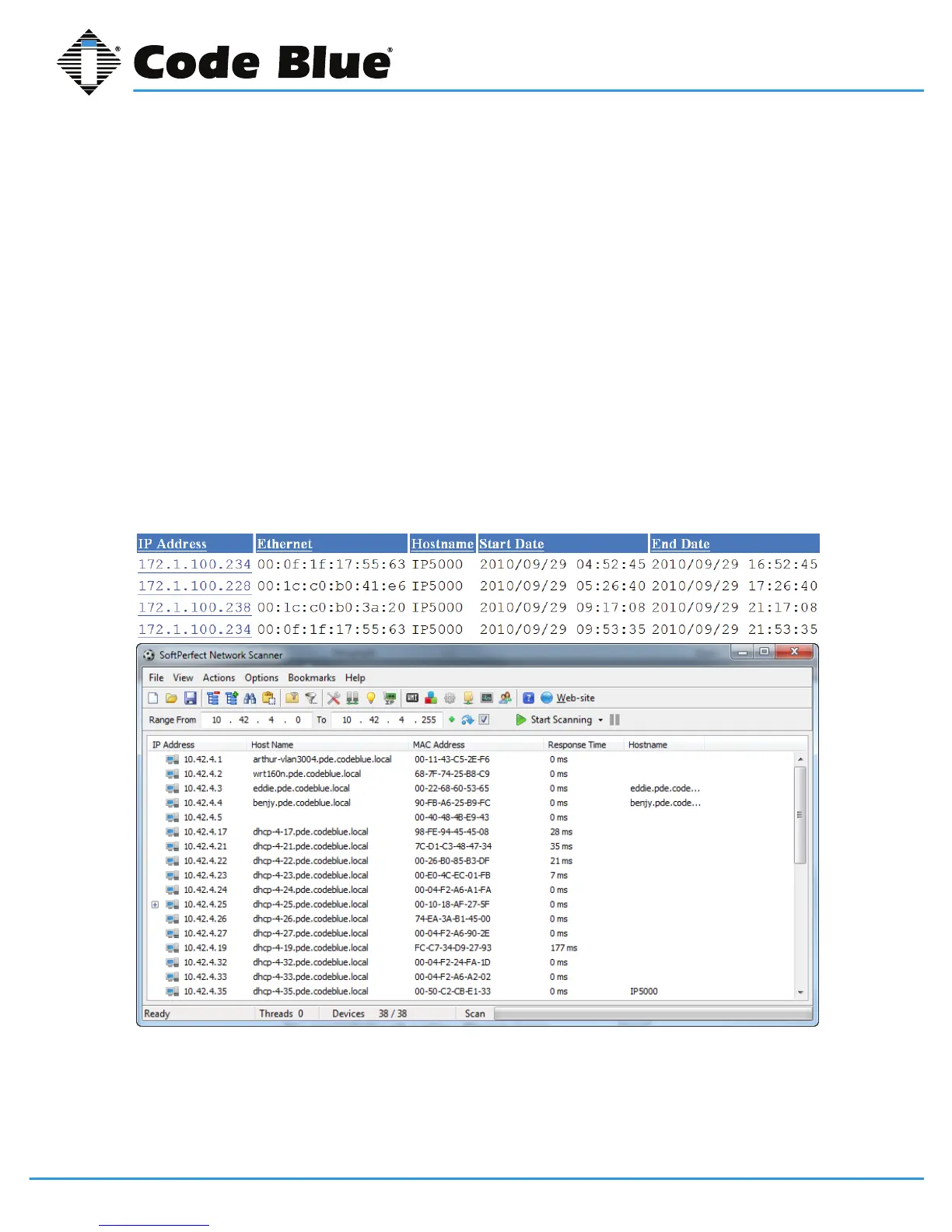
2. CheckyourDHCPleaserecordsorutilizeanetworkscannersuchasSoftPerfect’sNetwork
ScannertomatchtheMACaddressoftheIP1500/2500speakerphonetothecorrectIPaddressin
yourleasetableoroutputofthenetworkscanner.
Lease Table and Network Scanner Example



 To Next Page