Code Blue
•
259 Hedcor Street
•
Holland, MI 49423 USA
•
800.205.7186
•
www.codeblue.com
GU-137-Bpage 29 of 40
IP1500/2500
User Guide
ACTION SCRIPT PARAMETERS (continued)
Place Call(continued)
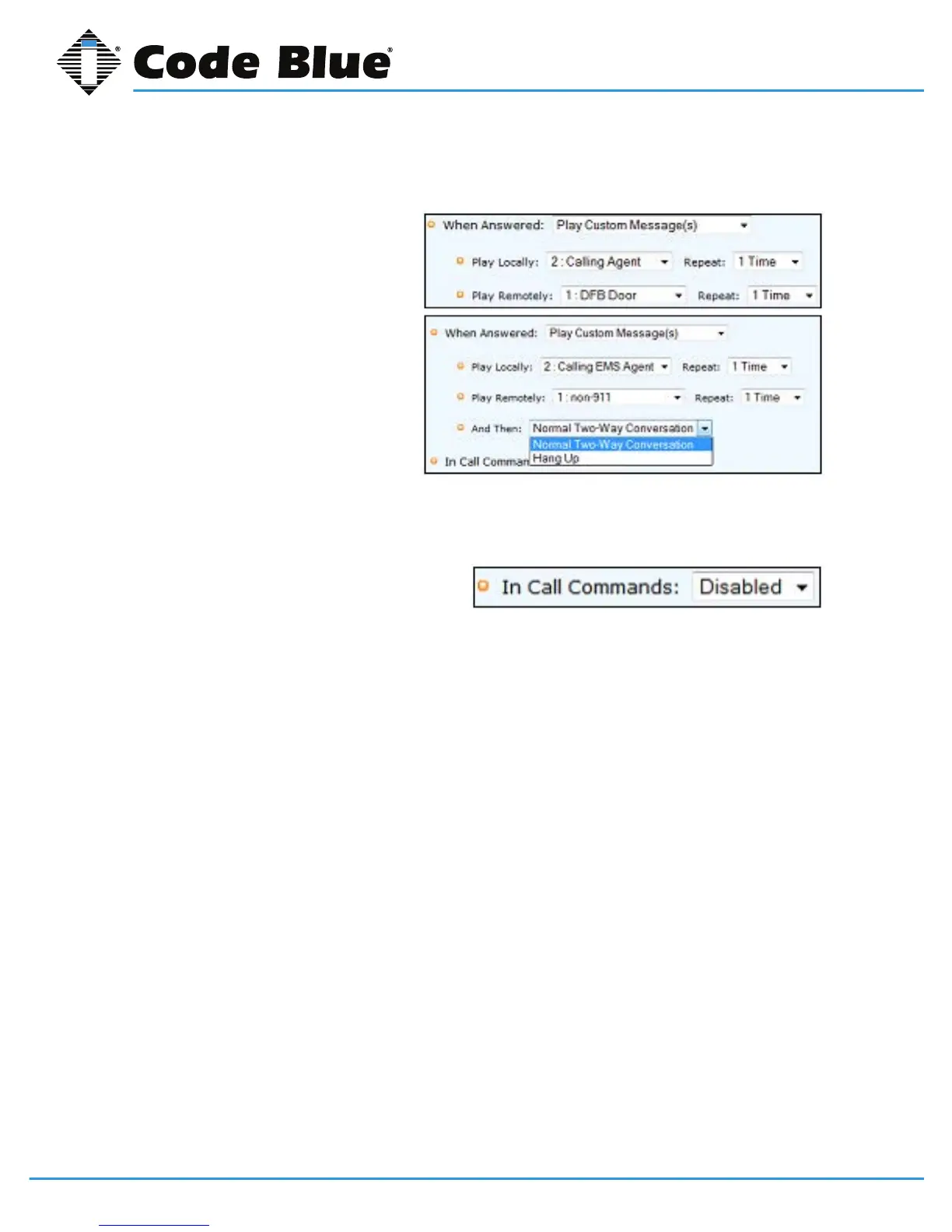
When Answered:Thedefaultsettingis
Normal Two-Way Conversation, the
optionistoPlay Custom Messages. A
messagecanbesettoplayLocally(at
theIP1500/2500)and/orRemotely(to
the Called Party).
Choosingthisoptionwilladdanother
optiontothePlacecallsequence,And
Then.
The And Thenchoiceallowsthecall
tocontinuethroughtonormaltwo-way
conversationmodeorHang Upand
resettheIP1500/2500.
Note:Inthisfeature,itisprohibitedtousethesameexactmessageinbothlocalandremotelyse-
lection.
In Call Commands:ThedefaultisEnabled.
AllRemoteControlDTMFtonecommands
areavailableforusebythecalledparty.The
alternatechoiceisDisabled,effectivelylocking
outallDTMFtonecommandsfromtheCalledPartiescontrol.
Control AUX Output
• AuxOutputscanbeactivatedanddeactivatedthroughoutaScript.
• AuxOutputscanalsobesettoactivateonincomingansweredcalls.
• Itisstronglyadvisedthatwhenthisfeatureisusednoothercongurationsareenabledforan
AuxOutputwithMomentaryToggleselectedinHardware Settings.



 To Next Page