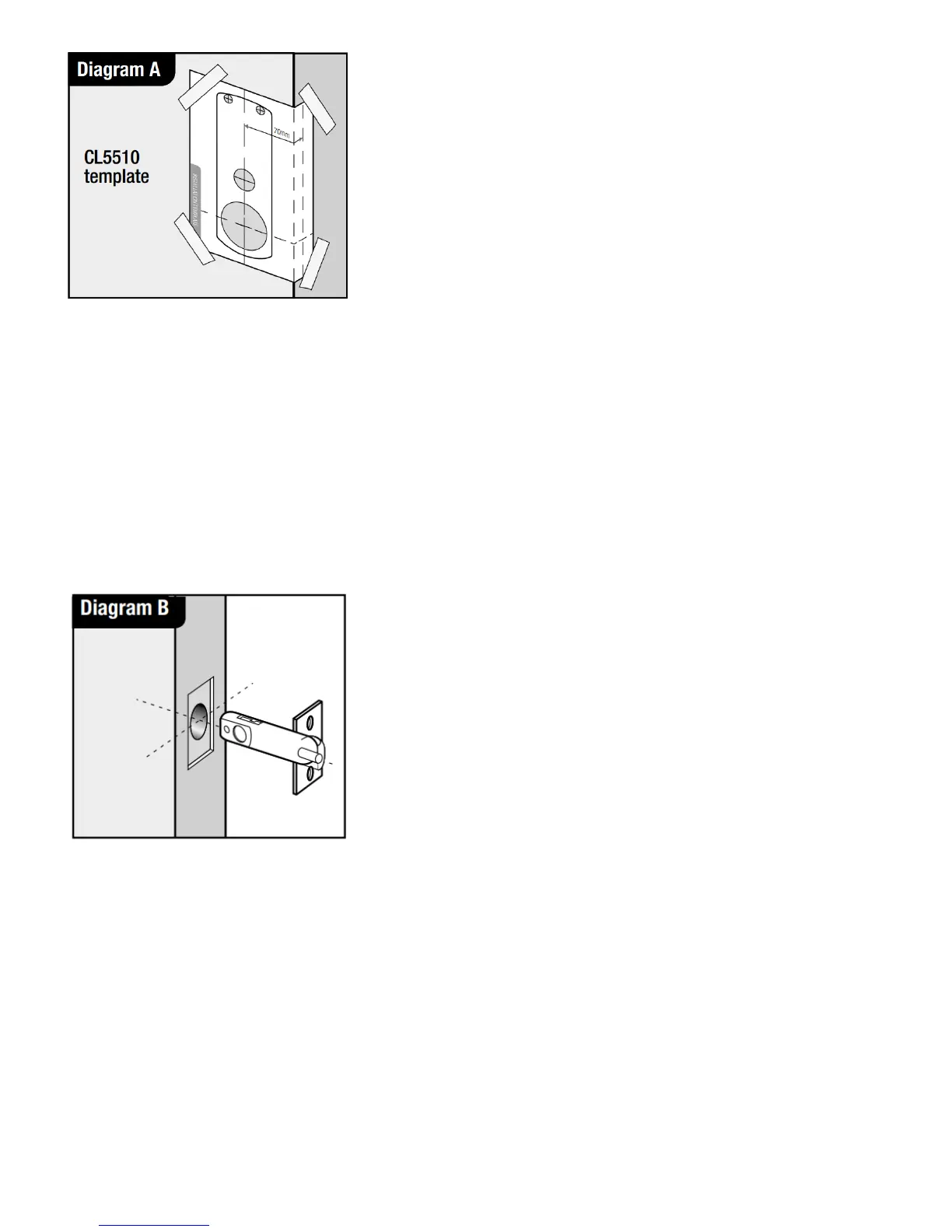
2.Keeping the drill level and straight, drill a 25mm (1”) hole in the centre of the door edge to accept the
latch. Put the latch into the hole and holding it square to the door edge, draw around the faceplate.
Starting with the top and bottom cuts, chisel a rebate to allow the latch faceplate to fit flush with the door
edge. Remove the latch.
3. Keeping the drill level and straight, drill the holes in the door face. Drill from both sides of the door to
increase accuracy and to avoid damage to the other side when a drill goes right through.
4.Insert the fire cup into the 54mm (2 ⁄”) hole. N.B. open side of the fire cup to face code side with small
bolt through hole at the bottom.
5. Re-insert the latch and fix the screws, with the bevel towards the door frame. (See diagram B).
6. Fit the latch support post on the inside of the front plate, in outer hole side A for a left hand hung door
and in outer hole B for a right hand hung door. (See diagram C).



 To Next Page