Suspend/Activate
Suspend or activate all
the Code-Free Modes
Set Code-Free Mode
Up to 10 Code-Free
Modes can be set
Code-Free Mode
View current Code-Free
status
Code-Free
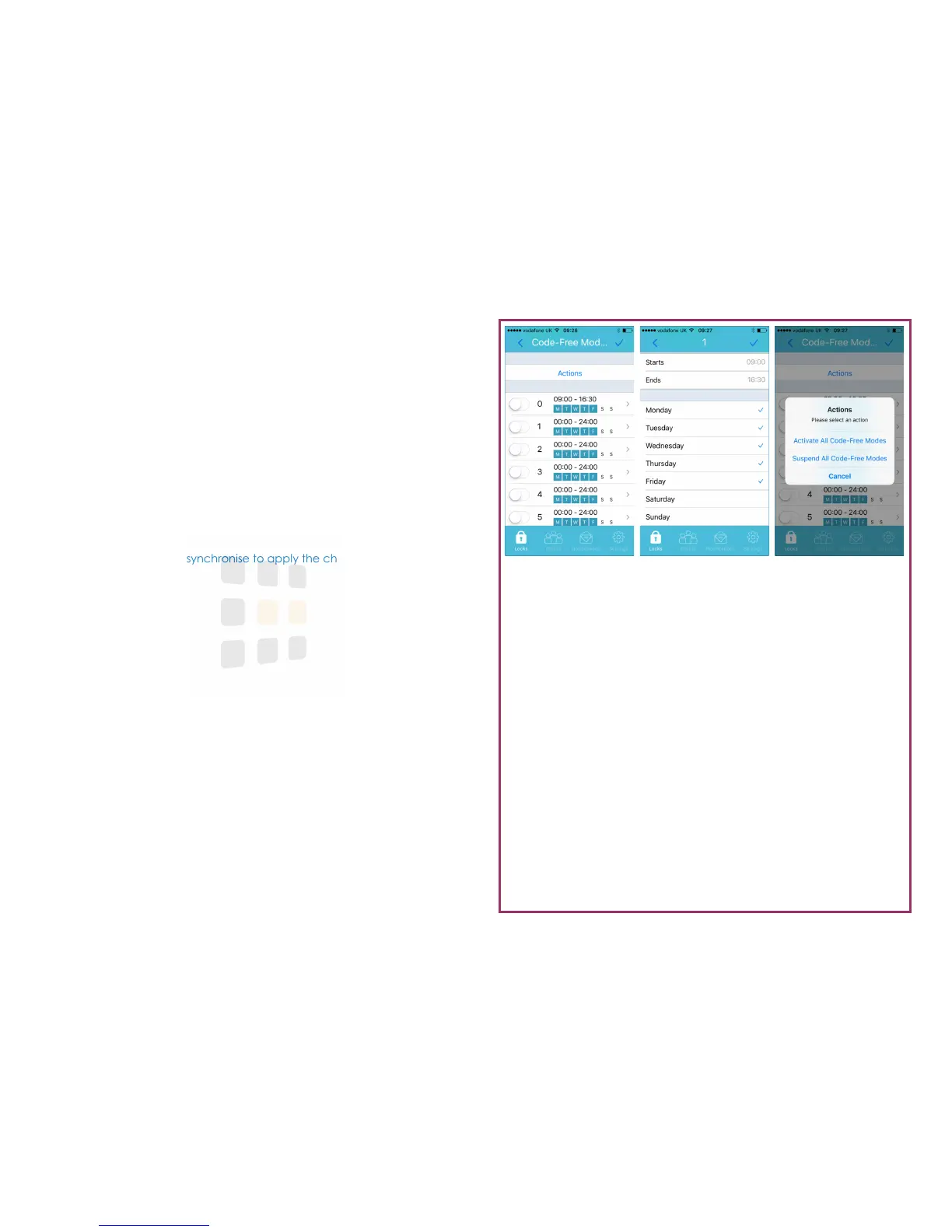
Code-Free allows you to set the lock to automatically unlock at pre-determined
times. Up to 10 different Code-Free Modes can be activated.
1. From the Parameters screen (see page 5), touch Code-Free Modes
2. To set a Code-Free Mode, touch the relevant mode (0-9) and select the
days of operation and the start & end times
3. You can activate and suspend all Code-Free Modes by touching the Ac-
tions button. Suspending all Code-Free Modes will revert the lock to nor-
mal operation (normally locked)
Note: A permitted Code-Free Mode will override a non-permitted Code-
Free Mode.
Help: Remember to synchronise to apply the changes to the lock
Page 6




 To Next Page