Figure 1
Line 2
Figure 2
Line 2
Figure 4
Line 2
Figure 5
Line 2
Figure 6
Line 2
Line 3
Page 7
General Settings
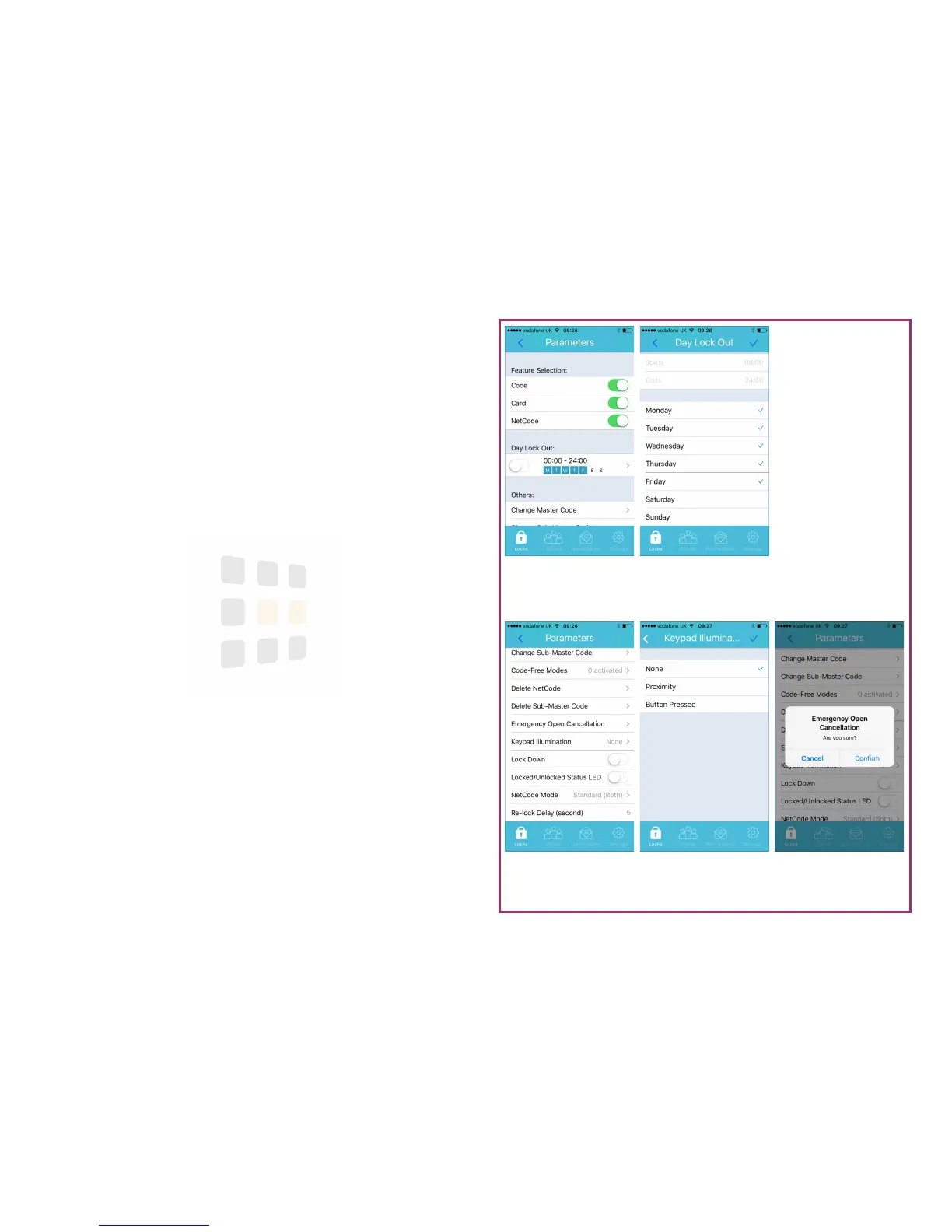
The following settings can be updated via the Parameters screen. Touch a set-
ting to change:
Emergency Open Cancellation - when the REM 2 input has been trig-
gered, the lock will remain open for 30 minutes. This setting reverts the lock
to normal operation
Keypad Illumination - change if and how the keypad illuminates
Re-Lock Delay - how long the lock will remain unlocked after a successful
unlocking operation
Help: Remember to synchronise to apply the changes to the lock
Day Lock-Out
Lock out all clients on the specified days.
1. From the Parameters screen (see page 5), touch Day Lock-Out
2. Select/de-select days for access by touching the relevant days
3. Touch the to confirm (this will enable Day Lock-Out if not already ena-
bled
4. To disable Day Lock-Out, from the Parameters screen, swipe the switch
adjacent to the Day Lock-Out pattern
Note: If a client has a an Active Period that conflicts with the Day Lock-
Out, the Active Period takes priority.
Help: Remember to synchronise to apply the changes to the lock





 To Next Page