18
CATER
PROGRAMMING
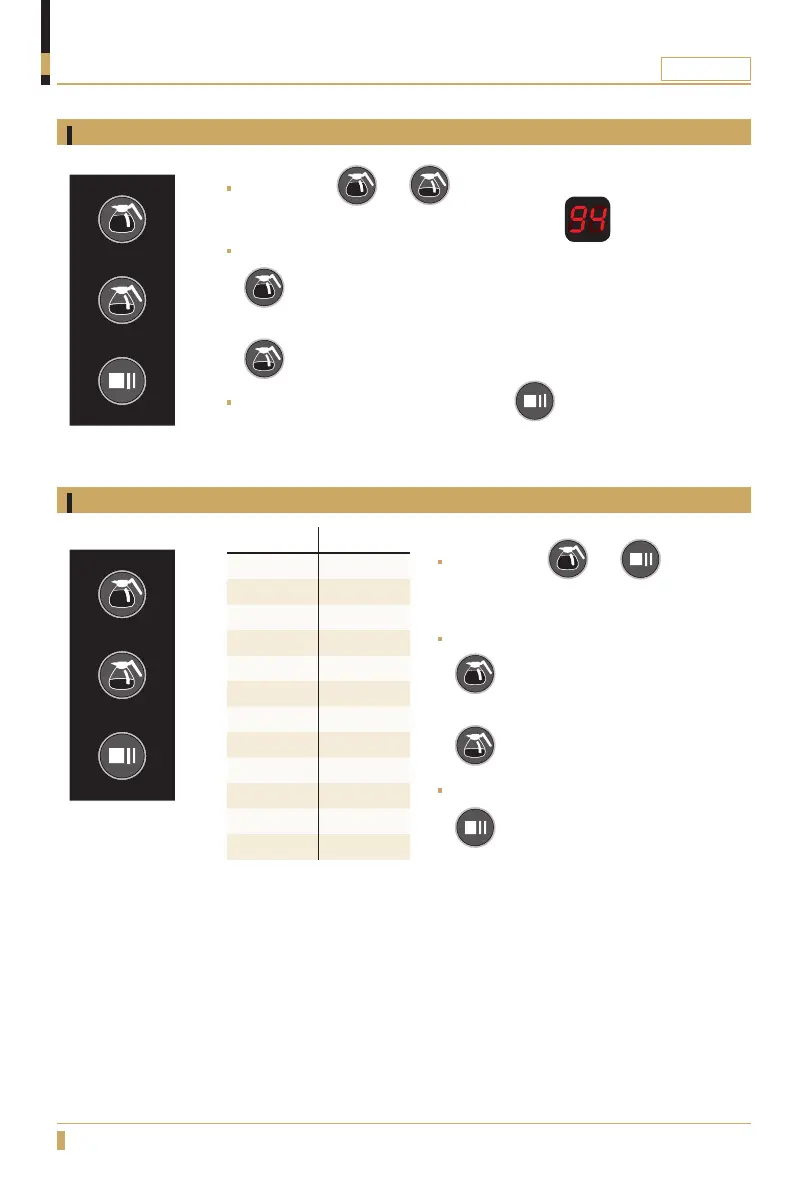
Adjusting of water temperature
Adjusting water quantity
ADJUST SIGNAL
Off 6
25% 5
20% 4
15% 3
10% 2
5% 1
0% 0
-5% -1
-10% -2
-15% -3
-20% -4
-25% -5
Press buttons and at the same time for 5 seconds until you
hear one beep. Display shows the present setting
Adjust with the buttons
= (increase water temp.)
and
= (decrease water temp.)
Confirm the new settings by pressing the button.
70°
0
C = min. temperature.
96°
0
C = max. temperature.
Press buttons and at the same
time for 5 seconds until you hear 3 beeps.
The display shows the current setting.
Adjust with the buttons
= (increase)
and
= (decrease)
Confirm the new settings by pressing the
button.






 To Next Page