
 Need help?
Do you have a question about the Coinco 800 Series and is the answer not in the manual?
Provides information on installing, operating, and maintaining the COINCO GLOBAL2® coin changer.
Details how to find and record the coin changer's model and serial number for service.
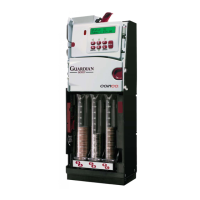
Highlights the modular design, self-loading tubes, dual motors, and programmable floats of the coin changer.
Instructions on inspecting the unit for shipping damage and proper storage procedures.
Lists power requirements, operating temperature, humidity, dimensions, weight, and coin size range.
Step-by-step guide to physically install the coin changer into a vending machine.
Explains how to enter and navigate the digital display mode for settings and information retrieval.
Describes the function of the last four option switches for enabling or disabling specific features.
Details four methods to set the vend price for single-price changers.
Explains how to set vend prices for four-price changers using different methods.
Covers setting vend prices for Protocol A changers via display and other methods.
Configures active and cashless pricelines for Protocol A changers.
Vend prices for MDB/BDV changers are set via the vending machine controller.
Explains how to manually add coins to tubes for filling or testing purposes.
Guides on setting float levels and activating float pay-down.
How to program the "Use Correct Change" light condition and its value.
Defines which coins the changer accepts when the "Use Correct Change" light is ON.
Detailed settings for the Exact Change Group for four-price changers.
Describes setting the Exact Change Group for Protocol A changers.
How to access and view audit data using the digital display.
How to check coin value and quantity in each tube using inventory buttons.
Key audit information addresses and their meanings.
Tracks total vends, cash to tubes, and cash to cash box.
Monitors total vend value and recorded discounts.
Reports the count and value of coins in each tube.
Tracks the number of vends for each price level.
Details addresses for configuring changer features like escrow and timeouts.
Sets the maximum change payout amount in Multivend mode.
Defines coins accepted when the Exact Change light is ON.
Configures revaluation for multi-vend and cashless transactions.
Covers advanced settings like L+ mode, card factors, and MDB configurations.
Sets the value for the "Use Correct Change" indicator.
Selects between four-price and single-price operation.
Sets the exact change group for MDB bill acceptors.
Enables or disables MDB cashless price lines.
Sets Protocol 'A' price lines for coin credit.
Sets cashless price lines for credit vending.
Details addresses for configuring acceptor behavior like coin enable and float settings.
Selects standard or user-defined payout configurations.
Enables or disables acceptance of specific coin types.
Sets float mode for all tubes simultaneously.
Sets the scaling factor used to scale all coin values.
Guides on removing/replacing coin tubes and changing coin routing configurations.
Detailed steps for removing and reinstalling coin tubes.
How to reconfigure coin routing using the Digital Display.
Illustrates changing predefined and setting user-defined coin routing configurations.
General guidance on routine maintenance and cleaning procedures.
Provides instructions for removing and replacing various internal modules of the changer.
Steps to dislodge coins from the cashbox chute area when a jam occurs.
Lists and explains common error codes displayed by the changer for diagnosing issues.
Explains how the digital display communicates diagnostic conditions using digits and decimals.
A comprehensive guide listing common problems, causes, procedures, and remedies for troubleshooting.
Provides dimensional drawings and measurements of the 800 Series changer.
Shows an exploded view of the final assembly with item numbers for parts identification.
An exploded view of the payout base assembly with a detailed parts list.
An exploded view of the acceptor assembly with a detailed parts list.
Diagrams showing harness and logic board configurations for MDB and Protocol "A" setups.
 General
| Model Series | 800 Series |
|---|---|
| Category | Cash Counters & Coin Sorters |
| Manufacturer | Coinco |
| Coin Denominations Sorted | Pennies, Nickels, Dimes, Quarters, Dollar Coins |
| Power Supply | 110V AC |
| Bagging Function | Yes |
| Batch Function | Yes |
| Display | LCD display with count total and batch settings |


 To Next Page