EasyManua.ls Logo

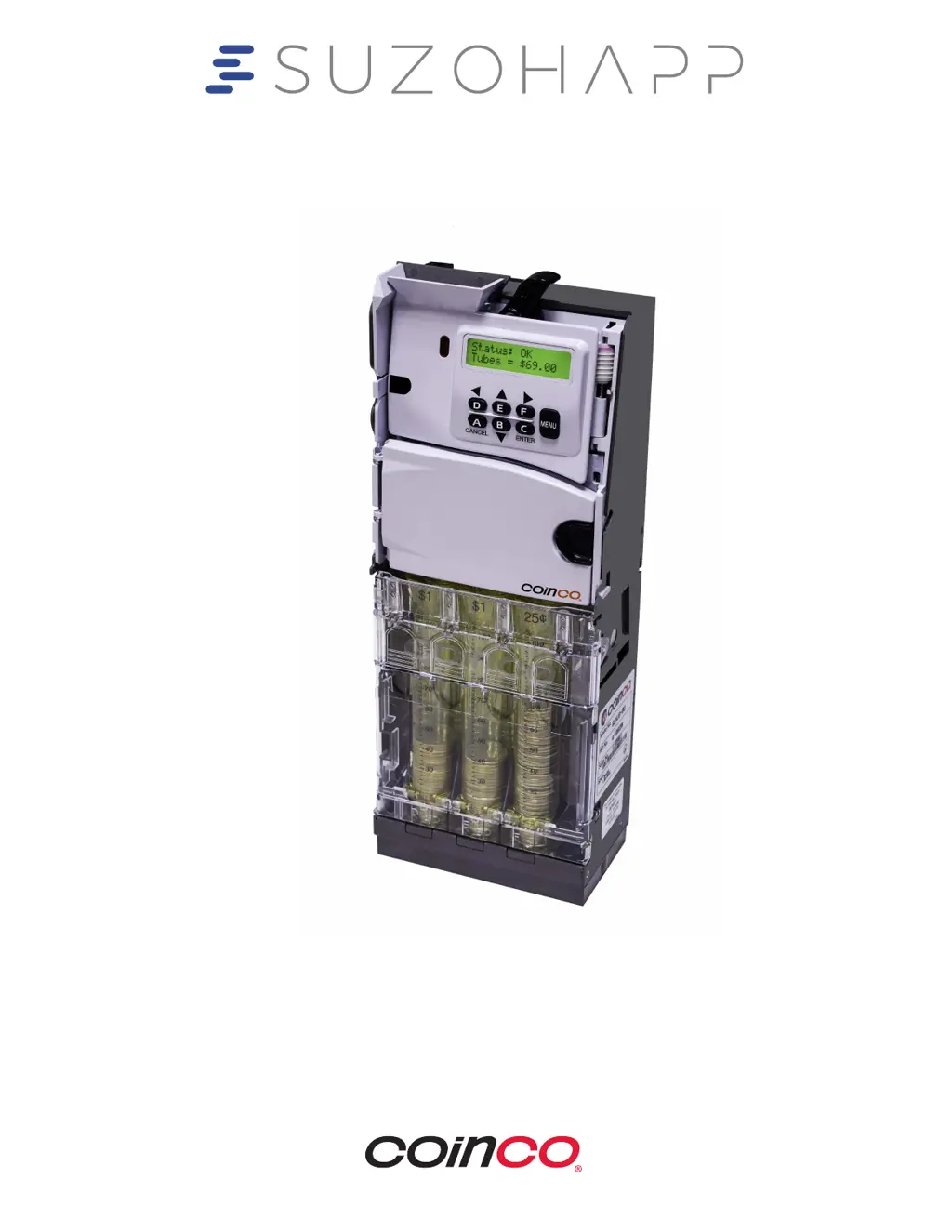
Coinco Guardian GLX - User Manual

Coinco Guardian GLX
54 pages
Print Icon
To Next Page IconTo Next Page
Loading...
Operation & Service Manual
Guardian
GLX

Questions and Answers

  • D
    Derrick MccannAug 3, 2025
    What to do if my Coinco Cash Counters & Coin Sorters are Out-of-Service Payout Motor?
    • J
      Jason ThompsonAug 3, 2025
      If your Coinco Cash Counters & Coin Sorters changer has a Payout Motor problem and is not operational, ensure that all harnesses are properly connected and check for any jam in the payout section. If the issue persists, please take it to a Coinco authorized Service Center for service.
  • R
    Rachel BurgessAug 13, 2025
    Why does my Coinco Guardian GLX Cash Counters & Coin Sorters show a Payout Error Tube X?
    • K
      Kylie CooperAug 13, 2025
      If you encounter a Payout Error Tube X with your Coinco Cash Counters & Coin Sorters, it indicates that the coin tube level reading is inaccurate due to some interference. Please check for any obstructions.
  • J
    John ToddAug 23, 2025
    What to do if my Coinco Guardian GLX are Out-of-Service Tube Sense?
    • C
      Chad MartinAug 23, 2025
      If your Coinco Cash Counters & Coin Sorters are Out-of-Service Tube Sense, please take it to a Coinco authorized Service Center for service.

Summary

INSTALLATION & SETUP

Unpacking and Installing the Changer

Instructions for inspecting, unpacking, and installing the coin changer into a vending machine.

Loading Coins into Changer Tubes

Instructions for loading coins into the changer's tubes using various methods.

Dispensing Coins Verification

Steps to verify proper payout operation by dispensing coins from tubes and inserting test coins.

Setting Par;Float Levels

Explains how to set and disable the Par/Float feature for coin tube levels.

TYPICAL USAGE

Parring the Guardian GLX

Explains how to bring the changer back to its original float or par level.

Automated Parring System

Describes the simplest way to par using the automated system.

Automated Parring Routine Flow

Provides a flowchart for the automated parring process.

Overfill Paydown Settings

Explains how to enable/disable the Overfill Paydown feature.

Tube Enable;Disable Settings

Explains how to set which tubes have Par enabled or disabled.

Audit Reporting Procedures

Details current and historical audit data tracking and reporting.

Changing Coin Tubes

Step-by-step guide on how to remove and install coin tubes.

Programming Coin Routing

How to reprogram coin routing when coin tubes are changed.

Cassette Configuration

Assigns coins to specific payout tubes.

Changing Cassette;Tube Configuration

Flowchart for changing cassette and tube configurations.

Eliminating Slugs

Instructions for blocking slugs using the simple field tune.

Working with Tokens

Covers adding and deleting tokens.

ADVANCED CONFIGURATION

Coin Enable;Disable Settings

Allows selection of which coins are accepted or rejected.

Coin Security Level Adjustment

Determines acceptance rate for each coin type.

Change Management Options

Allows selection of preferred change payout methods.

MAINTENANCE

Cleaning the Acceptor Assembly

Instructions for cleaning the acceptor gate, main plate, and coin ramp.

TROUBLESHOOTING

Guardian GLX Autotest

Cycles and verifies proper feedback of all changer systems.

Guardian GLX Warning Messages

Explains warning and out-of-service messages displayed by the unit.

Warning Messages Explained

Lists display messages and their definitions for troubleshooting.

Out Of Service Messages Explained

Lists out-of-service messages and required actions.

Coinco Guardian GLX Specifications

General IconGeneral
BrandCoinco
ModelGuardian GLX
CategoryCash Counters & Coin Sorters
Sorting SpeedUp to 1, 200 coins per minute
Weight65 lbs
TypeCoin Sorter
DisplayLCD
ConnectivityRS-232

Related product manuals