27
b. To select a recipe:
i. Use the rotary encoder dial to navigate to the Settings screen then to the
Recipe screen.
ii. Use rotary encoder dial to select the recipe menu and adjust it to the desired
recipe numbered 1-9 (see “Recipes” on page 28).
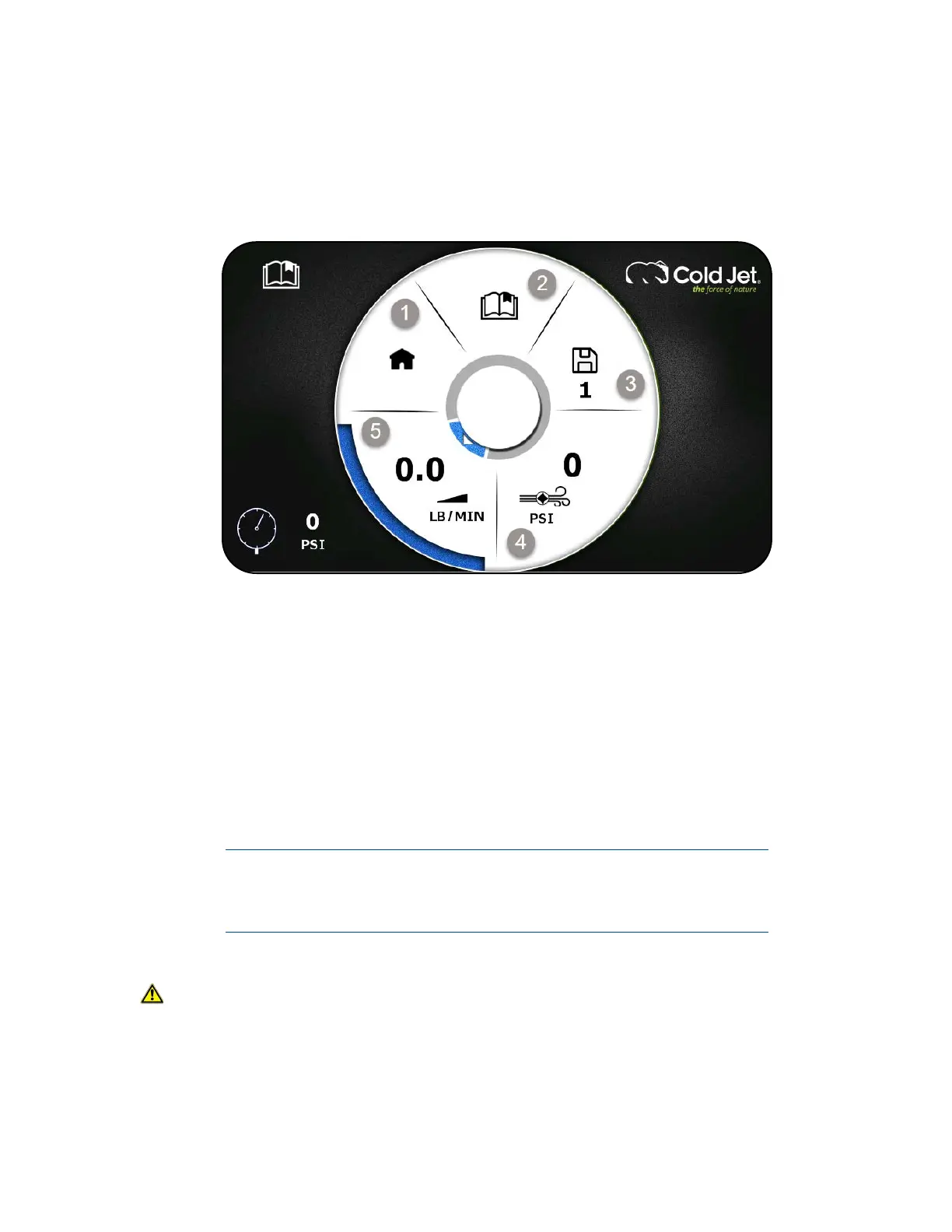
Figure 8: Set Up Screen
1. Home
2. Recipe Menu
3. Active Recipe
4. Recipe Blast Pressure
5. Recipe Feed Rate
Shutting Down the i
3
MicroClean 2
Follow the instructions below to shut down the MicroClean 2:
Always remove any remaining dry ice from the trough if shutting down
the MicroClean 2 for more than 15 minutes to prevent the internal
mechanics and/or nozzle from freezing.
1. Using proper PPE, remove any unused ice from the MicroClean 2 then close the lid.
CAUTION Be careful to avoid coming into contact with the shaving blades.
2. On the applicator:
a. Press the air button (I) to activate (blue light on).



 To Next Page