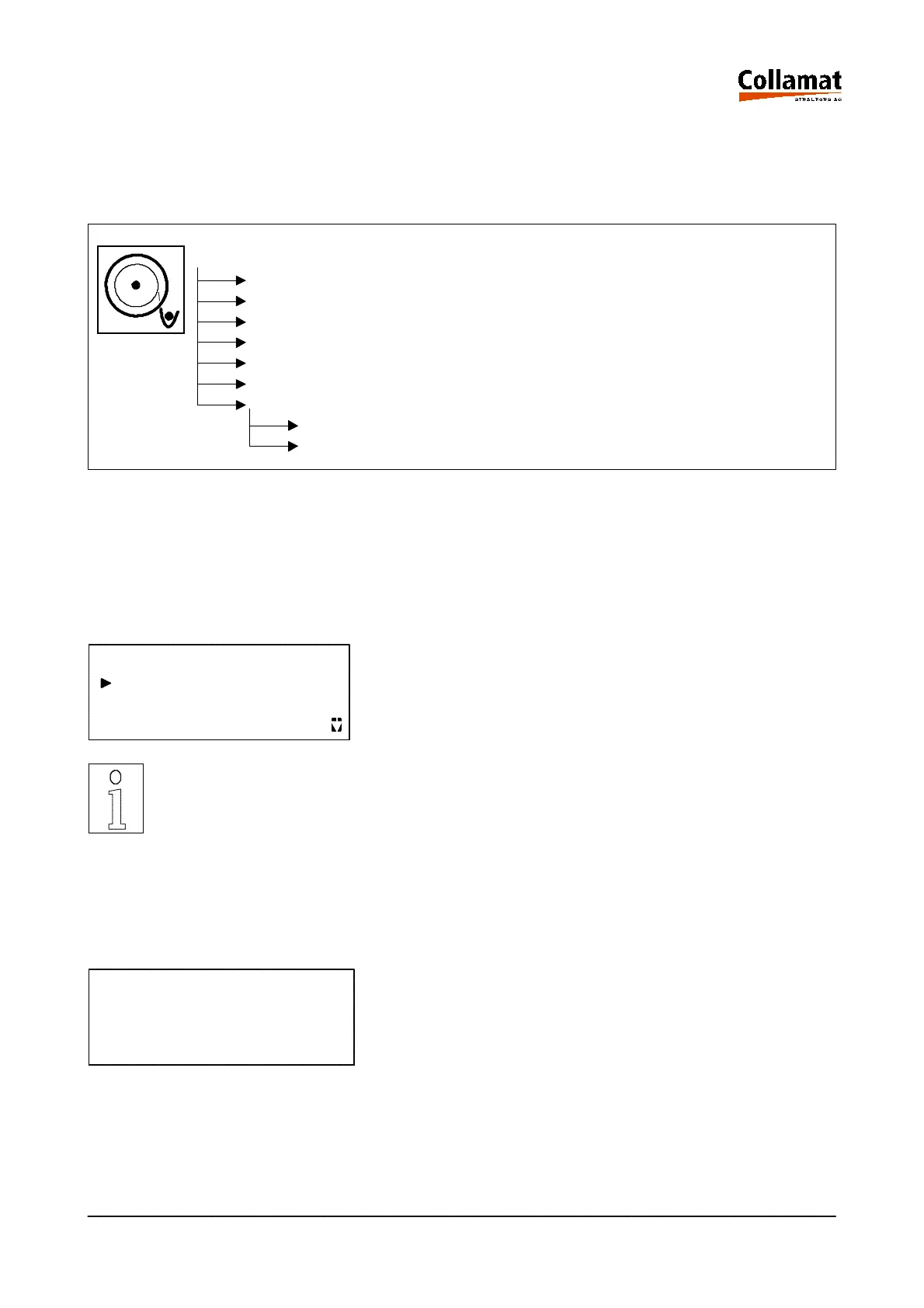
4 The 'LABELING MODE' menu tree
The functions necessary for the labelling mode can be called up and operated in the 'LABELLING
MODE' menu tree. The 'LABELLING MODE' menu tree comprises the following functions:
LABELLING MODE
Label Jog
Select program
Information Display
Reset Counter
Preset Counter
Select Counter (Labels / Goods / External)
Nonstop
Nonstop display
Nonstop Reset
4.1 Label jog
With this function a label can be dispensed for test purposes by the keyboard. The dispensing speed
corresponds to the set fixed speed. The label is dispensed by depressing the ENTER key when the
cursor is placed on this line:
LABELLING MODE
Label Jog
Select program
Information display
Note:
When setting up in nonstop mode the labels have to be triggered with this
function so that the nonstop counter of the master does not become
asynchronous.
4.2 Select program
This function allows to select one labelling program out of 32 possible programs:
SELECT PROGRAM
Number 1
Name 50x80x3
programmer/operator
RUN/PASSIVE
User level:
Operating mode:
programmer/operator
STOP
User level:
Operating mode:
5999.530-01E 14.01.2004 CSWM 4 13



 To Next Page