CALOR 40 Manual Page 25 (total 27) COMAC CAL s.r.o.
Service
All warranty and after-warranty repairs are carried out only by the manufacturer COMAC
CAL s. r.o.
When the below mentioned operations are carried out unprofessionally, the claim to warranty
covering the errors that may occur, become null and void !!!
Turn off the power before any manipulation with the evaluation unit !!!
Replacement of the top PCB with the display unit
If you need to extend the communication (which is on the upper PCB) or if there is a
failure in the top PCB, the board can be replaced. The upper part of the meter should be
removed as explained in the procedure below.
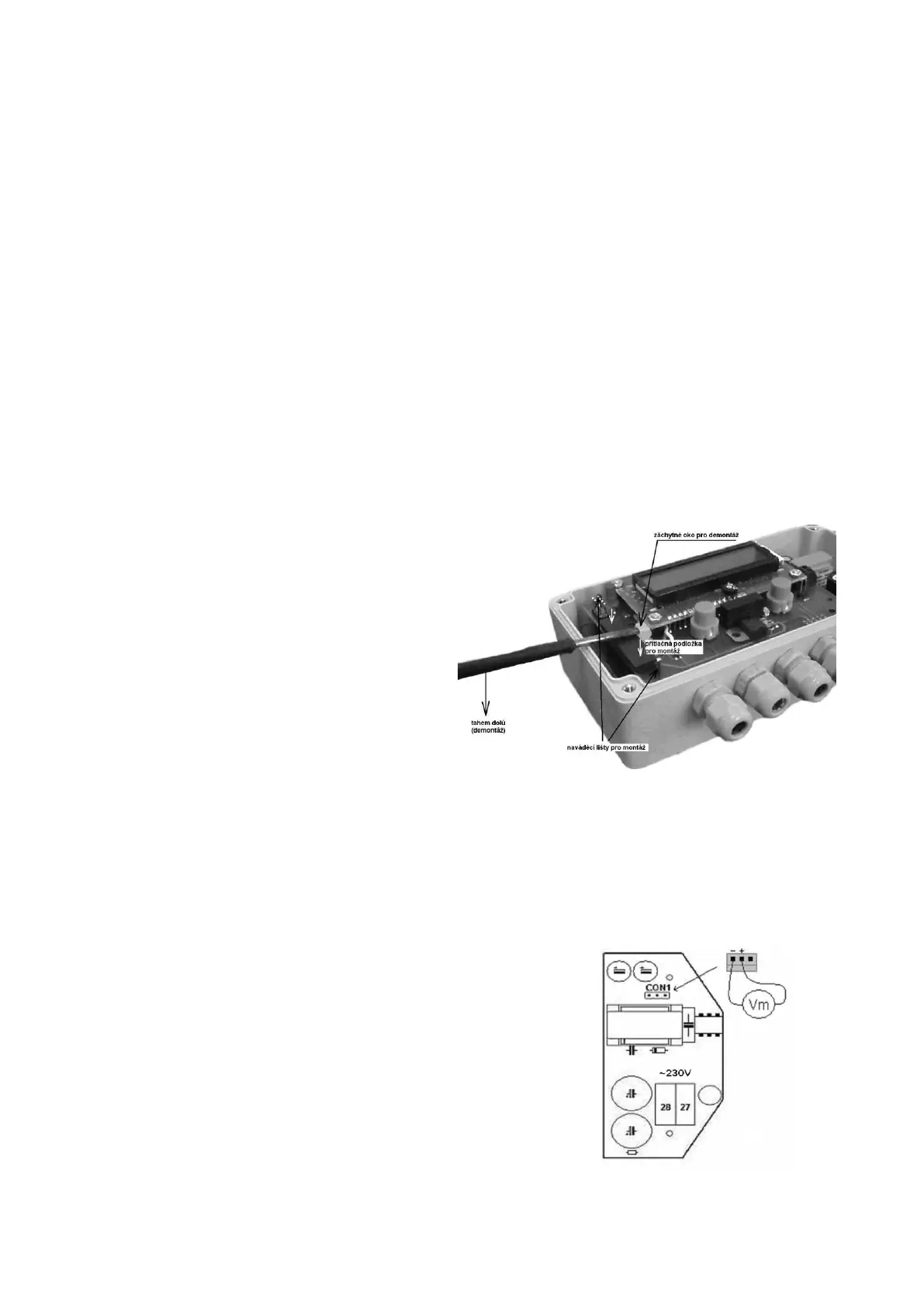
Upper part assembly procedure
- Switch off the power
- Unscrew the meter cover
- Unscrew the screws in the top PCB
- Insert a screwdriver in the lug for
removal.
- By pulling the handle downward
disengage the upper part carefully
from guides.
- Put the upper part onto the guides.
- By pressing gently onto the thrust
washer, push the upper part
connector into the lower PCB.
- Screw in the screws to fix the PCB
- Replace the cover and retighten the
securing screws
- Restore the supply voltage
Power supply replacement
Power supply replacement procedure
- Switch off the power
- Unscrew the meter cover
- Disconnect the CON1 connector
- Unscrew the power supply PCB screws
- Replace the power supply
- Replace the cover and retighten the securing screws
- Restore the supply voltage



 To Next Page