EasyManua.ls Logo

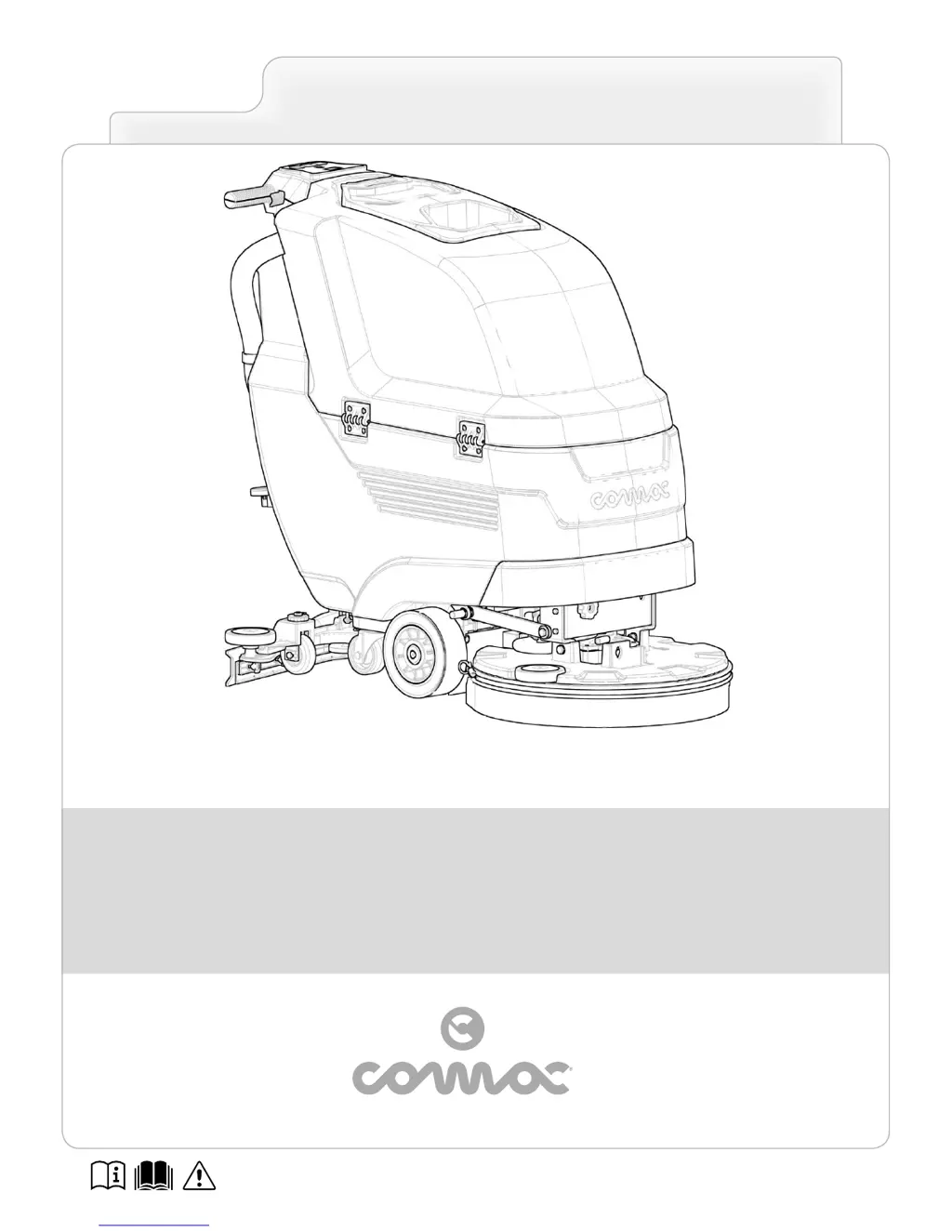
COMAC ANTEA 50 B - User Manual

COMAC ANTEA 50 B
64 pages
Print Icon
To Next Page IconTo Next Page
Loading...
ORIGINAL INSTRUCTION DOC. 10056728 - Ver. AC - 05-2016
SCRUBBING MACHINES
USE AND MAINTENANCE MANUAL
ANTEA - VERSA

Table of Contents

Questions and Answers

  • A
    Alisha RichardsonAug 17, 2025
    Why my COMAC Scrubber does not switch on?
    • W
      Wendy GonzalezAug 17, 2025
      If your COMAC Scrubber isn't turning on, there could be several reasons. For B versions, ensure the main switch is in the work position with the LED illuminated and the ON symbol visible; if not, press the main switch. For BT versions, verify the main switch is set to "I" by turning the key a quarter turn to the right. If these steps don't resolve the issue, and the battery charge level is critical, perform a complete charging cycle. Also, ensure the power cable is disconnected from the battery charger. Finally, make sure the batteries are properly inserted into the machine.
  • G
    Gabrielle GomezAug 20, 2025
    How to troubleshoot if my COMAC Scrubber does not switch on?
    • B
      Brian YoungAug 20, 2025
      If your COMAC Scrubber doesn't switch on, there might be several reasons. For B versions, ensure the main switch is in the work position with the LED on and the ON symbol visible; press the switch if it's not. For BT versions, check that the main switch is at ā€œIā€; turn the key a quarter turn to the right if it isn't. Also, for BT versions, check for alarm messages on the control display and contact a technician if there are any. Verify that the batteries are correctly connected and the battery connector is connected to the electrical system connector. Check the battery charge level and perform a complete charging cycle if it's low. Finally, if you have a CB system, disconnect the power cable from the battery charger.
  • S
    Steven BryanAug 23, 2025
    What to do if the batteries on my COMAC Scrubber do not work correctly?
    • J
      Jason EdwardsAug 23, 2025
      If your COMAC Scrubber batteries aren't working correctly, start by ensuring the cable bridge is properly connected, and the output voltage is 24V. Also, inspect the battery terminals for oxidation. If they're oxidized, unplug all cables, clean the terminals, apply a bit of grease, and then reconnect the electrical connections.
  • M
    mcguireleroyAug 26, 2025
    Why is the battery charger not working on my COMAC Scrubber?
    • D
      Debra YoungAug 26, 2025
      If your COMAC Scrubber's battery charger isn't working, first, check that the power cable plug is correctly inserted into the socket on the battery charger (for versions with a CB system) and into the mains socket. Try a different socket if needed. Ensure the mains power supply characteristics match those required by the battery charger. Also, make sure the battery charger is connected to both the mains and the batteries.
  • B
    Brandy MasonAug 28, 2025
    Why does my COMAC Scrubber have a very low operating autonomy?
    • J
      Jodi WilliamsonAug 28, 2025
      If your COMAC Scrubber has very low operating autonomy, check the battery charge level on the control display and complete a full charging cycle if the charge is low. Keep in mind that the batteries may need replacement if they have undergone many discharge and recharge cycles.
  • O
    ortiztraceyAug 30, 2025
    What to do if the squeegee on my COMAC Scrubber does not dry perfectly?
    • C
      Carlos HoganAug 30, 2025
      If the squeegee on your COMAC Scrubber is not drying perfectly, check for obstructions in the vacuum unit. Also, ensure that the cap on the recovery tank drainage tube and the recovery tank cover are correctly positioned.
  • D
    Deanna DuncanSep 2, 2025
    Why is my COMAC Scrubber not cleaning correctly?
    • J
      Jennifer MorrisSep 2, 2025
      If your COMAC Scrubber is not cleaning correctly, ensure the brush is correctly inserted. Also, check that the brushes fitted on the appliance are suitable for the task. Inspect the brush bristles or the pad for excessive wear and replace if necessary.
  • A
    Abigail FuentesSep 5, 2025
    What should I do if my COMAC Scrubber does not move?
    • A
      Anthony GregorySep 5, 2025
      If your COMAC Scrubber is not moving, ensure that the dead man's levers under the control handlebar are activated. For BT versions, gradually turn the potentiometer adjustment knob clockwise to regulate the appliance's speed. Also, for BT versions, engage the electric brake by turning the lever in the traction motor counter-clockwise.
  • A
    Andrea RichardSep 7, 2025
    Why is there insufficient detergent solution on the brushes of my COMAC Scrubber?
    • S
      stevencoxSep 8, 2025
      If there is insufficient detergent solution on the brushes of your COMAC Scrubber, make sure the detergent solution tap is not partially or completely closed; move the tap lever control knob downward to open it. Check that the quantity of detergent solution in the water system is sufficient for the work. Also, inspect the detergent solution filter for obstructions and clean it if necessary.
  • M
    Meghan GomezSep 12, 2025
    Why is my COMAC Scrubber producing excessive foam?
    • Z
      znormanSep 12, 2025
      If your COMAC Scrubber is producing excessive foam, ensure that you are using a low-foam detergent. If needed, add a small amount of anti-foam liquid to the recovery tank.

Summary

Introduction to Manual and Appliance

Manual Information and Symbols

Explains manual symbols, purpose, target audience, and storage.

Appliance Identification and Usage

Covers identification data, technical description, intended use, and safety overview.

Technical Specifications and Safety Guidelines

Registration Plate Details

Details the information provided on the appliance's registration plate.

Technical Data Overview

Lists detailed technical specifications for ANTEA and VERSA models.

General Safety Regulations

Crucial regulations for operator and appliance safety.

Appliance Symbols, Controls, and Displays

Appliance and Panel Symbols

Explains symbols on the appliance, registration plate, and instrument panels.

Instrument Panel Symbols

Explains symbols on the instrument panel for different appliance versions.

Display Screen Illustrations

Illustrates and describes various work screens and indicators on the control display.

Appliance Preparation and Setup Procedures

Handling, Unpacking, and Transport

Covers safe handling of packed items, unpacking, and transport.

Component Identification and Electrical Setup

Identifies components, covers battery setup, connection, and recharging.

Brush, Squeegee, and Fluid Systems

Guides on assembling brushes, splash guards, squeegee, and filling fluid systems.

Work Operations and Adjustments

Pre-Work Checks and Startup

Necessary preparations and startup procedures before beginning work.

Scrubbing and Drying Operations

Step-by-step guides for various scrubbing and drying tasks.

Speed and Detergent Control

How to regulate forward speed and detergent solution flow.

Special Operations and Modes

Details reverse movement, emergency switch, and eco-mode functions.

End of Work and Maintenance

End of Work Procedures

Steps to follow after completing work before performing maintenance.

Maintenance Schedule Overview

Overview of recommended maintenance tasks and their frequency.

Cleaning and Maintenance Tasks

Detailed procedures for cleaning tanks, filters, brushes, squeegee, and hoses.

Troubleshooting and Disposal

Troubleshooting Common Problems

Identifies common issues and provides solutions for appliance malfunction.

Disposal and Brush Selection

Instructions for disposal and guidance on choosing appropriate brushes.

EC Declaration of Conformity

Manufacturers Compliance Statement

Declaration of compliance with EU directives and standards.

COMAC ANTEA 50 B Specifications

General IconGeneral
ModelANTEA 50 B
ManufacturerCOMAC
Power SupplyBattery
Voltage24 V
TypeWalk-Behind
Working Width500 mm
Solution Tank Capacity40 l
Recovery Tank Capacity60 L

Related product manuals