22
The receiver
Caution!
Check that connections of all equipment and the antenna are
proper before connecting the receiver to the mains.
Ö Insert the mains plugs of the connected equipment in the mains
socket and switch them on.
Ö Switch on the AV channel of the TV set.
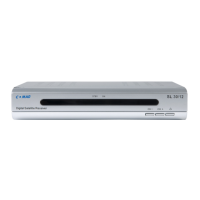
Ö Insert the power pack of the receiver in the mains socket. The
device is in normal mode. The green LED is lit.
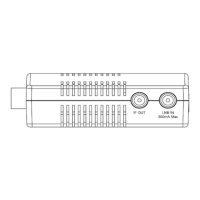
Ö If you wish to operate the receiver with 12V, insert the 12V mains
cable in the “DC IN“ socket and connect it to your power source.
The receiver is supplied with preset TV channels and can be used
directly. If you want to check if new channels are available, initiate a
scan for broadcasting stations. Read the information further below
for this purpose.
L
To get into standby mode, press the red key at top right of
the remote control. The red LED "STBY" of the receiver is
lit. The device consumes approx. 2W only. Currently, this is
a very low value of power consumption.
L
Vehicles with a vehicle voltage of 24V (e.g. HGV)
Please use a 24V / 12V DC/DC converter. Otherwise, the
receiver could suffer damages.
ATTENTION: When operating the receiver with the remote control,
you must point the infrared sensor always to the
infrared sensor.


 To Next Page