7
Contents
Overview of equipment.......................................................................3
Remote control ................................................................................... 4
Preface...............................................................................................6
Style features ....................................................................................6
Contents ............................................................................................7
Safety instructions ...........................................................................9
Basic safety instructions ..................................................................... 9
Explanation of safety instructions ..................................................... 12
Appropriate use ................................................................................12
Scope of supply..............................................................................13
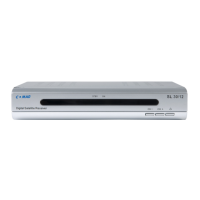
Description......................................................................................14
Connecting the receiver.................................................................16
Antenna cable installation................................................................. 17
Connection with the SCART cable ................................................... 19
Getting started ................................................................................21
Remote control ................................................................................. 21
The receiver......................................................................................22
Operation.........................................................................................23
Screen display messages when switching channels........................ 23
User interface on the TV screen.......................................................24
Menu structure.................................................................................. 25
Menu navigation ...............................................................................26
Channel (symbol: TV)....................................................................... 27
Installation (symbol: satellite antenna) .............................................29
System setup (symbol: receiver) ...................................................... 31
Tools (symbol: tool case) ............................................................... 34
Software update by satellite .............................................................35
Keys with special functions ..........................................................36
EPG ..................................................................................................36
Sleep timer........................................................................................ 36
INFO - acoustic signal for directing the satellite antenna................. 36
AUDIO ..............................................................................................38
ZOOM ............................................................................................... 38


 To Next Page