INSTALLATION GUIDE FOR RX-1839
Copyright - refer to title page
5.5 REMOTE CONNECTION TO OMT
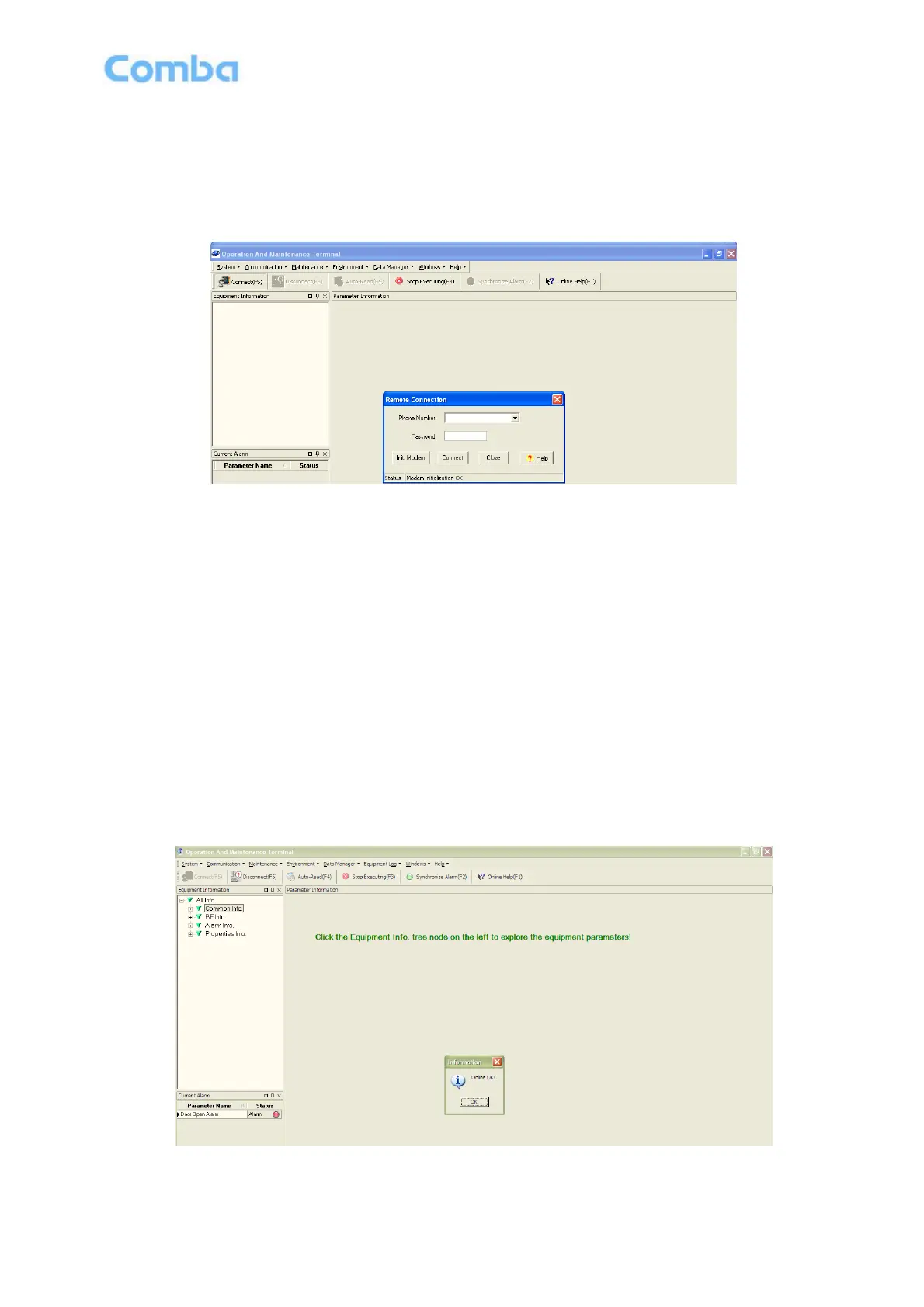
If remote connection is needed, users can select [Remote connection via modem] in connection type
window. Select desired serial port and click “OK” in [Serial Port Configuration] window to go to OMT main
window and start modem initialization. Click “connect” and the [Remote Connection] window will show up.
Figure 17: Remote Connection
Config: Enter the correct phone number, the password is 888888 and click “connect”, it will be connected
remotely.
Notice: Please enable the SIM card to support Circuit Switch Data.
5.6 OMT CONFIGURATION
After entering the OMT main screen, click the “Connect” button on the toolbar, to connect the equipment to
the OMT. Successful connection will be indicated by a message “Online Ok” and equipment parameters
can be read and/or set.
Users can configure the parameters, and then offset the parameters according to desired coverage level
and interference to other BTS signals.
OMT parameters include: Common Information, RF Information, Alarm Information, and Properties
Information.
Figure 18: OMT Main Window



 To Next Page