It is mainly used to record device location and Date/Time provides a time reference. Clicking the Config
Value of Date/Time will update the Date/Time automatically.
NOTE: Make sure the device is connected with appropriate donor and service antennas before
proceeding to step 4.
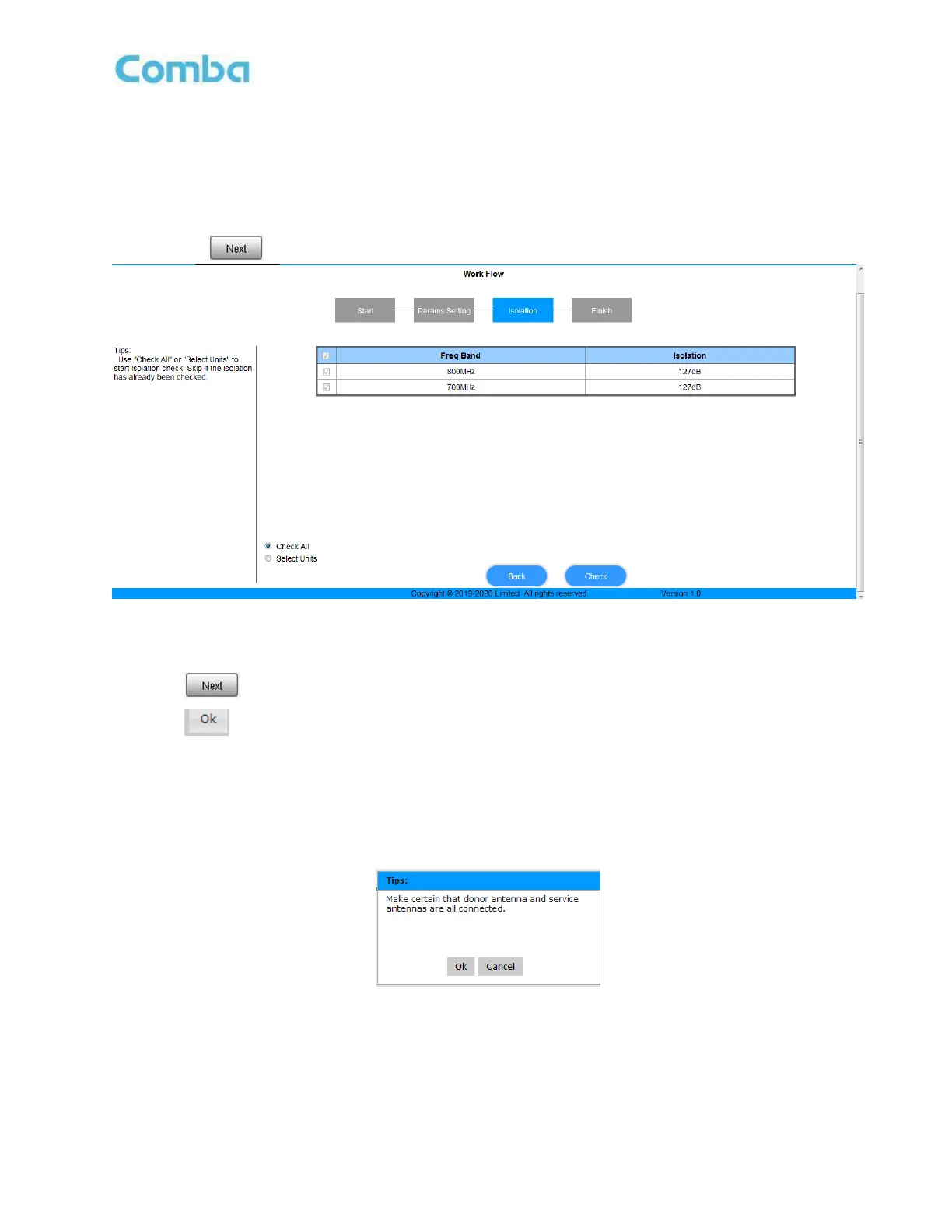
Figure 30: Commissioning Procedure – Isolation Detection
Select a frequency band (RFU) that needs to be commissioned.
Click
to start Isolation Detecting, then a [Confirm] window will pop-up.
Click
to continue. If isolation detection passes, the process will go to the RF Settiing Screen
shown as Figure 38. If failed, a Tips window will pop-up, users need to check whether the system
isolation is adequate.
NOTE: At the end of the first frequency band commissioning, users can start other frequency band
commissioning.
Figure 31: Commissioning Procedure – Isolation Detection Confirm



 To Next Page