Need help?
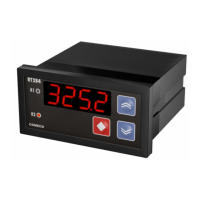
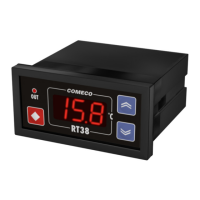
Do you have a question about the COMECO RT38 and is the answer not in the manual?
Place RT38 into an appropriate panel cut-out and tighten using the enclosed mounting bracket(s).
RT38-R is mounted on a 35 mm rail conforming to EN50022 using a standard UNDECAL socket base.
Connect input signal based on type and case, using device terminals on the back.
Connect the output via respective terminals according to its type.
Connect the correct power supply voltage for the device through the respective terminals.
RT38's behavior is set by parameters. Details on names, symbols, and ranges are in Table 1.
Guide on entering parameter adjustment mode and changing numerical parameter values.
Instructions for entering parameter adjustment mode and changing symbolic parameter values.
Controls access via power-on sequence and sets keyboard locking mode.
Displays measured input value and allows Set Point viewing/adjustment.
Contains control algorithm parameters and allows parameter value adjustment.
Contains device configuration parameters, accessed via Parametric level.
Control output follows algorithm parameters; deactivates on error detection.
Illustrates the static characteristic of a relay controlled by an ON/OFF algorithm.
Uses the 'Hold' parameter to prevent undesirable output switches for a set duration.
Cuts periodic noises using Filter Time and Filter Band parameters for signal stability.
Lists and explains error codes for over/under range, fail, calibration, and parameter issues.
 General
| Brand | COMECO |
|---|---|
| Model | RT38 |
| Category | Controller |
| Language | English |

 To Next Page