3030
EN
Take note of the S2, S1 setting and restore it when programming is complete
1) 2) 3) 4)
S1
DIP
1
DIP
2
DIP
3
DIP
4
DIP
5
DIP
6
S2 S1/S2/LED1
111111
⇒
4AKEæ NOTEæ OFæ THEæ
S2, S1 SETTINGæANDæ
RESTOREæ ITæ WHENæ
PROGRAMMINGæ ISæ
COMPLETE
Factory settings:
sæ"UTTONæFUNCTIONSæFORæTHEæ3æ$)0æSWITCHææCOMBINATION
sæ)NTERCOMæADDRESSæABSENT
sæ2ANGEæFUNCTIONæANDæMINMAXæADDRESSESæABSENT
sæ2INGTONEæRESET
sæ).æææ).ææINPUTæ⇒æ,%$æDEFAULT
DIP ON
2
⇒
1
KO Prog.
2
OK Prog.
5 sec
Programming reset
!LLOWSæDIRECTæPROGRAMMINGæOFæINTERCOMæCALLæVIAæTHEæINTERNALæUNITS
••2EQUIRESææOPERATORS
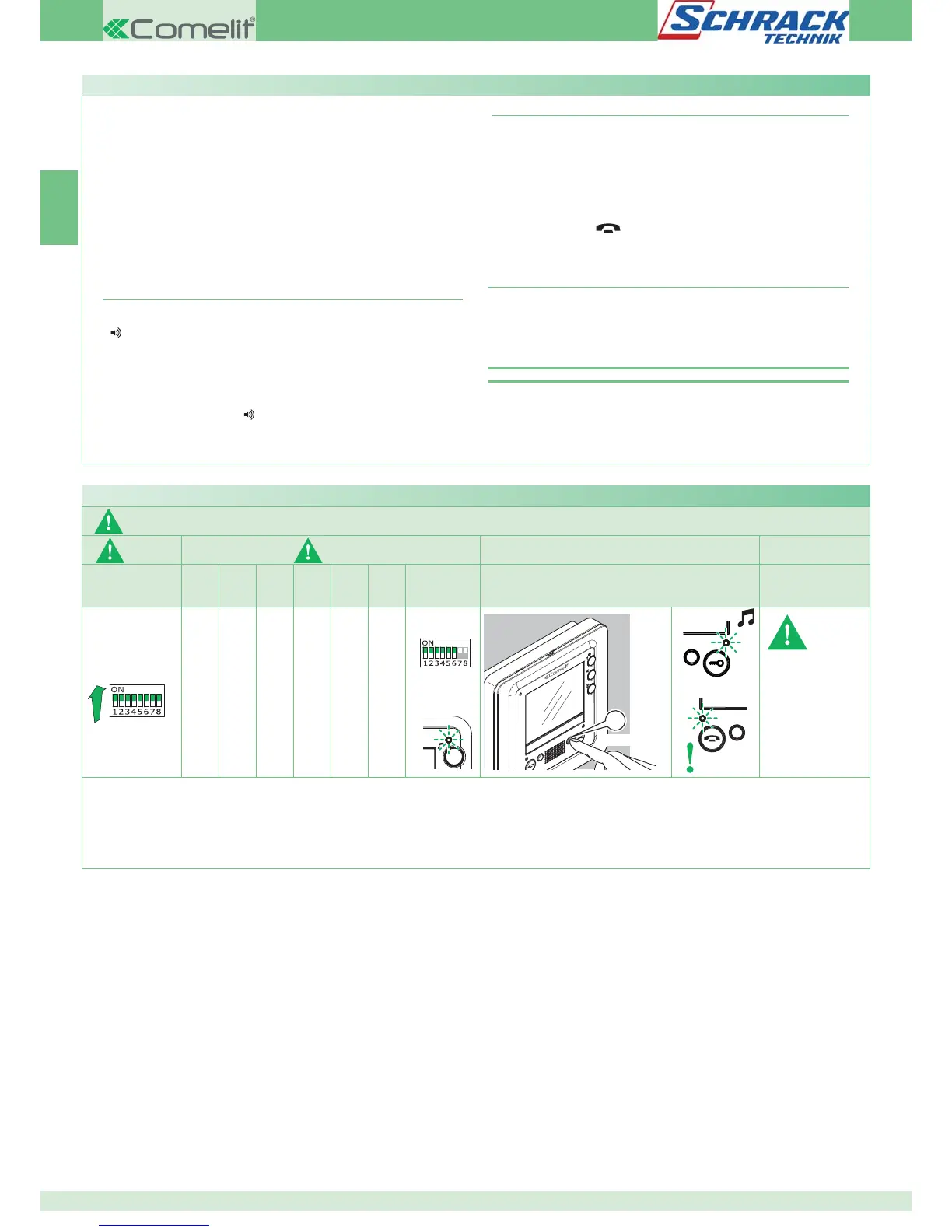
Step 1: enter programming mode
Operator 1 and Operator 2 carry out the following procedures
on 2 internal units:
æ3ETæ3æ$)0æSWITCHESæææTOæTHEæCOMBINATIONæ
æ0RESSæANDæHOLDæBUTTONSæææANDææFORææSEC
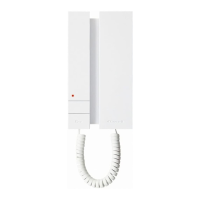
»The internal unit emits 1 tone.
»The red LED flashes.
»The blue audio LED lights up.
»The internal unit enters audio mode.
»At this point the 2 operators will be communicating with each
other.
____
Step 2 (optional): intercom audio volume adjustment
æ!DJUSTæTHEæINTERCOMæAUDIOæVOLUMEæUSINGæTHEæAUDIOæADJUSTMENTæKNOBææ
æ0RESSæKEYæææA TOæCONlRM
»The internal unit emits 1 tone.
»The blue lock-release LED flashes.
»The monitor memorises the audio setting for intercom calls.
æ!Tæ THEæ ENDæ OFæ THEæ AUDIOæ ADJUSTMENTæ SETæ THEæ EXTERNALæ UNITæ AUDIOæ
VOLUMEæADJUSTMENTæKNOBææ
æBACKæTOæITSæPREVIOUSæPOSITION
Direct programming of intercom call
_____________________
Step 3: intercom call programming
Operator 1:
` 0RESSæTHEæBUTTONæYOUæWANTæTOæPROGRAMæTOæCALLæOPERATORææEGæ
»The internal unit manned by operator 1 emits a confirmation tone.
Operator 2:
` 0RESSæTHEæBUTTONæYOUæWANTæTOæPROGRAMæTOæCALLæOPERATORææEGæ
»The internal unit manned by operator 2 emits a confirmation tone.
Operator 1/Operator 2:
` 0RESSæTHEæBUTTONæ
»The blue audio LED switches off.
»Programming of the 2 internal units is now complete.
4OæPROGRAMæANOTHERæINTERNALæUNITæMOVEæONæTOæ34%0æ
____
Step 4: programming other internal units
Operator 1/Operator 2:
/NCEæ THEæ NEWæ STATIONæ HASæ BEENæ REACHEDæ CARRYæ OUTæ STEPæ æ TOæ
BEGINæCOMMUNICATION
æ2EPEATæSTEPææ
NOTE )FæAæCALLæISæRECEIVEDæDURINGæPROGRAMMINGæITæMUSTæBEæANSWEREDæ
ANDæTHEæPROGRAMMINGæPROCEDUREæRESUMEDæAFTERWARDS








 To Next Page