4
ViP Mini Monitor
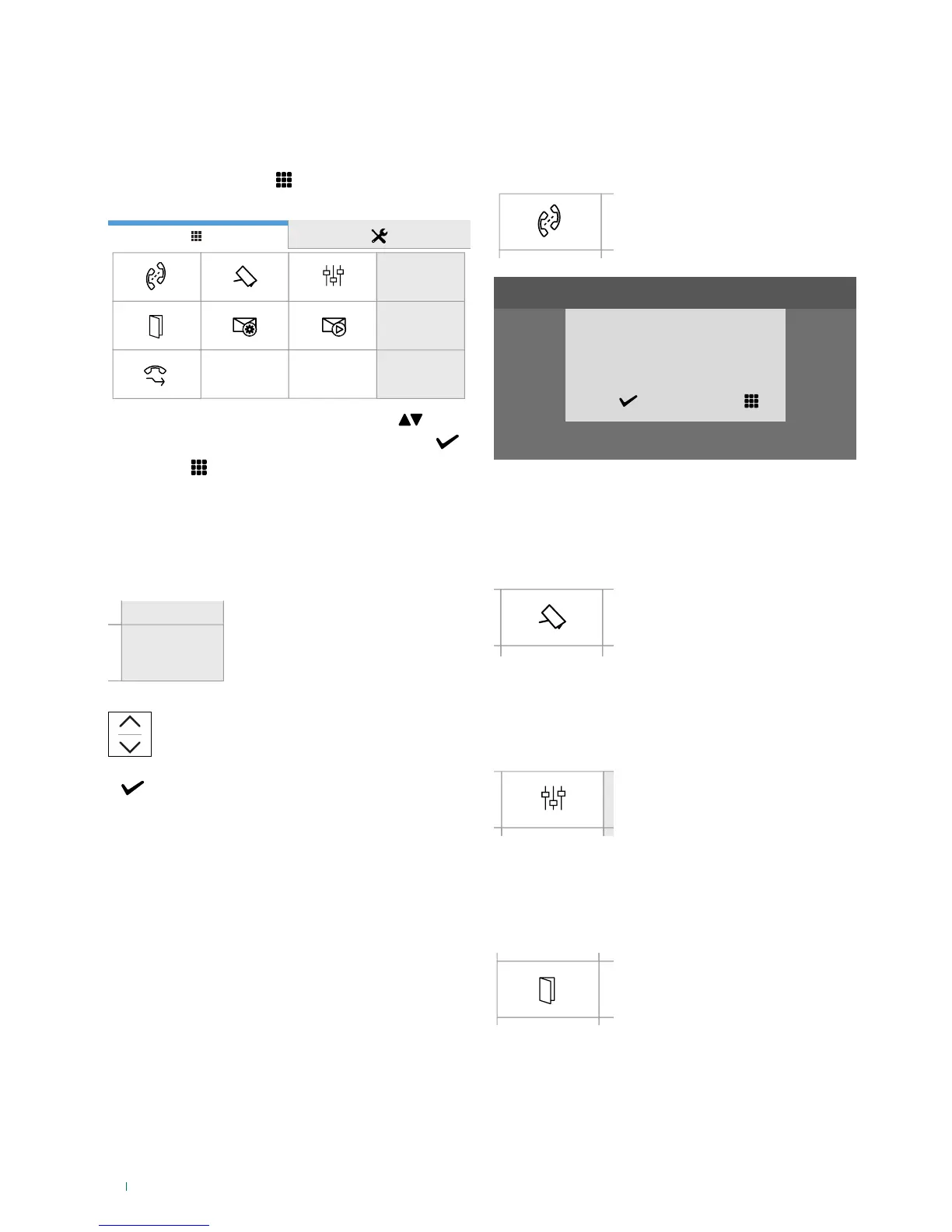
The menu icons vary depending on the type of system
installed and the functions available.
f Press the soft-touch key
to access the display and
view the main menu
07:15
10/04/2017
f Scroll through the menu using the arrow keys
f Confirm the selection by clicking on the tick symbol
f Press Exit to return to previous screen / turn o the
display
Date and time settings
This function allows you to set the time and date of the
device.
07:15
10/04/2017
f Access the dedicated section
Set the desired values for day / month / year /
hours / minutes.
Save the setting
Functions available
Intercoms
This function allows you to call addresses saved in the
directory.
f Access the dedicated section,
then select the device you wish to
call from the directory
Intercoms
Confirm call
JOHN
YES NO
Cameras
This function allows you to view a directory of cameras and to
start live streaming.
f Access the dedicated section,
then select the camera you wish
to interrogate from the directory
Actuators
This function allows you to activate an actuator by selecting
it from the programmed directory.
f Access the dedicated section,
then select the command
you wish to activate from the
directory
Doors open
This function allows you to view a directory of doors to check
their status (open/closed).
f Access the dedicated section to
view the directory, then select the
door to interrogate in order to start
live streaming from the camera.



 To Next Page