6
Art. 6742W
Wi-Fi connection status
Key to symbols
Access point
If the system requires wireless connection of the
monitor, link the device with the local router.
Wi-Fi off
If the system requires wireless connection of the
monitor, access the relevant setup menu and
confirm "Enable Wi-Fi".
Connection absent
Monitor Wi-Fi reception is enabled, therefore
you need to check the router conditions (on/o,
correct operation, distance from the monitor,
correct password).
Signal strength
Excellent
Good
Moderate
Weak
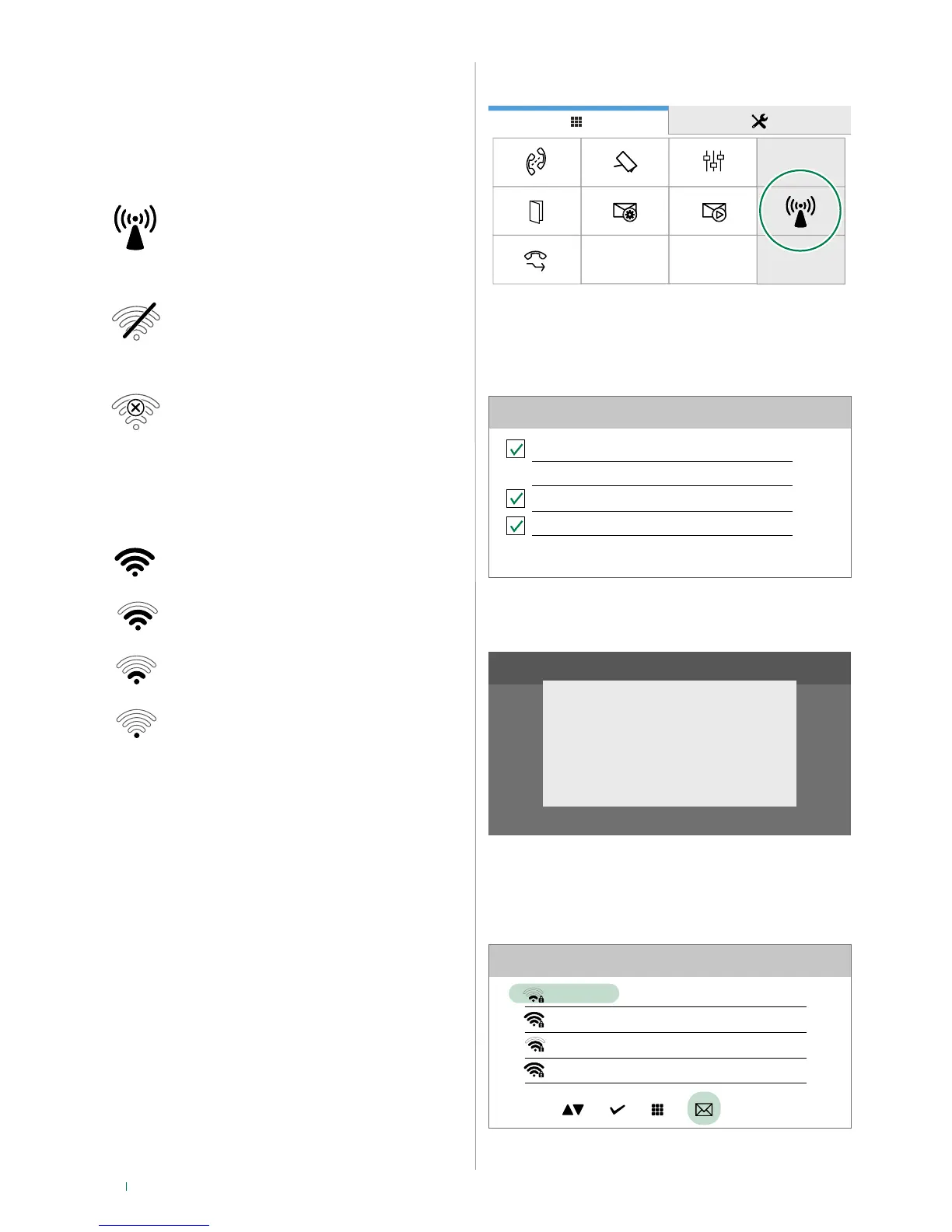
WiFi setup via the monitor
07:15
10/04/2017
If the system requires wireless connection of the monitor,
access the relevant setup menu and confirm "Enable Wi-Fi".
(Default ON)
Wi-Fi setup
Enable Wi-Fi
Wi-Fi setup
Wi-Fi not connected notification
Enable app registration
Select Wi-Fi setup to identify the available networks.
Wi-Fi setup
Network scan
We recommend linking the monitor to your router by means
of the WPS button. If the router does not have a WPS button,
proceed by entering the password manually.
Wi-Fi setup
MY-Wifi
Other Wi-fi_1
Other Wi-fi_2
Other Wi-fi_3
WPS



 To Next Page