3
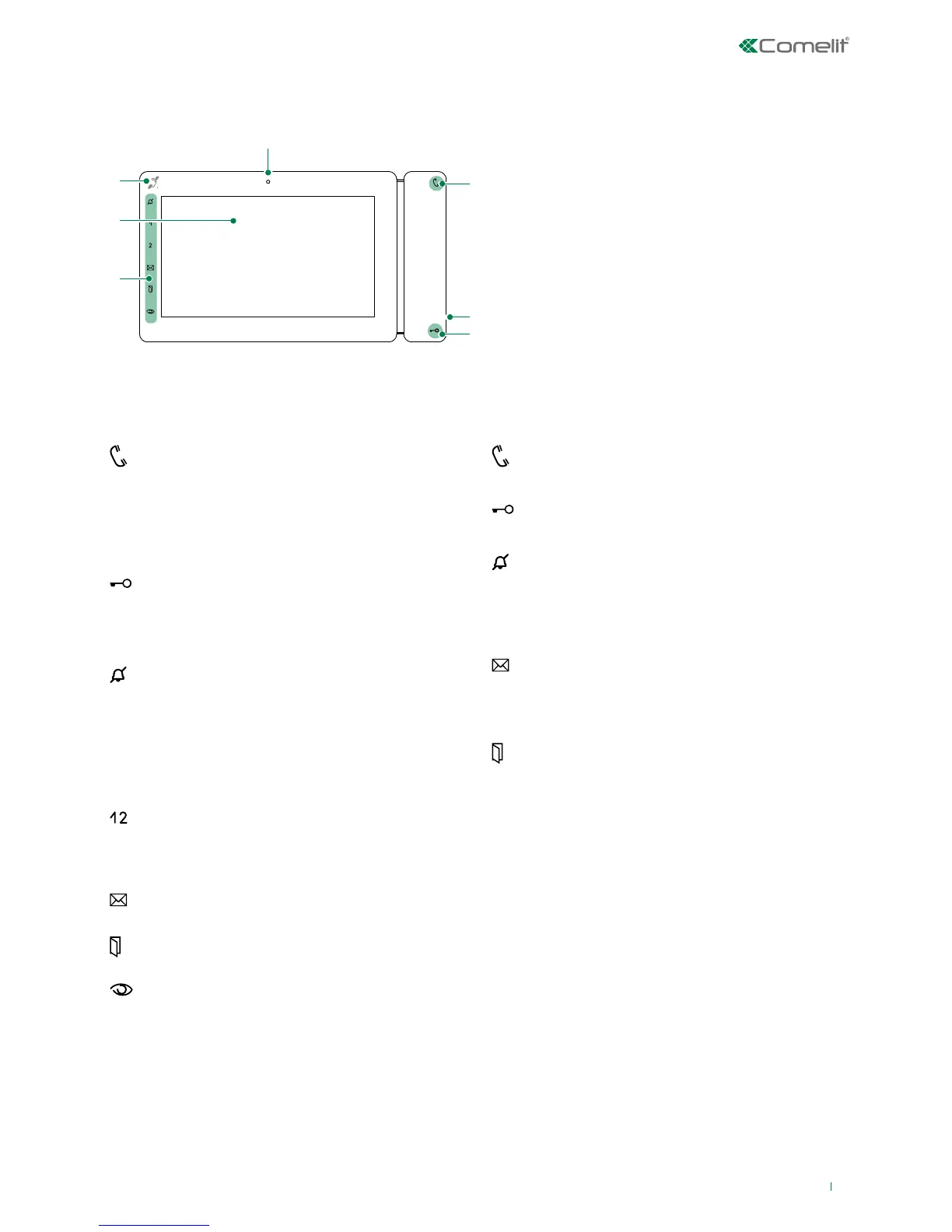
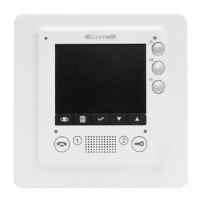
Key functions
AUDIO: allows you to answer incoming calls
√ Incoming call:
f Press to start the conversation
f Press again to interrupt the conversation
» (*) It is possible to resume the conversation for
as long as the LED continues to flash
[programmable]
LOCK-RELEASE: opens the corresponding door
lock
ACTUATOR: allows activation of the associated relay
[programmable]
PRIVACY: the ringtone will be silenced on receipt
of a call from the external unit and from the
switchboard
DOCTOR: allows automatic operation of the lock-
release on receipt of a call from an external unit
PRIVACY + DOCTOR: activates both functions
[programmable [Default: deactivated]
INTERCOM / SELF-IGNITION / CALL PRIORITY
1-4 / LOCK-RELEASE / ACTUATOR / ACTIVATE
OUTPUT / FUNCTION DISABLED
MESSAGE MENU: allows access to the section
Messages
DOORS OPEN: allows access to the section Doors
open
[programmable]
SELF-IGNITION: allows ignition of the external video
unit, and therefore viewing of the external image
INTERCOM / SELF-IGNITION / CALL PRIORITY
1-4 / LOCK-RELEASE / ACTUATOR / ACTIVATE
OUTPUT / FUNCTION DISABLED
Key to the indicator LEDs
(*) FLASHING LED: call in progress
STEADY LED: in communication
1 FLASH: door opening confirmation
FLASHING LED: call in progress
3 FLASHES EVERY 5 SEC.: Doctor function
activated
STEADY LED: Privacy mode activated
STEADY AND FLASHING LED: Doctor and Privacy
activated.
STEADY LED: video memory / Call
divert activated
FLASHING LED: signals presence in directory of a
video message that has not been viewed
STEADY LED: signals the opening of one or more
doors
Description of the monitor
4.
6.
5.
5.
3.
2.








 To Next Page