EasyManua.ls Logo

Comelit 6602W - User Manual

Comelit 6602W
20 pages
Print Icon
To Next Page IconTo Next Page
Loading...
EN
USER
MANUAL
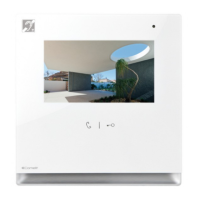
User manual for Icona ViP monitor Art. 6602W - 6602W/BM - 6602WK
Question and Answer IconNeed help?

Do you have a question about the Comelit 6602W and is the answer not in the manual?

Summary

MONITOR DESCRIPTION

FUNCTION KEYS

Explains the usage of programmable and dedicated function keys.

DOOR ENTRY MONITORS

DOOR ENTRY MONITORS - Open doors

Allows checking the status of doors and viewing associated cameras.

DOOR ENTRY MONITORS - Answering service setup

Manages parameters for the device's video memory function.

DOOR ENTRY MONITORS - Intercoms

Allows calling up a directory of addresses for intercom calls.

DOOR ENTRY MONITORS - Cameras

Allows interrogation of cameras for live streaming.

AUDIO BROADCAST

SETUP MENU DESCRIPTION

SETUP - Audio broadcast

SETUP - Advanced

Programming keys

Assigns functions to the programmable keys.

Total reset

Resets the device to its default factory settings.

Create backup

Creates a complete system backup on an SD card.

Import backup

Imports a complete system backup from an SD card.

Door entry monitors

Door entry monitors - Addresses

Sets the ViP address of the device.

Door entry monitors - Actuators directory

Adds and manages actuators connected to the ViP system.

Door entry monitors - Cameras directory

Manages a directory of cameras connected to ViP systems.

Door entry monitors - Intercoms directory

Manages intercoms connected to the ViP system.

Door entry monitors - Doors directory

Adds and manages electronic locks (doors) connected to the system.

Door entry monitors - Alarms

Sets and manages programmed emergency/alarm calls.

Summary

MONITOR DESCRIPTION

FUNCTION KEYS

Explains the usage of programmable and dedicated function keys.

DOOR ENTRY MONITORS

DOOR ENTRY MONITORS - Open doors

Allows checking the status of doors and viewing associated cameras.

DOOR ENTRY MONITORS - Answering service setup

Manages parameters for the device's video memory function.

DOOR ENTRY MONITORS - Intercoms

Allows calling up a directory of addresses for intercom calls.

DOOR ENTRY MONITORS - Cameras

Allows interrogation of cameras for live streaming.

AUDIO BROADCAST

SETUP MENU DESCRIPTION

SETUP - Audio broadcast

SETUP - Advanced

Programming keys

Assigns functions to the programmable keys.

Total reset

Resets the device to its default factory settings.

Create backup

Creates a complete system backup on an SD card.

Import backup

Imports a complete system backup from an SD card.

Door entry monitors

Door entry monitors - Addresses

Sets the ViP address of the device.

Door entry monitors - Actuators directory

Adds and manages actuators connected to the ViP system.

Door entry monitors - Cameras directory

Manages a directory of cameras connected to ViP systems.

Door entry monitors - Intercoms directory

Manages intercoms connected to the ViP system.

Door entry monitors - Doors directory

Adds and manages electronic locks (doors) connected to the system.

Door entry monitors - Alarms

Sets and manages programmed emergency/alarm calls.

Comelit 6602W Specifications

General IconGeneral
Screen Size7 inches
Resolution800 x 480 pixels
Ringtone volume adjustmentYes
Brightness adjustmentYes
Contrast adjustmentYes
Colour adjustmentYes
ColourWhite
Wall-mountedYes
Key button functionsAnswer
CameraNo
Power ConsumptionMax 8W
Operating Voltage24V DC
Operating Temperature-5 to +55 °C

Related product manuals