DOOR ENTRY MONITORS - Audio message
DOOR ENTRY MONITORS-Audio message
Press the icon to activate the function.
» The icon changes status (audio message
activated).
The function allows you to enable audio message playback on the
device on receipt of an incoming call.
(See "DOOR ENTRY MONITORS - Answering service setup" on page
5).
VIDEOFONIA
2
3
DOOR ENTRY MONITORS - Multiple
addresses
DOOR ENTRY MONITORS-Multiple addresses
Press the icon to access the dedicated sub-
menu.
If at least one multiple address is activated, the
icon will change status.
The function allows you to congure the device to manage multiple
addresses, thereby permitting the reception of calls directed to other
ViP devices.
(See "Door entry monitors - Congure multiple addresses" on page
20).
Tick the desired device to activate the function in
combination with its previously congured address
.
(See “Door entry monitors - Congure multiple addresses” on page 20).
Multiple adresses
Indirizzi multipli
CONTENTS
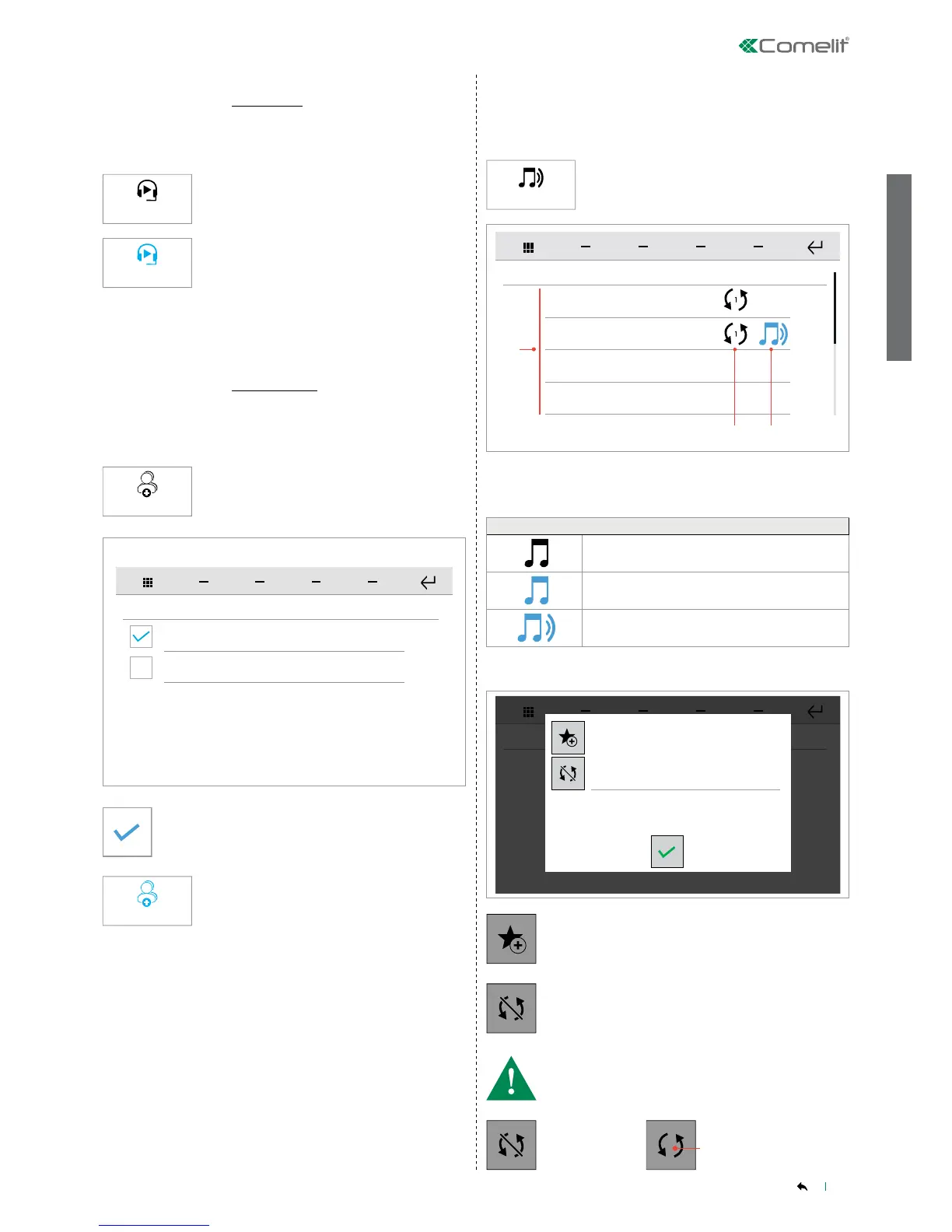
The audio broadcast function allows you to play music and audio les
in the various rooms connected to the home automation manager.
AUDIO BROADCAST
Press the icon to access the function.
Long press on a player to open the advanced info panel.
Audio broadcast
1. Player_1
1. Song #1
2. Player_2
10. Song #10
3. Player_3
22. Song #22
4. Player_4
13. Song #13
Audio broadcast
2
3
1
Favourites page
Synchronise
1. Player status icon*
2. Sync icon: number shown (e.g. 1) = master player
3. List of available players
* PLAYER STATUS TABLE
Player OFF
Player ON but not playing
Player ON and playing
Press the icon to add the player to the favourites page.
Press the icon to synchronise the player with another
player.
• Press the icon until the id of the desired synchronisation master
player is shown, then conrm.
Player
NOT
SYNCHRONISED
Player SYNCHRONISED
with the master player
indicated by the number N
1
N


 To Next Page