1 2
192.168.1.226
3
4 5 6
7
.
8
0
9
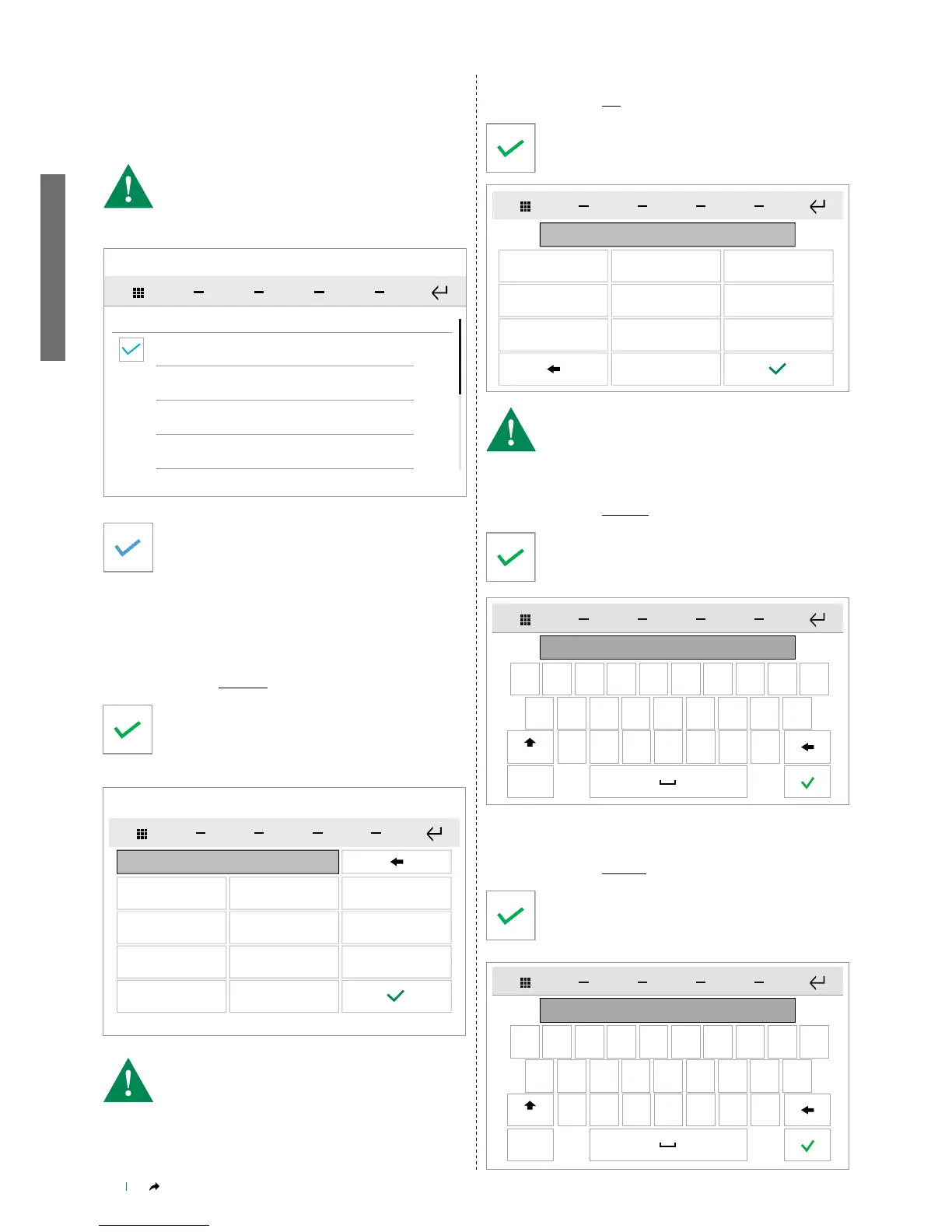
IP Address
SETUP-Audio broadcast-IP address
SETUP - Audio broadcast
From this menu you can manage the operating parameters of the
audio broadcast function.
Enable
SETUP
Address IP
Port
Username
• DEFAULT VALUE: 192.168.1.226
• For configuration of the media server, refer to the technical
documentation available online at the address
http://wiki.slimdevices.com/index.php/Logitech_Media_Server
• For configuration of the player, refer to the manual art 20004500 /
20004501 / 20004502
Tick the ENABLE box to activate the audio broadcast
function.
Press the desired parameter to open the dedicated menu.
» The parameters that can be congured are:
IP address / Port / Username / Password.
Enter the IP address of the desired audio broadcast
server, then conrm.
1 2
9000
3
4 5 6
7 8
0
9
Port
SETUP-Audio broadcast-Port
Enter the port of the desired audio broadcast server, then
conrm.
q w e r t
admin
y u i o p
a s d f
g
h
j
k
l
z
x c v b
n
m
123
Aa
Username
SETUP-Audio broadcast-Username
Enter the desired username, then conrm.
q w e r t
*****
y u i o p
a s d f
g
h
j
k
l
z
x c v b
n
m
123
Aa
Password
SETUP-Audio broadcast-Password
Enter the password associated with the username and
conrm.
• DEFAULT VALUE: 9000


 To Next Page