MESSAGGI
Messaggi comuni
Messaggi video
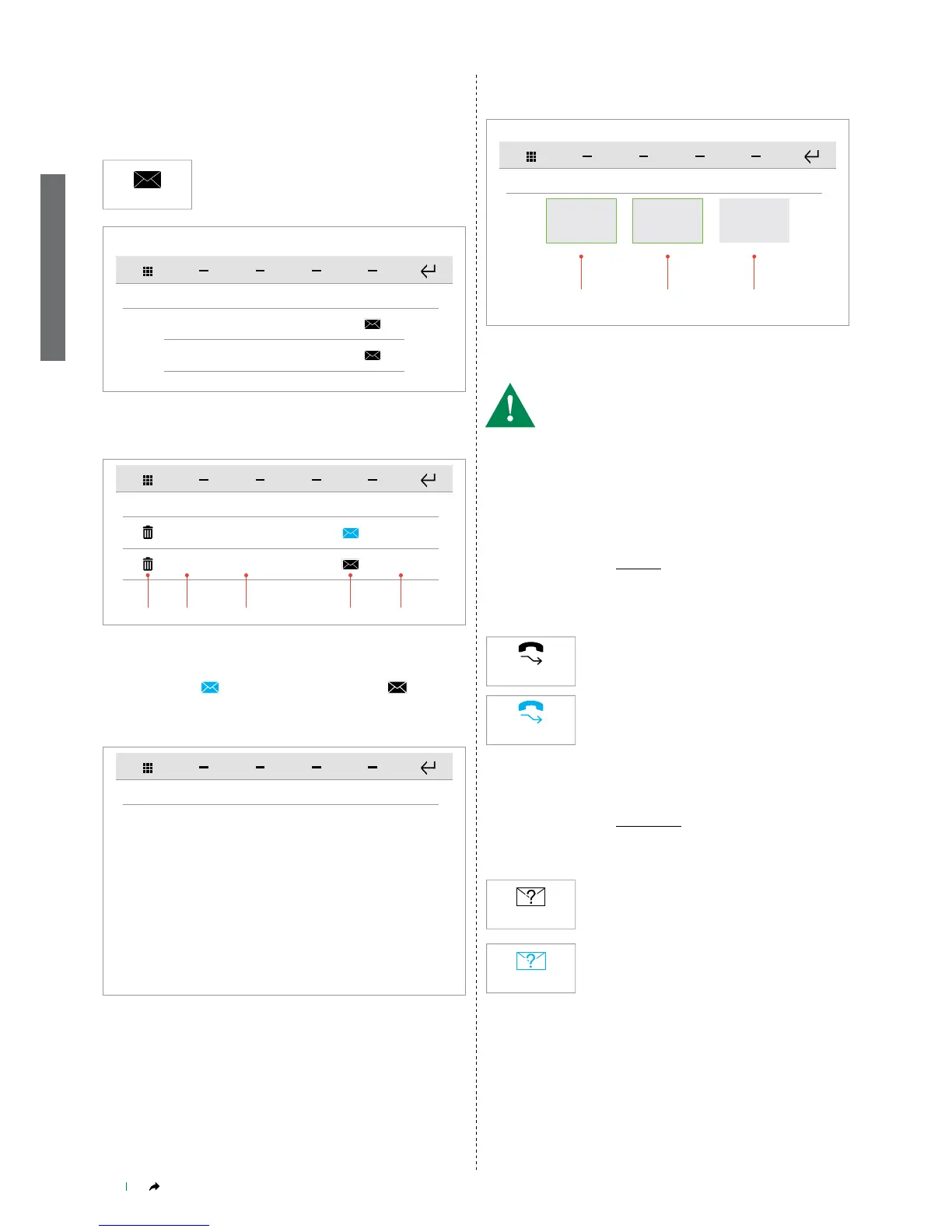
MESSAGGI
12345678 Messaggio #1 26 Feb 10:45
26 Feb 12:37
12345678 Messaggio #2
1 2 3 4 5
12345678 Messaggio #1 26 Feb 10:45
Id mi, quam ea suntis reri volorec earciaes volorum fugiti dolum quidustet est que maios
dollabo. Luptae doluptaque il explitibusam ni im quodis aligentia et doluptatio volor repel
illatio blaceatqui sus, autent prerunt, sus nonsequo omnihic ienihit odis atectiu ntorrum
quis modi ne periant.
Ossi nat. Orrovid quid millorro dis modias aut autae re entur? Culpa dolumquos alignam
nobis minum laborepudis magname niminum nia doluptum faceatatem de voloritatur sus
aliqui nemolorum, qui ute volumet volupta corepudae aliquat ecusciunt.
Evel il imil eiciis et aboreru ptatur sitiuntium vellupt atiuntur?
Es dit quodio. Itatem ni quos numet eiumqua tecepe volupienis volo omnis mi, sero esci
bea sum net voluptur magnient occupta nem essimpo rporecu ptataspedita nobitium
fuga. Et re, te dolor ab is venimin enimus expedi dunderunt maximagnim ventionsed ut as
doluptur aut molut hit, sendita tatiusdaere int dollenihil ex enet veratur?
DOOR ENTRY MONITORS - Messages
DOOR ENTRY MONITORS-Messages
Press the icon to access the dedicated sub-
menu.
Press the COMMON MESSAGES icon to access the ViP message
sub-menu.
Press the VIDEO MESSAGES icon to access the video memory
sub-menu.
Short press on the message title to open the message.
This function allows you to manage the ViP messaging system of the
device.
Messages
DOOR ENTRY MONITORS - Video memory
DOOR ENTRY MONITORS-Video memory
Press the icon to activate the function.
» The icon will change status (video memory
activated).
This function allows you to enable the video memory on the device.
(See "DOOR ENTRY MONITORS - Answering service setup" on page
5).
1. Delete message icon
2. Sender ViP address
3. Message title
4. New message / previously read message icon
5. Date message received
VIDEO SEGRETERIA
[1] [2] [3]
1 1 2
01/01/2015 17:30 01/01/2015 17:45 01/01/2015 20:45
Short press on the recording preview to start playback.
Long press (and conrm) to delete the video recording.
1. Previously viewed video recording
2. New video recording resolution
• [1] [2] [3] are previews of the video recordings recorded in the video
memory.
• Each video is labelled with the date and time it was recorded.
DOOR ENTRY MONITORS - Call divert
DOOR ENTRY MONITORS-Call divert
Press the icon to activate the function.
» The icon changes status (call divert activated).
This function allows you enable call diversion to another ViP device
(see "Door entry monitors - Call divert" on page 18) if there is no
response from the original device or if it is in use.


 To Next Page