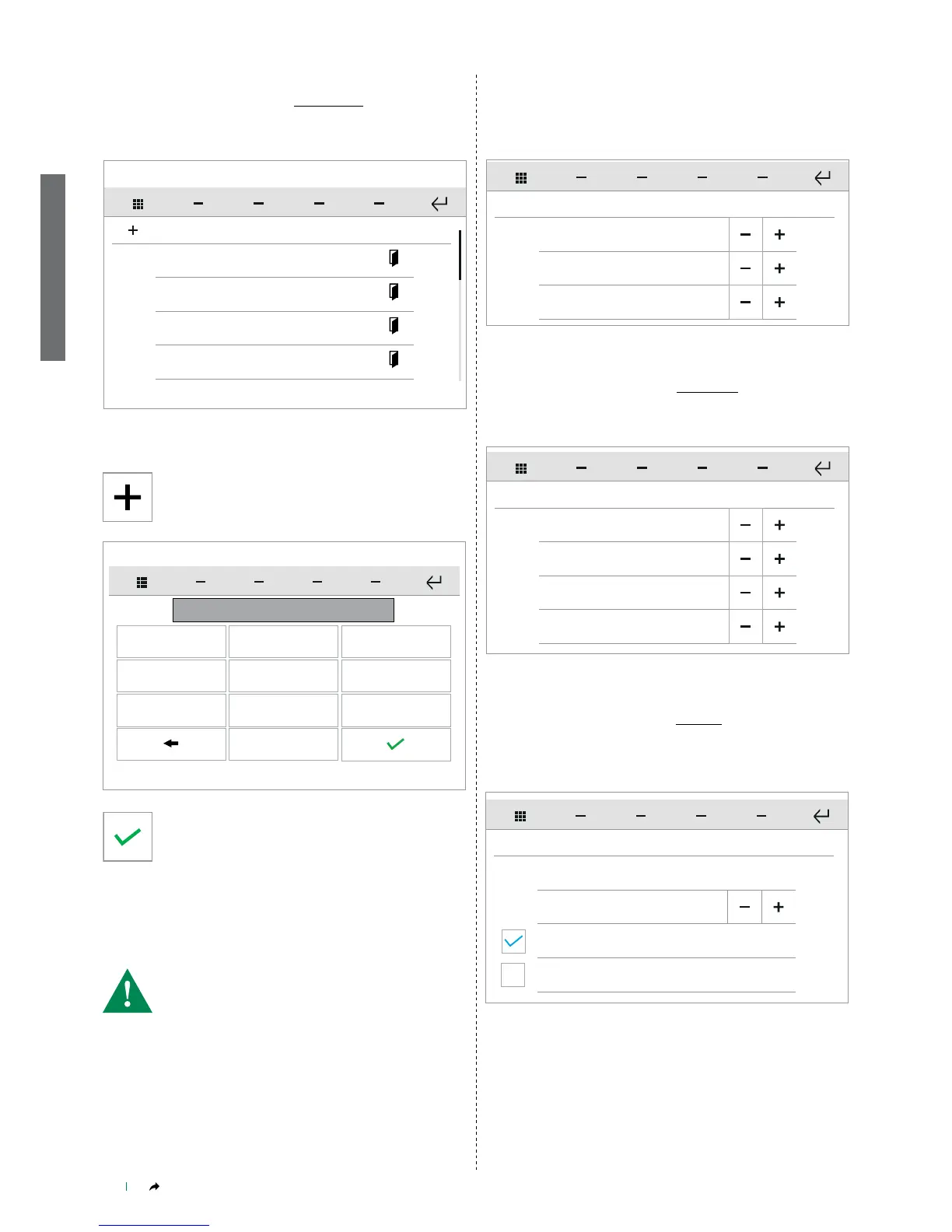
External call
SET TONE REPETITION
Intercom call
Floor door call
1
1
1
Awaiting Reply
SET CALL TIMES
Conversation
Intercom Conversation
60
90
90
Reset wait time 10
Set the desired value by pressing the icons "+" and "-".
Set the desired value by pressing the icons "+" and "-".
This function allows you to set the number times the tone is repeated
for each of the applicable events.
This function allows you set the durations of some of the timers (in
seconds) associated with door entry monitor functions.
Door entry monitors - Set tone repetition
SETUP-ADVANCED-Door entry monitors-Set tone repetition
Door entry monitors - Set call times
SETUP-ADVANCED-Door entry monitors-Set call times
This function allows you to add and manage electronic locks (doors)
connected to the door entry monitor system.
This function allows you import audio messages from an SD Card for
use with the function "Door entry monitors - Alarms" on page 67.
Door entry monitors- Doors directory
SETUP-ADVANCED-Door entry monitors-Doors directory
Door entry monitors - Import audio message
SETUP-ADVANCED-Door entry monitors-Import audio message
Door 1
Doors open
Door 2
Door 3
Door 4
Press on the name of the door, then confirm the operation to start
the call.
Press the icon to add a new element.
1
00000001
2 3
4 5 6
7 8 9
0
Enter the desired value, then confirm.
• Consult your installer for conguration of the audio message and
alarm calls!
Configure ViP address
CALL DIVERT
Activate timed divert
Activate divert when busy
Waiting time 10
• CONFIGURE VIP ADDRESS
Allows you to enter the address of the device to which the
emergency call is to be directed. See "CONFIGURE VIP
ADDRESS" on page 16
• WAITING TIME
is the time interval (in seconds) between the arrival of a call and
its diversion (in the case of no reply) to another ViP device. Adjust
by pressing "+" and "-".
From this menu you can set and manage call diversion to another ViP
device in the event of no reply or absence.
Door entry monitors - Call divert
SETUP-ADVANCED-Door entry monitors-Call divert


 To Next Page