CONTENTS
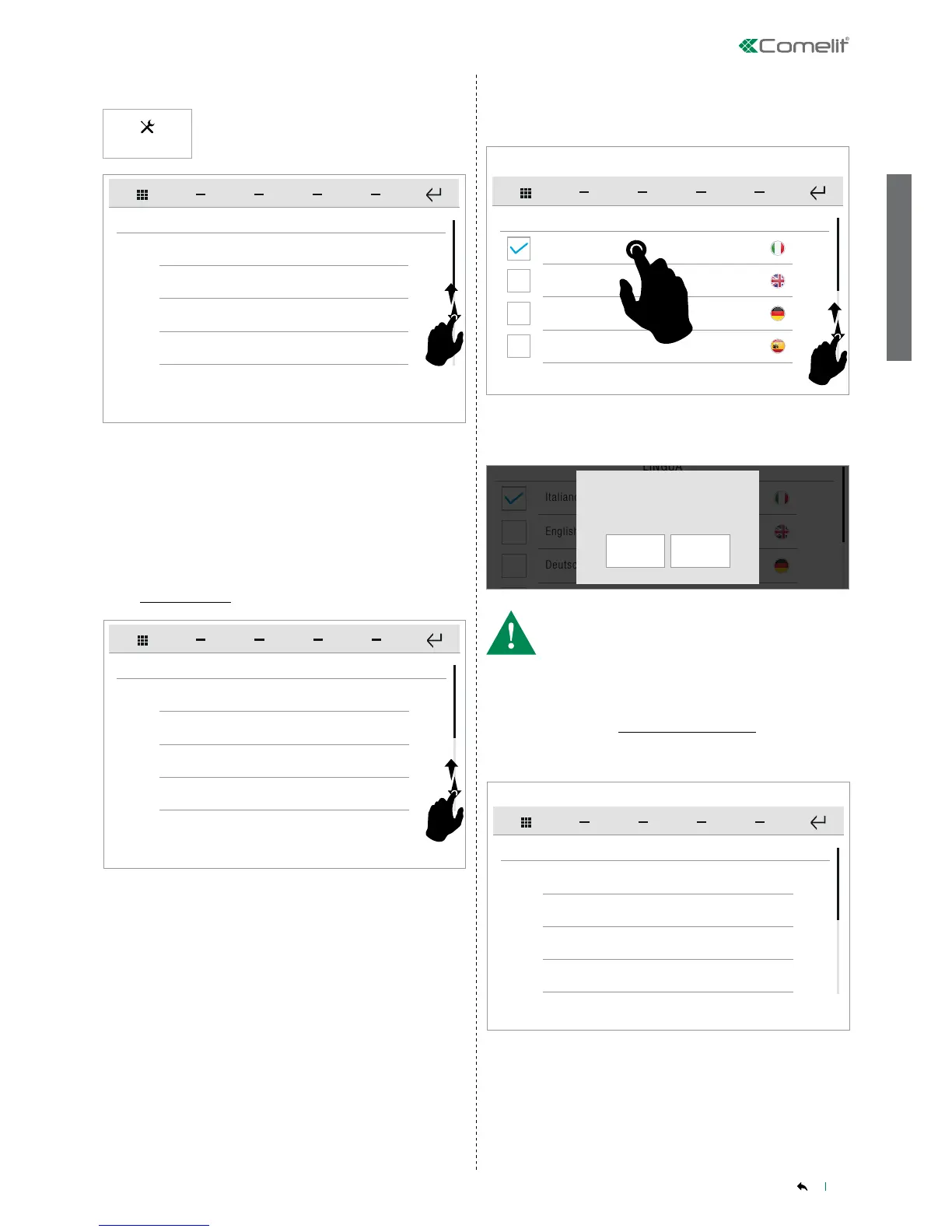
To access the desired sub-menu, press the corresponding icon.
To access the desired sub-menu, press the corresponding icon.
» The available options are: General parameters/ Widgets / Audio
broadcast / Congure event messages / Advanced.
» The available options are: Language / Keypad lock and touch
screen / Set date and time / Information / Volume control / Set
ringtones / Soft touch keys.
SETUP MENU DESCRIPTION
Press the icon to access the setup menu.
Setup
Italiano
Language
English
Deutsch
Español
Italiano
Confirm language choice?
YES NO
Language
GENERAL SETUP
Lock keys and touch
Set date and time
Information
General parameters
SETUP
Widgets
Audio broadcast
Configure messages on event
Swipe your nger up or down to view all the available menu options.
Swipe your nger up or down to view all the available menu options.
You can change the interface language.
Select the desired language by pressing the relative icon, then
conrm the selection.
• If the system includes a Vedo control panel, the language is
automatically set to that used by the control panel itself, regardless
of the language selected.
Language
GENERAL SETUP
Lock keys and touch
Set date and time
Information
The function can be used to lock the device touch screen for 60
seconds, for cleaning purposes.
Conrm the operation.
» After 60 seconds, the device is unlocked automatically.
SETUP - General parameters
SETUP-General parameters
General parameters-Language
SETUP-General parameters-Language
General parameters-Keypad lock and touch
screen
SETUP-General parameters-Keypad lock and touch screen


 To Next Page