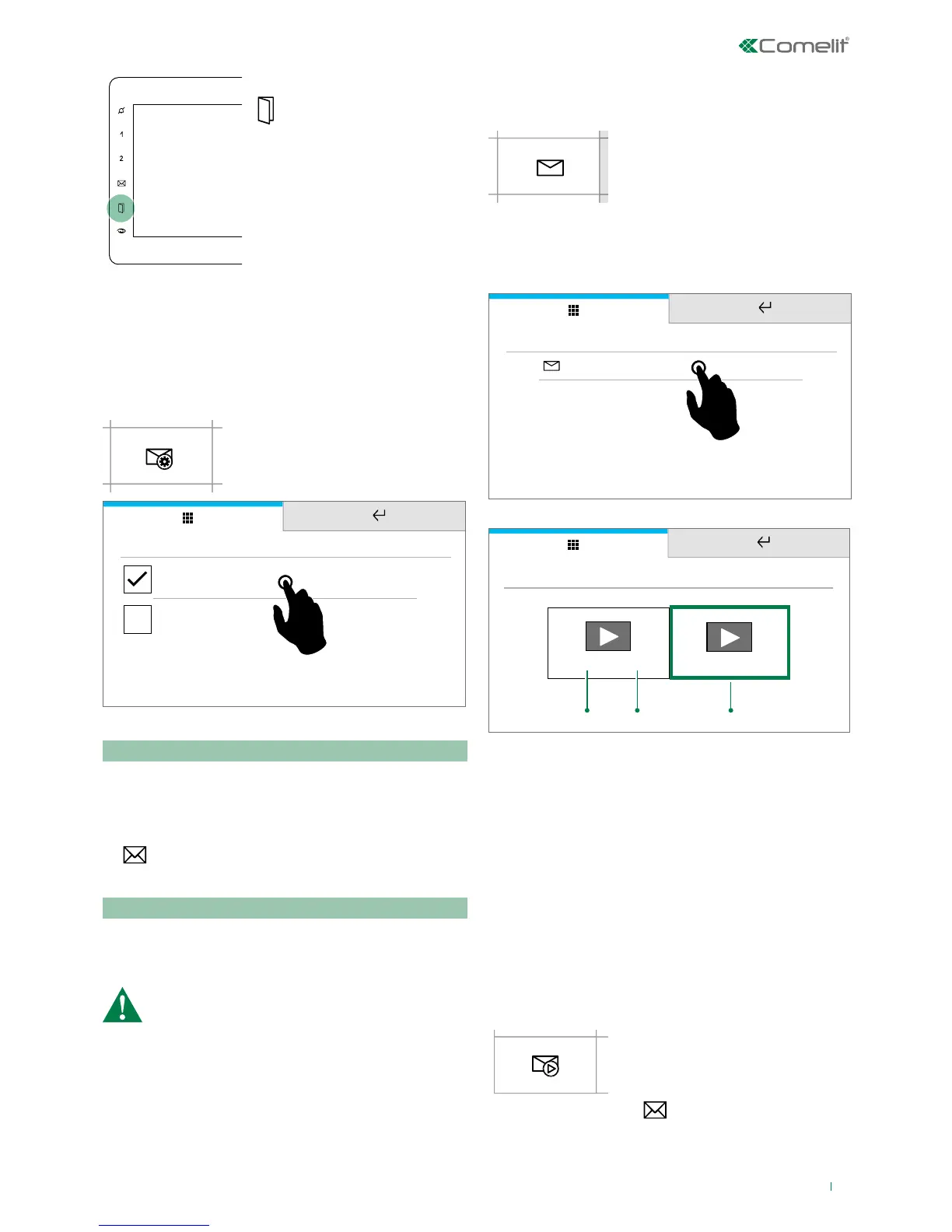
5
» The soft-touch key LED
illuminates to indicate that one or
more doors are open
f Press the icon LED to gain
immediate access to the directory,
then select the door to interrogate
in order to start live streaming
from the camera
Answering service setup
This function allows you to manage the parameters for the
device's video memory function.
f Press the icon to access the
dedicated sub-menu
Memory
Video memory
Record always
Video memory
This function automatically starts audio/video recording in
the event of no reply.
f Tick the box to enable the function
» The icon in the main menu changes colour
»
The soft-touch key LED illuminates (Steady light)
Record always
This function automatically starts audio/video recording on
receipt of a call from an external unit.
f Tick the box to enable the function.
Both functions must be ticked
Messages
This function allows you to access the ViP messaging system
of the device.
f Press the icon to access the
dedicated sub-menu
f Press VIDEO MESSAGES to access the video memory
sub-menu.
MESSAGES
Video messages
Examples:
20/02/2017 08:24
20/02/2017 20:25
1. 2. 3.
Video messages
1. Date
2. Time
3. Example of a previously viewed recording
f Short press on the video recording preview to START
playback
f Short press on the video recording to STOP playback
f Long press to delete the video recording
Video memory
This function allows you to enable/disable the video memory
on the device.
f Press the icon to enable the
function
» The icon in the main menu
changes colour.
»
The soft-touch key LED
illuminates (Steady light)








 To Next Page