12
example
code 25
5
6
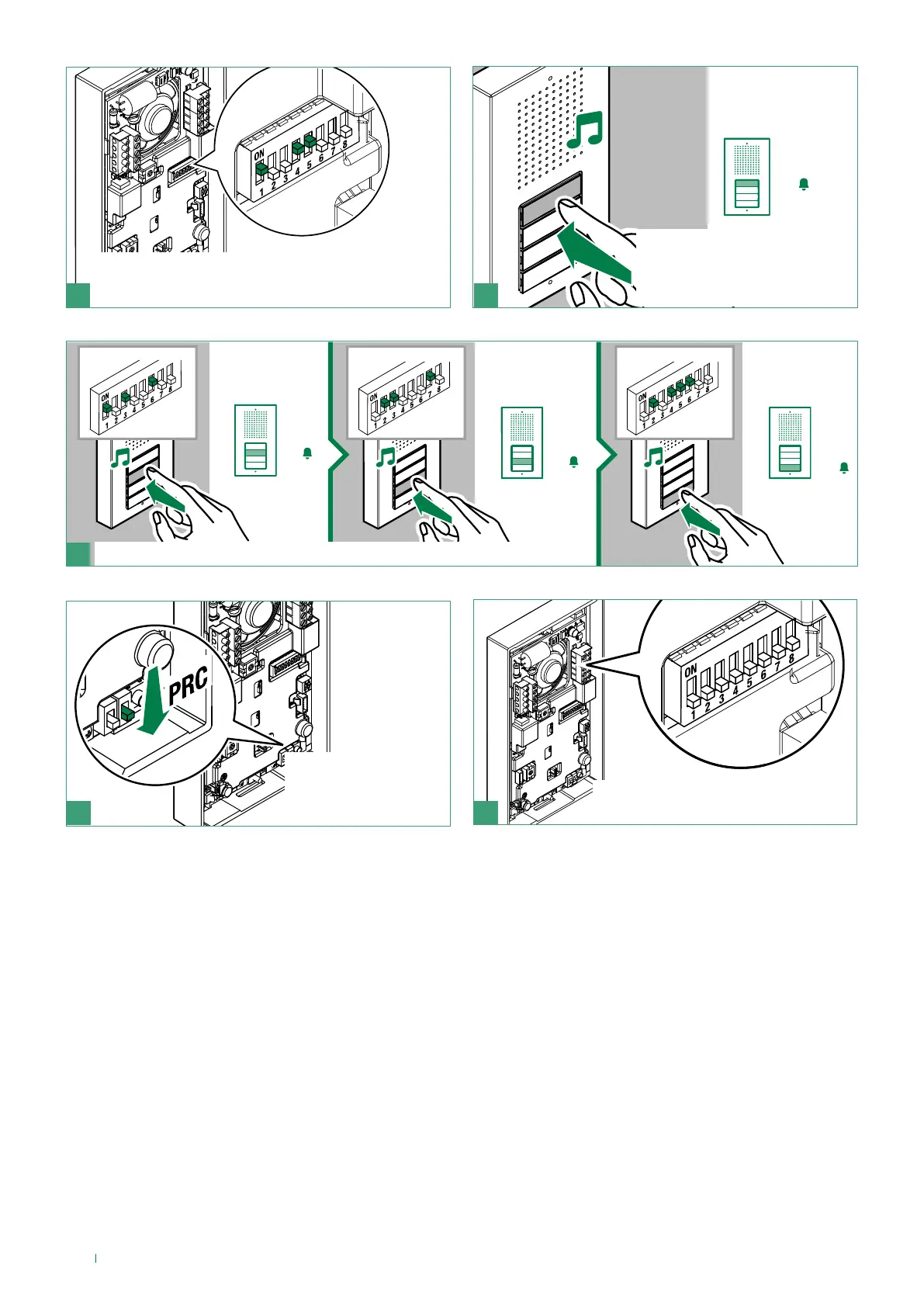
f Press the button you want
to associate with the call
address set using the DIP-
switches
f Set the address of the apartment you wish to call
(for example: 25) using the DIP-switches (see table,
page 15)
=
70
=
58
=
37
example code 37 example code 70 example code 58
7
f Repeat steps 4 and 5 to assign a specific address to each button
8 9
f Exit programming
by moving PRC
downwards
f Restore the configuration of the
DIP-switches for S2



 To Next Page